Best Free AI Image Generators (2026): 11 Options Compared
Short answer
On our eight-point checklist of published facts, Canva AI scores highest with 6 points: it publishes a free allowance (20 AI uses a month), says you own the output and may use it commercially, and keeps designs private by default. NightCafe, Magnific and ChatGPT follow on 5. We have not yet compared image quality.
Key takeaways
- Canva AI scores highest on our eight-point checklist, with 6; NightCafe, Magnific and ChatGPT have 5. The checklist covers published facts only, not image quality.
- All eleven have an ongoing free tier and eight publish the allowance; Gemini, Firefly and ChatGPT do not. Only NightCafe lets you start creating without an account.
- Commercial rights differ more than prices do. NightCafe, Canva, ChatGPT and Ideogram let you own or freely use free-tier images; Krea, Magnific and Recraft allow no commercial use on free.
- Free images are public on Leonardo.Ai, Ideogram and Recraft, and may be visible to others on Krea. Recraft trains on them with no opt-out.
- These are researched entries, read from vendor pages on 28 and 30 October 2026. Hands-on test results are still to come.
Quick picks
- Highest checklist score Canva AI
6 of 8 points. The image lands in a design editor with templates, which also makes it an easy start. The free allowance is small, at 20 AI uses a month shared across Canva's AI tools.
- Most prompts a day Bing Image Creator
15 fast creations a day per Microsoft's FAQ (its create page says 10), then up to 200 prompts in 24 hours at standard speed. Its terms are silent on commercial use.
- No account, and commercial use allowed NightCafe Studio
You can start creating straight away, and its terms allow commercial use even on the free plan.
- Commercial use, Adobe's own models Adobe Firefly
Adobe states that output from its own Firefly models can be used commercially. Partner models in the free tier are your responsibility to clear.
- Best for text in images Ideogram
Lettering is its documented focus, down to editable text layers. The free allowance is small, at 30 credits a week.
Comparison table
11 tools, grouped by checklist points out of 8. Tools on the same score are in alphabetical order, so position within a score is not a ranking. Every figure was read from the vendor's own pricing or help page on 30 October 2026. Prices are in the currency the vendor's page showed.
| Tool | Points | Free allowance | Account | Commercial use | Cheapest paid plan |
|---|---|---|---|---|---|
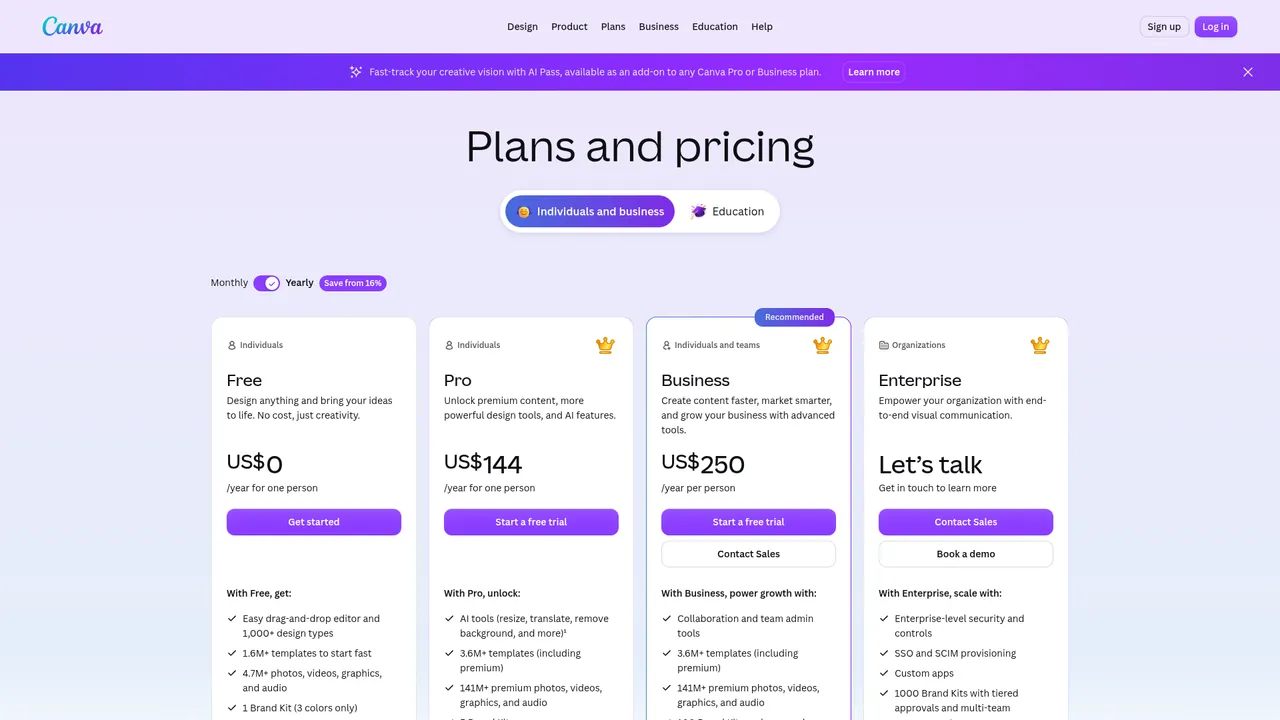
| Canva AI | 6 of 8 | 20 AI uses a month, shared across Canva AI | Yes | Allowed; rights may not be exclusive | US$18 a month billed monthly (Pro) |
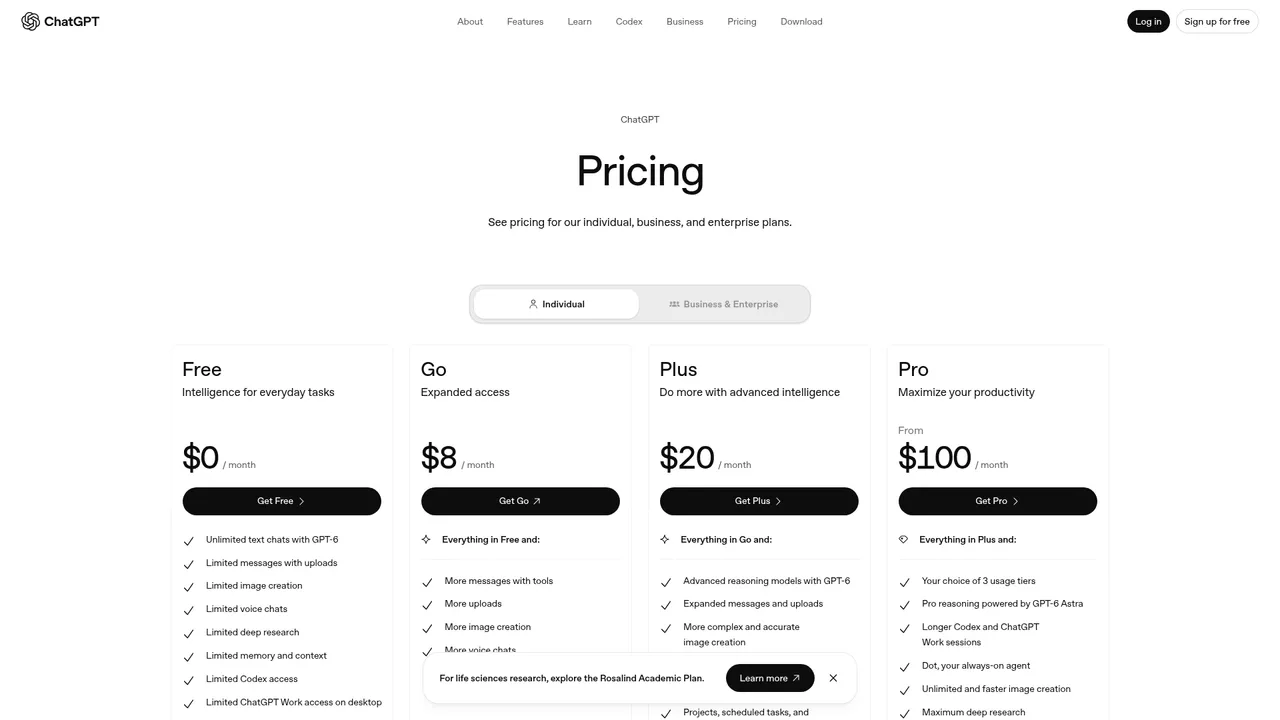
| ChatGPT | 5 of 8 | Limited; no number published | Yes | Allowed; the terms assign output to you | $8 a month (Go) |
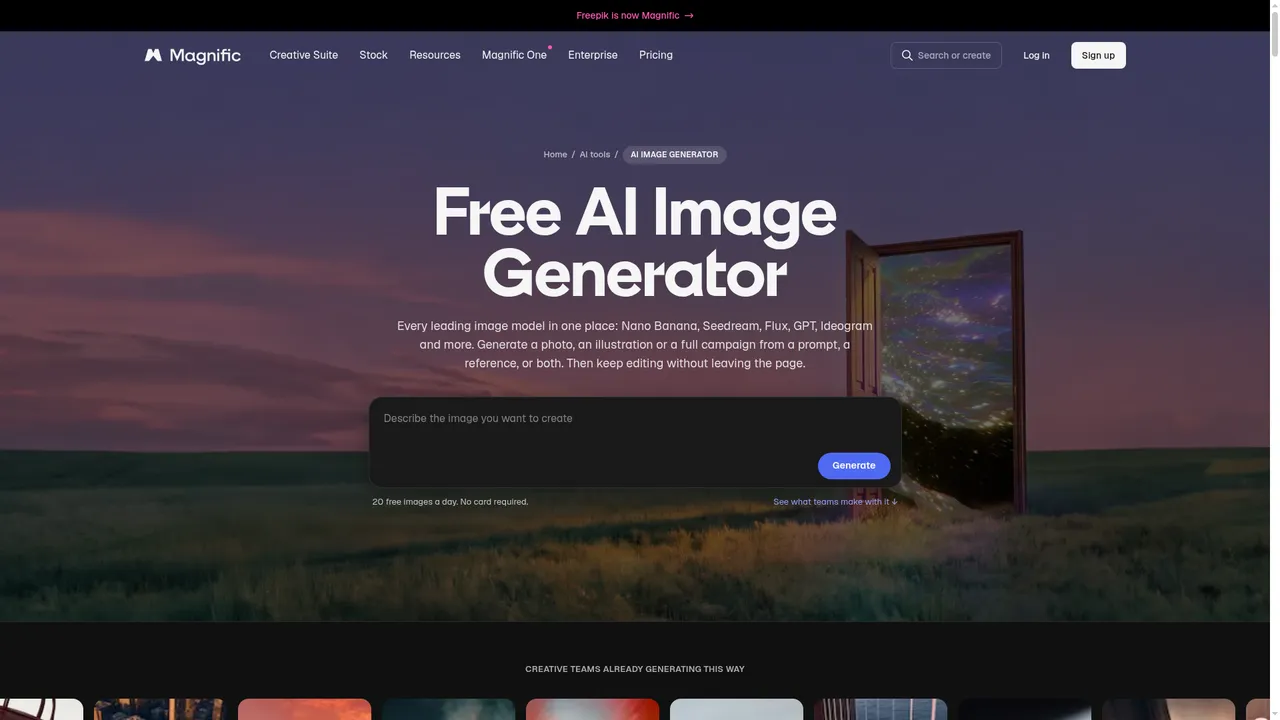
| Magnific (formerly Freepik) | 5 of 8 | 20 images a day | Yes | Personal use only, with attribution | $20 a month billed monthly (Premium) |
| NightCafe Studio | 5 of 8 | At least 5 credits a day | Not to start | Allowed, even on the free plan | $12.49 a month billed monthly (AI Hobbyist) |
| Ideogram | 4 of 8 | 30 credits a week | Yes | Allowed | $20 a month billed monthly (Plus) |
| Leonardo.Ai | 4 of 8 | 150 tokens a day | Yes | Royalty-free licence; Leonardo keeps the rights | $12 a month billed monthly (Essential) |
| Adobe Firefly | 3 of 8 | Daily; no number published | Yes | Firefly models only; partner models are your call | US$9.99 a month billed monthly (Standard) |
| Google Gemini | 3 of 8 | Refreshes every 5 hours; no count published | Yes | Not addressed directly | $4.99 a month (Google AI Plus) |
| Bing Image Creator | 2 of 8 | 15 fast creations a day (create page says 10) | Yes, a personal Microsoft account | Not addressed; described as for entertainment | No paid plan |
| Krea | 2 of 8 | 100 compute units a day | Yes | Not on the free plan | $9 a month billed monthly (Basic) |
| Recraft | 2 of 8 | 3 generations per style a day | Yes | Not allowed | $12 a month billed monthly (Basic) |
Checklist points
The points below are the only thing behind the order. Each scores a fact from the vendor's own pages, and none measures image quality.
| Tool | Allowance published (2) | Commercial use (2) | Private images (1) | No training (1) | No account (1) | Mobile apps (1) | Total (8) |
|---|---|---|---|---|---|---|---|
| Canva AI | 2 | 2 | 1 | 0 | 0 | 1 | 6 |
| ChatGPT | 0 | 2 | 1 | 1 | 0 | 1 | 5 |
| Magnific (formerly Freepik) | 2 | 0 | 1 | 1 | 0 | 1 | 5 |
| NightCafe Studio | 2 | 2 | 0 | 0 | 1 | 0 | 5 |
| Ideogram | 2 | 2 | 0 | 0 | 0 | 0 | 4 |
| Leonardo.Ai | 2 | 1 | 0 | 0 | 0 | 1 | 4 |
| Adobe Firefly | 0 | 1 | 0 | 1 | 0 | 1 | 3 |
| Google Gemini | 0 | 0 | 1 | 1 | 0 | 1 | 3 |
| Bing Image Creator | 2 | 0 | 0 | 0 | 0 | 0 | 2 |
| Krea | 2 | 0 | 0 | 0 | 0 | 0 | 2 |
| Recraft | 2 | 0 | 0 | 0 | 0 | 0 | 2 |
- Allowance published. 2 if the vendor publishes the free allowance as a number, 0 if it does not.
- Commercial use. 2 if the terms clearly allow commercial use of free-tier output, 1 if they allow it with conditions, 0 if they are silent or forbid it.
- Private images. 1 if the vendor states that free images are private by default, 0 if they are public, may be visible to others, or the vendor does not say.
- No training. 1 if the vendor states it does not train on your content, or gives free users a way to opt out, 0 otherwise.
- No account. 1 if you can start creating without an account.
- Mobile apps. 1 if there are native iOS and Android apps.
Commercial rights on the free plan
4 tools allow commercial use of free-tier output (Canva AI, ChatGPT, NightCafe Studio and Ideogram); 3 tools do not (Magnific (formerly Freepik), Krea and Recraft); 2 tools allow it with conditions (Leonardo.Ai and Adobe Firefly); 2 tools say nothing either way (Google Gemini and Bing Image Creator). Read the terms of the tool you used, on the day you use it.
| Tool | Who owns the output | Commercial use |
|---|---|---|
| Canva AI | You, except edits of Canva library content | Allowed; rights may not be exclusive |
| ChatGPT | You | Allowed; the terms assign output to you |
| Magnific (formerly Freepik) | A licence for free users | Personal use only, with attribution |
| NightCafe Studio | You: the terms transfer the rights | Allowed, even on the free plan |
| Ideogram | Not restricted by Ideogram | Allowed |
| Leonardo.Ai | Leonardo | Royalty-free licence; Leonardo keeps the rights |
| Adobe Firefly | Not stated separately for free users | Firefly models only; partner models are your call |
| Google Gemini | Google does not claim ownership | Not addressed directly |
| Bing Image Creator | Microsoft does not claim ownership | Not addressed; described as for entertainment |
| Krea | A licence that depends on your plan | Not on the free plan |
| Recraft | Recraft | Not allowed |
Privacy, training and watermarks
Free images are often public, and some tools train on them. If the image belongs to a client or a family, read this table before you generate it.
| Tool | Free images | Used for training | Visible watermark |
|---|---|---|---|
| Canva AI | Private by default | Only if your settings allow; Free default not stated | None stated; C2PA metadata |
| ChatGPT | Stay in your account | Free chats used by default; can switch off | None visible; Content Credentials and SynthID |
| Magnific (formerly Freepik) | Private by default | No, on any plan | Not stated |
| NightCafe Studio | Not stated; prompts can be hidden | Not stated | Not stated |
| Ideogram | Public, and cannot be deleted | In privacy policy; no opt-out stated | Not stated |
| Leonardo.Ai | Public; deleting needs a paid plan | Public content used; opt-out needs a paid plan | Not stated |
| Adobe Firefly | Public or private not stated | No, unless submitted to Adobe Stock | None stated; Content Credentials attached |
| Google Gemini | Private unless you share a link | Chats may be used while Keep Activity is on | Visible, plus an invisible SynthID mark |
| Bing Image Creator | Kept up to 90 days; you can delete them | Uploaded images no; prompts not addressed | Optional, your choice |
| Krea | May be visible to others without private mode | Not stated | Not stated |
| Recraft | Public in the community gallery | Yes, with no opt-out | Visible mark not stated; metadata may be embedded |
What is actually free?
"Free" covers several different deals. This is how each tool on this page classifies, from the vendor's own terms.
| Kind of free | What it means | Tools on this page |
|---|---|---|
| Free, published allowance | A stated number of generations or credits that refreshes daily, weekly or monthly. | Canva AI, Magnific (formerly Freepik), NightCafe Studio, Ideogram, Leonardo.Ai, Bing Image Creator, Krea, Recraft |
| Free, unpublished limit | Ongoing free use, but the vendor does not say how much, and the limit can change. | ChatGPT, Adobe Firefly, Google Gemini |
| Occasional free credits | Credits granted to eligible accounts, in amounts the vendor does not guarantee. Not a free plan. | None on this page |
| One-time credits | A starting balance that does not renew once spent. | None on this page |
| Trial only | Time-limited access. Not a free plan. | None on this page |
| Open weights | The model itself is free to download, but you supply the hardware or pay a host to run it. | None on this page |
The tools in detail
Canva AI 6 of 8 points Researched · checked 30 October 2026
Best for: Making an AI image and putting it straight into a design
Pros
- The terms give you ownership of the output and allow commercial use, with no free-tier exception
- Images land inside a full design editor with templates
- Available on more platforms than any other tool here
Cons
- Only 20 AI uses a month, shared with every other Canva AI feature
- Complex prompts can use up more than one
- Rights to the output may not be exclusive
- Kind of free
- Free, published allowance
- Free plan
- Up to 20 AI uses a month on Canva Free, shared across all of Canva's AI tools, not only images. Complex tasks can use more than one.
- Sign-up
- Yes, a Canva account.
- Cheapest paid plan
- Canva Pro, US$18 a month billed monthly or US$144 a year (checked 28 October 2026).
- Commercial use
- Canva's AI terms say you own your output, and its FAQ allows personal and commercial use, though the rights may not be exclusive.
- Resolution
- Not stated. The AI upscaler is included on Canva Free.
- Watermark
- No visible watermark is stated. The AI terms forbid removing C2PA metadata.
- Privacy
- Designs are private by default. Canva uses your content to train AI only if your privacy settings allow it; the default for Free accounts is not stated.
- Editing
- Reference images and upscaling. Background removal and the image expander are not available on Free.
- Models
- One unnamed model that Canva updates, with 10+ preset styles.
- Platforms
- Web, Windows, Mac, iOS, Android
- Made by
- Canva
Who it's for: Non-designers making social posts, presentations and marketing graphics who want the image and the layout in one place.
Researched from official documentation and pricing pages, checked 30 October 2026. Hands-on test notes: coming.
ChatGPT 5 of 8 points Researched · checked 30 October 2026
Best for: Occasional images inside an assistant you already use
Pros
- Image creation is part of the $0 plan
- The terms assign the output to you, free or paid
- Low-cost step up to the $8 Go plan
Cons
- The free image allowance is unpublished and can change
- The Free and Go plans may show ads
- Stricter image limits on Free than on paid plans
- Kind of free
- Free, unpublished limit
- Free plan
- The Free plan includes "limited image creation". OpenAI publishes no number, and image limits are stricter than on paid plans.
- Sign-up
- Yes. Logged out, the image tool on chatgpt.com is marked Log in.
- Cheapest paid plan
- ChatGPT Go, $8 a month (USD, checked 28 October 2026). Plus is $20 a month.
- Commercial use
- OpenAI's terms say you own the output, with no exception for free users.
- Resolution
- Not stated.
- Watermark
- No visible watermark. Images carry Content Credentials (C2PA) and SynthID, though OpenAI says coverage may vary.
- Privacy
- Images stay in your account. Free chats are used to improve OpenAI's models by default; switch off "Improve the model for everyone" or use a temporary chat to stop that.
- Editing
- Upload an image and describe changes, select an area to edit, make a background transparent, and change the aspect ratio.
- Models
- ChatGPT Images 2.5 on every plan. Image generation with Thinking needs Plus or Pro.
- Platforms
- Web, iOS, Android, Desktop app
- Made by
- OpenAI
Who it's for: ChatGPT users who want the occasional image without opening a second tool.
Researched from official documentation and pricing pages, checked 30 October 2026. Hands-on test notes: coming.
Magnific (formerly Freepik) 5 of 8 points Researched · checked 30 October 2026
Best for: A daily free allowance with a no-training commitment, on web and mobile
Pros
- A published 20 images a day, no card required
- Not used for training on any plan, per the terms
- Private by default
- Apps on web, iOS, Android and desktop
Cons
- Free output is personal and non-commercial only, with attribution
- Magnific's own pages disagree on which models the free allowance covers
- No way to buy extra credits on the free plan
- Kind of free
- Free, published allowance
- Free plan
- 20 free images a day, no card required. Magnific's docs say this applies to its in-house model; its landing page says every model. Extra credits cannot be bought on Free.
- Sign-up
- Yes, a free account.
- Cheapest paid plan
- Premium, $20 a month billed monthly or $14.50 a month billed annually, USD excluding VAT, checked 30 October 2026.
- Commercial use
- Not on the free plan: free users get a licence for personal, non-commercial use only, with attribution. Paid plans are assigned ownership.
- Resolution
- Not stated for free. Magnific says paid plans raise the output size.
- Watermark
- Not stated.
- Privacy
- Inputs and outputs are confidential unless you share them, and Magnific says it does not use them to train its models on any plan.
- Editing
- Image-to-image and limited access to basic AI tools.
- Models
- Its in-house model on free; whether other models are included is stated inconsistently.
- Platforms
- Web, iOS, Android, Desktop, API
- Made by
- Magnific (Freepik Company)
Who it's for: Personal and non-commercial users who care about their prompts and images not being used for training.
Researched from official documentation and pricing pages, checked 30 October 2026. Hands-on test notes: coming.
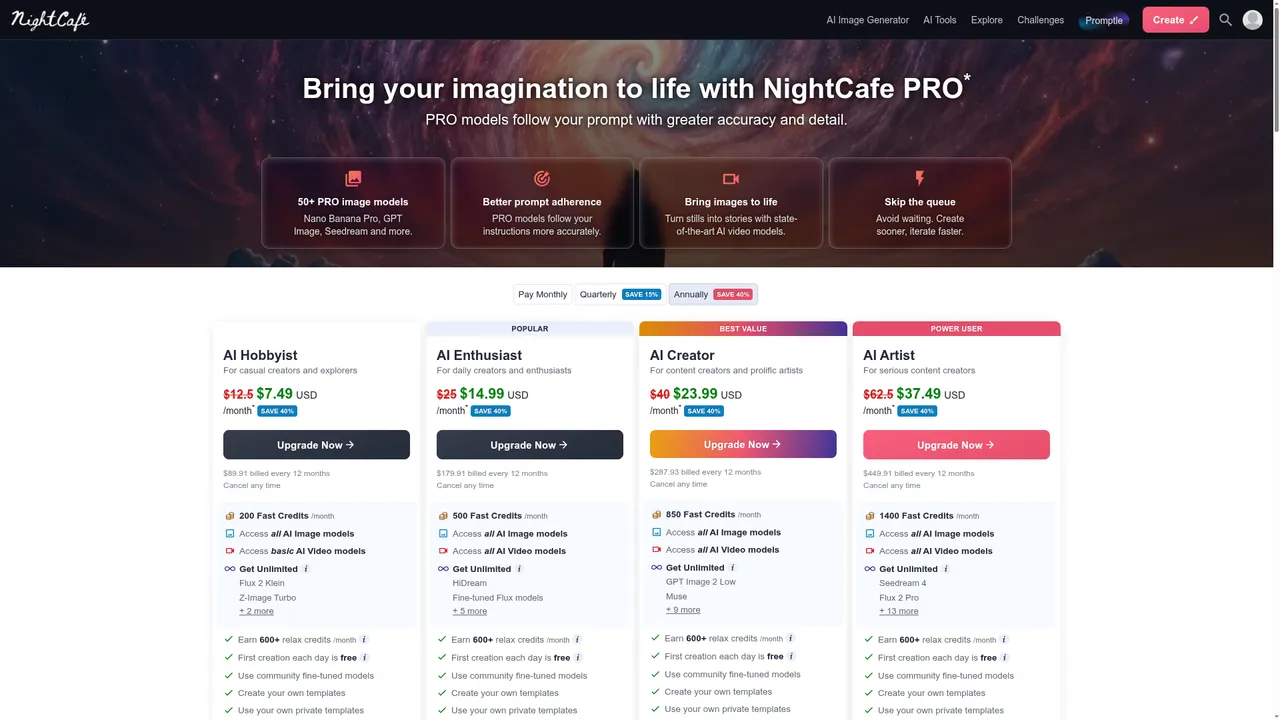
NightCafe Studio 5 of 8 points Researched · checked 30 October 2026
Best for: Commercial use on a free plan, and starting without an account
Pros
- Commercial use is allowed even on the free plan
- You can start creating without an account
- Daily credits can be topped up through the daily challenge
- Credit packs for buyers who do not want a subscription
Cons
- The daily allowance depends on logging in and creating, with a 5-credit minimum
- NightCafe's own pages describe the daily credits two slightly different ways
- No app-store apps; mobile is an installable web app
- Kind of free
- Free, published allowance
- Free plan
- At least 5 free credits a day for logging in or creating, plus 3 more for the daily challenge. Some daily rewards are larger, and missing a day resets the streak. Relax credits run at lower priority.
- Sign-up
- Not to start: NightCafe says you can create immediately. The daily free credits and saved creations need a free account.
- Cheapest paid plan
- AI Hobbyist, $12.49 a month billed monthly or $7.49 a month billed annually ($89.91 a year), USD, checked 30 October 2026. Credit packs start at $7.99.
- Commercial use
- Allowed on the free plan. The terms transfer the intellectual property in your images to you, for personal or commercial use, with no warranty of copyright.
- Resolution
- Not stated.
- Watermark
- Not stated.
- Privacy
- You can hide prompts and start images per creation and set default publishing preferences. Whether free creations are published by default, and whether they are used for training, is not stated.
- Editing
- Start images and upscaling are offered; which cost credits on the free plan is not stated.
- Models
- Several free models, with occasional free use of premium ones, per NightCafe. Which models cost no credits is not stated.
- Platforms
- Web, Installable web app on iOS and Android
- Made by
- NightCafe
Who it's for: Casual creators, including people selling small-scale work, who will log in regularly to collect the daily credits.
Researched from official documentation and pricing pages, checked 30 October 2026. Hands-on test notes: coming.
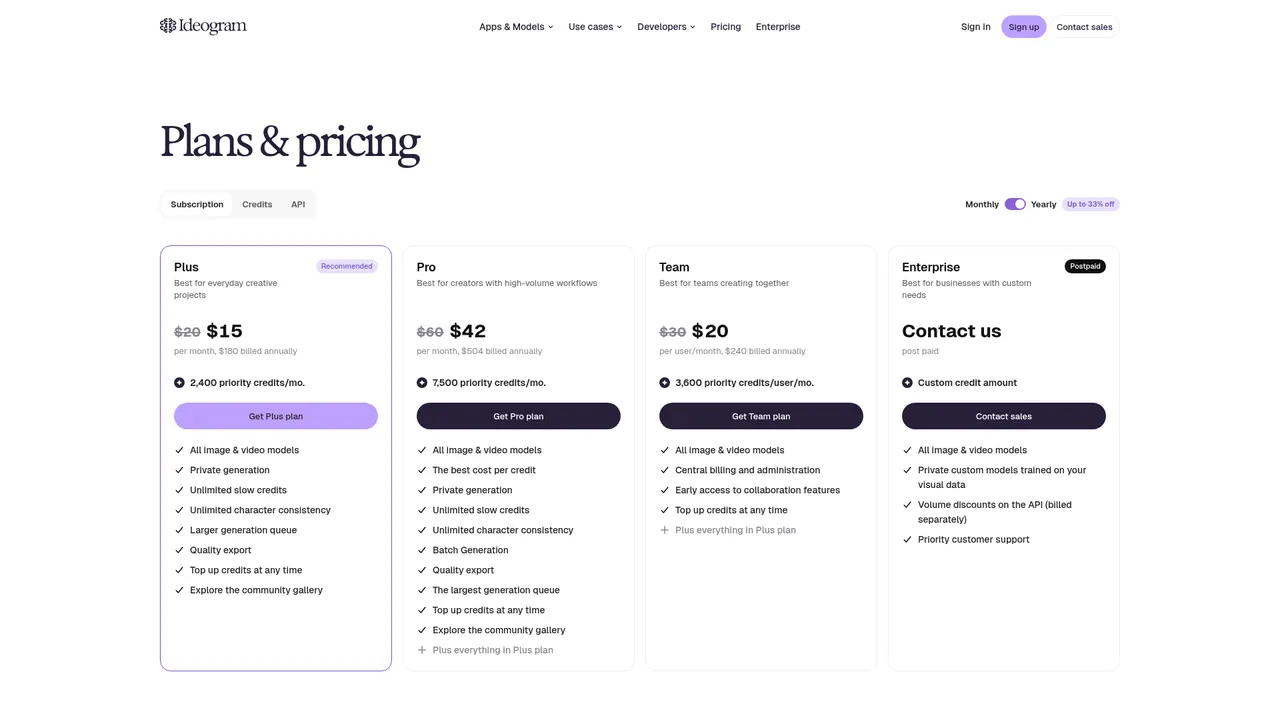
Ideogram 4 of 8 points Researched · checked 30 October 2026
Best for: Images that carry text, such as posters and merchandise graphics
Pros
- Commercial use of output is allowed on every account
- Text in images is its documented focus, including editable text layers
- Pay-as-you-go credits and an API
Cons
- The weekly free allowance is small, and the pricing page says it may vary
- Free images are public and cannot be deleted
- No free trial of paid plans
- Kind of free
- Free, published allowance
- Free plan
- 30 credits a week for accounts that sign in with Google, Apple or Microsoft, per Ideogram's docs, though the pricing page says the amount may vary. Images cost 3 to 10 credits each. Free images are public.
- Sign-up
- Yes, sign in with Google, Apple or Microsoft.
- Cheapest paid plan
- Plus, $20 a month billed monthly or $15 a month billed annually ($180 a year), USD excluding tax, checked 30 October 2026. Pay as you go is 1 cent per credit.
- Commercial use
- Ideogram's terms do not restrict commercial use of your output, and there is no free-tier exception.
- Resolution
- 1K or 2K generation. Free downloads are JPEG at the original size; PNG and upscaling need a paid plan.
- Watermark
- Not stated. The terms forbid removing watermarks.
- Privacy
- Free images are public and cannot be deleted. Ideogram's privacy policy lists training its models, with no opt-out stated.
- Editing
- Reference images (including character consistency on Ideogram 4.5), a limited number of masked Precise Edit edits, and background removal at 1 credit.
- Models
- A choice of Ideogram 3.0 to 4.5 and two free partner models. Premium partner models need a paid plan.
- Platforms
- Web, iOS, API
- Made by
- Ideogram AI
Who it's for: People who occasionally need typographic images and may pay for more later.
Researched from official documentation and pricing pages, checked 30 October 2026. Hands-on test notes: coming.
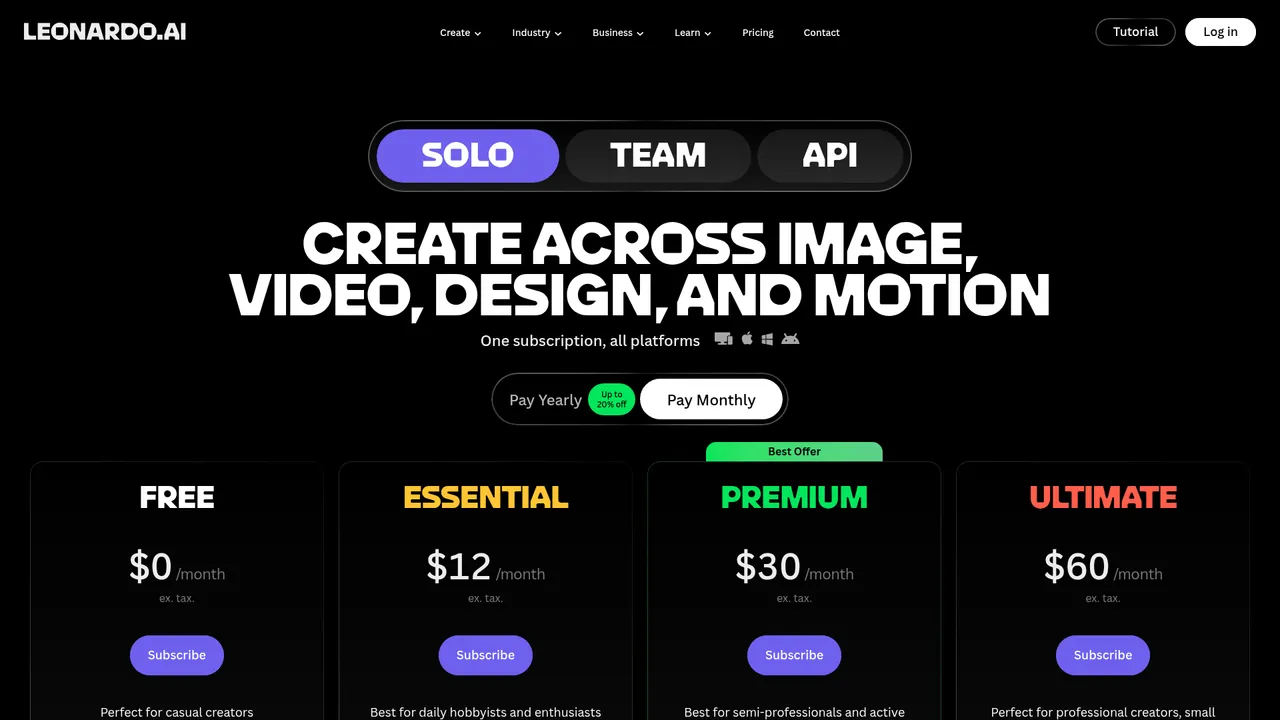
Leonardo.Ai 4 of 8 points Researched · checked 30 October 2026
Best for: A fixed daily token allowance on a multi-model platform
Pros
- A published daily allowance that resets every day
- Free output carries a royalty-free commercial licence
- Web, mobile apps and an API
Cons
- Leonardo, not you, owns the rights in free-tier images
- Free creations are public, with no private mode
- Limited to the Auto model and basic quality on the free plan
- Kind of free
- Free, published allowance
- Free plan
- 150 fast tokens a day that reset daily, on the Auto model at basic quality. Free creations are public. Tokens do not map to a fixed number of images.
- Sign-up
- Yes, a Leonardo account.
- Cheapest paid plan
- Essential, $12 a month billed monthly or $10 a month billed yearly (USD, excluding tax, checked 28 October 2026).
- Commercial use
- Free users get a royalty-free licence for commercial use, but under clause 8.7 of the terms the rights in free-tier images belong to Leonardo. Paid subscribers keep full ownership.
- Resolution
- Not stated. The free tier is "Basic" quality.
- Watermark
- Not stated.
- Privacy
- Free creations are public, and deleting them needs a paid plan. Leonardo uses public content to train its models; private mode, the only opt-out, needs a paid plan.
- Editing
- A limited number of reference images. The AI image editor runs on third-party models, which the free tier does not include.
- Models
- Auto only: no choice of model and no third-party models.
- Platforms
- Web, iOS, Android, API
- Made by
- Leonardo.Ai
Who it's for: Hobbyists and creators trying a multi-model platform before paying, who are comfortable with public, licensed rather than owned output.
Researched from official documentation and pricing pages, checked 30 October 2026. Hands-on test notes: coming.
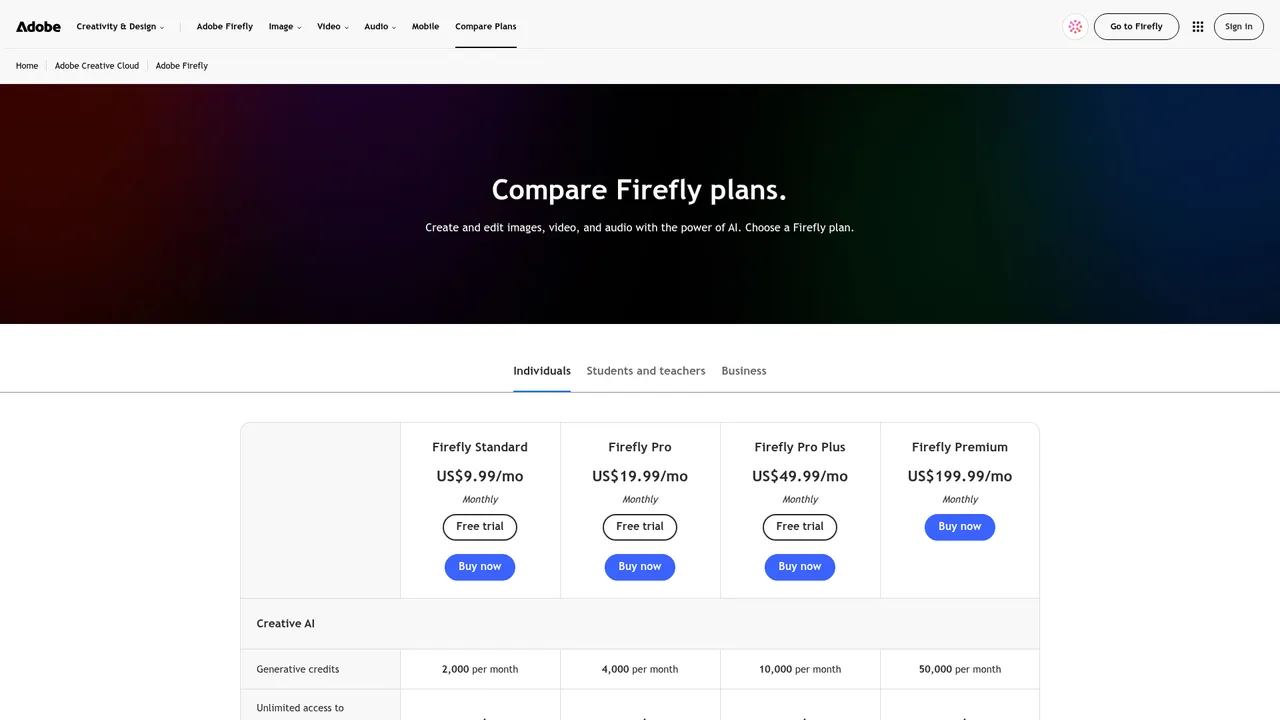
Adobe Firefly 3 of 8 points Researched · checked 30 October 2026
Best for: Commercial projects, with Adobe's own models and Content Credentials attached
Pros
- Adobe states commercial use for its own Firefly models, trained on licensed and public-domain content
- Content Credentials are attached to outputs automatically
- The free tier includes video and audio as well as images
Cons
- The daily free allowance is not published
- The commercial-use statement does not cover partner models on the free tier
- Needs an Adobe account
- Kind of free
- Free, unpublished limit
- Free plan
- Free daily generations across image, video and audio on a curated set of models, including Adobe's partner models. The allowance refreshes every day; Adobe publishes no number.
- Sign-up
- Yes, an Adobe account.
- Cheapest paid plan
- Firefly Standard, US$9.99 a month billed monthly, with 2,000 generative credits (checked 28 October 2026).
- Commercial use
- Adobe says outputs from its own Firefly models can be used commercially. Outputs from partner models, which the free tier includes, are your responsibility to clear.
- Resolution
- Not stated for the web app. The mobile app's Fast mode outputs 512 x 512 with upscaling to 2000 x 2000.
- Watermark
- Content Credentials are attached automatically. No visible watermark is stated.
- Privacy
- Adobe says it does not analyse your content to train generative AI models unless you submit it to Adobe Stock. Whether free images are public is not stated.
- Editing
- Generative Fill (inpainting), Generative Expand (outpainting), style and composition reference images, and upscaling.
- Models
- A curated set including partner models such as Nano Banana and Luma Ray3.14. Which Firefly models are in the free set is not stated.
- Platforms
- Web, iOS, Android
- Made by
- Adobe
Who it's for: Designers and marketers who want clearer commercial footing and may later use Photoshop or Express.
Researched from official documentation and pricing pages, checked 30 October 2026. Hands-on test notes: coming.
Google Gemini 3 of 8 points Researched · checked 30 October 2026
Best for: Generating and then editing images in conversation
Pros
- Image generation is included without a paid plan
- Upload an image and edit it, or combine several, in the same chat
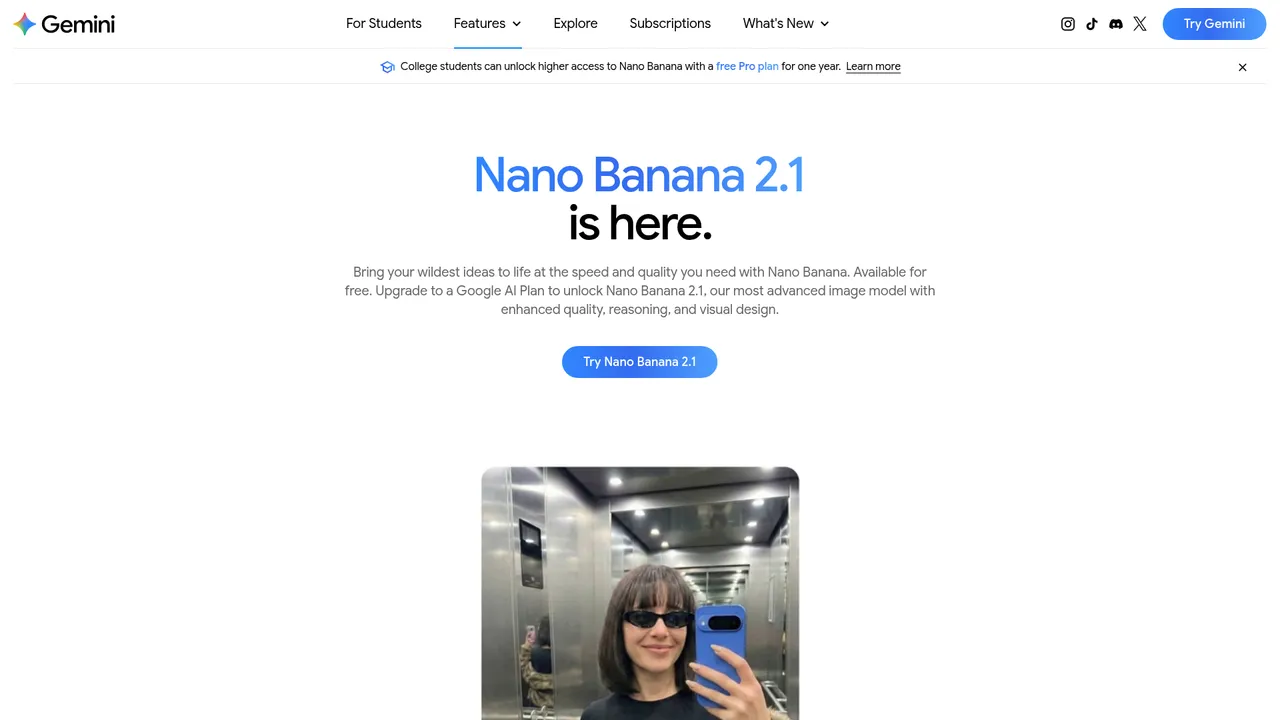
- Google documents better text rendering and character consistency for Nano Banana 2
Cons
- No published image count, and limits can change without notice
- Free downloads are 1K resolution with a visible watermark
- Commercial use of free output is not addressed directly
- Kind of free
- Free, unpublished limit
- Free plan
- Image generation with Nano Banana 2 is included without a paid plan, on standard limits that refresh every 5 hours up to a weekly cap. Google publishes no image count. Free downloads are 1K resolution and carry a visible AI watermark.
- Sign-up
- Yes, you must be signed in to a Google account. Generating needs age 13+, editing 18+.
- Cheapest paid plan
- Google AI Plus, $4.99 a month (USD, US page, checked 28 October 2026). Google AI Pro is $19.99 a month.
- Commercial use
- Google's terms say it won't claim ownership of generated content. We found no explicit statement on commercial use of free-tier images.
- Resolution
- 1K downloads without a Google AI plan, per Google's help centre (its overview page advertises 2K for the free model). 2K needs a plan.
- Watermark
- A visible AI watermark plus an invisible SynthID mark.
- Privacy
- Images stay private unless you share a public link. With Keep Activity on, the default for adults, Google may use your chats to improve its models; turning it off, or using a temporary chat, stops that.
- Editing
- Upload and edit images, combine several images, and make local edits to part of an image. Editing needs age 18+.
- Models
- Nano Banana 2 on the free tier. Nano Banana Pro needs a Google AI plan.
- Platforms
- Web, Android, iOS
- Made by
Who it's for: Anyone with a Google account who wants to refine an image by describing changes rather than rewriting the prompt.
Researched from official documentation and pricing pages, checked 30 October 2026. Hands-on test notes: coming.
Bing Image Creator 2 of 8 points Researched · checked 30 October 2026
Best for: A published daily free allowance with no subscription to upsell into
Pros
- Entirely free, with no subscription tier
- The daily allowance is published, including the slower lane after it
- The visible AI watermark is optional and under your control
Cons
- Needs a personal Microsoft account
- Terms are silent on commercial use and give Microsoft a broad licence to your prompts and images
- Generation slows after the 15 fast creations each day
- Kind of free
- Free, published allowance
- Free plan
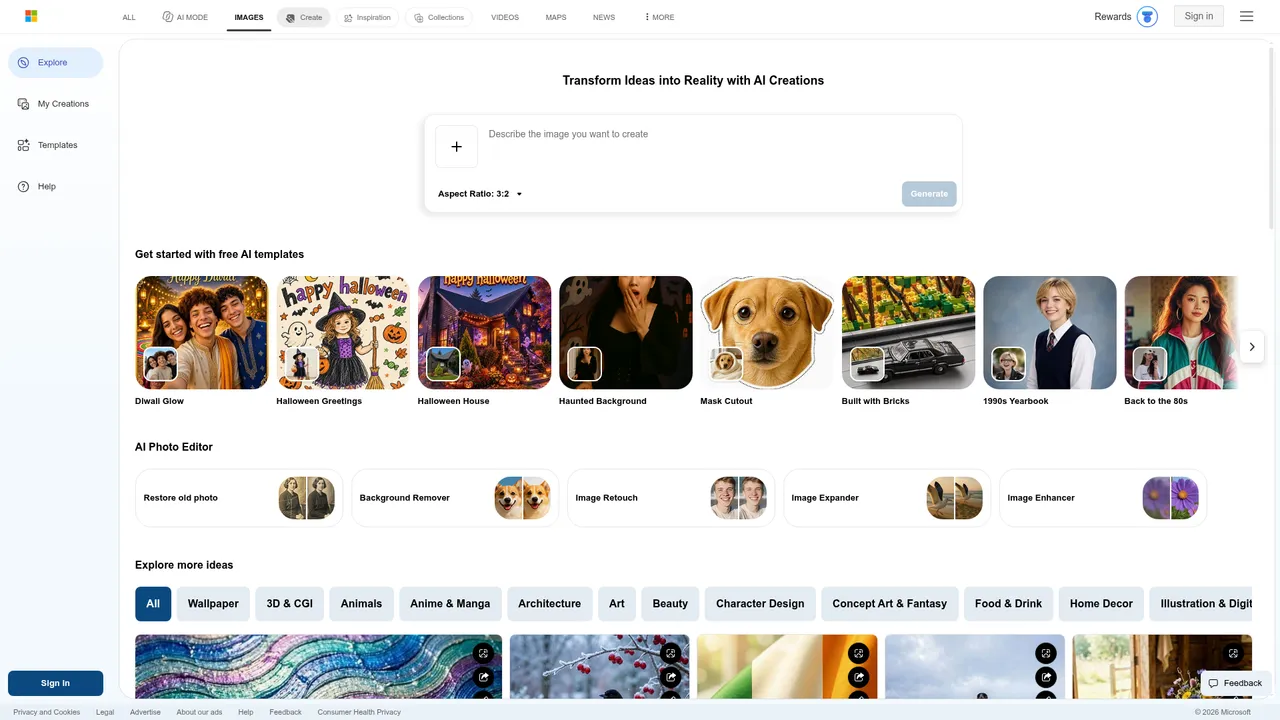
- 15 fast creations a day per Microsoft's FAQ (the create page says 10), then up to 200 prompts per 24 hours at standard (slower) speed. Each creation can return several images.
- Sign-up
- Yes, a personal Microsoft account. Work and school accounts are not supported.
- Cheapest paid plan
- No paid plan. Microsoft Rewards points can buy extra fast creations (checked 28 October 2026).
- Commercial use
- The terms say Microsoft does not claim ownership of your creations, but they neither grant nor forbid commercial use and describe the service as for entertainment.
- Resolution
- Not stated. There is no paid tier to unlock more.
- Watermark
- A visible AI watermark is optional, set by you. The terms forbid removing Content Credentials.
- Privacy
- Creations are kept up to 90 days and can be deleted. Microsoft says uploaded images are not used to train models; prompts are not addressed, and there is no opt-out.
- Editing
- Upload an image to remix or edit it with a prompt (on MAI-Image-2.5-Flash). Each edit counts towards the 200-prompt daily limit.
- Models
- A choice of MAI-Image-2.5-Flash or MAI-Image-2e.
- Platforms
- Web, Bing mobile app
- Made by
- Microsoft
Who it's for: People with a personal Microsoft account who want regular free images for personal projects and do not need clear commercial rights.
Researched from official documentation and pricing pages, checked 30 October 2026. Hands-on test notes: coming.
Krea 2 of 8 points Researched · checked 30 October 2026
Best for: Trying several models, real-time generation and editing on one daily allowance
Pros
- A published daily allowance, with per-model image estimates
- Editing, real-time generation and LoRA training on the free plan
- Low-cost Basic plan
Cons
- No commercial licence on the free plan
- Free generations may be visible to other users
- Premium third-party models are not included on free
- Kind of free
- Free, published allowance
- Free plan
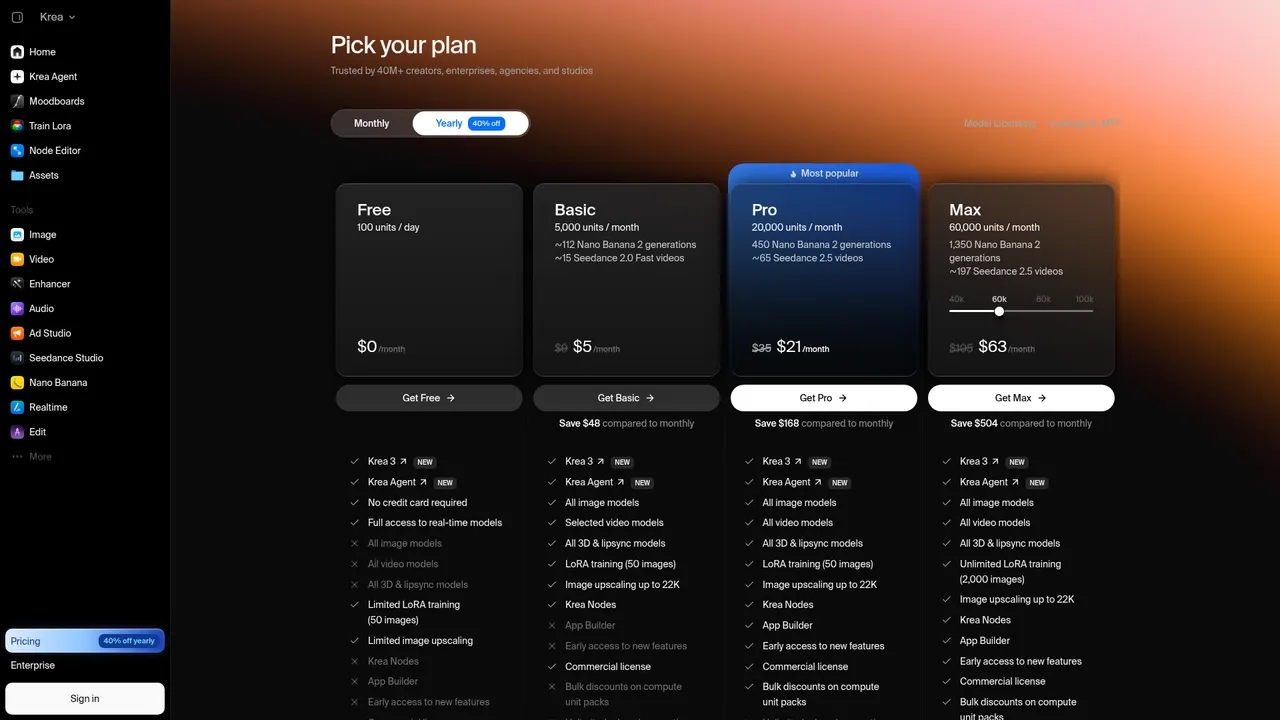
- 100 compute units a day that refill daily, no card required. Krea estimates that buys from about 5 images on its largest models to about 50 on Krea 2 Turbo.
- Sign-up
- Yes, a free Krea account.
- Cheapest paid plan
- Basic, $9 a month billed monthly or $5.25 a month billed annually, USD, checked 30 October 2026.
- Commercial use
- Not on the free plan. Krea lists a commercial licence only for Basic and above.
- Resolution
- Upscaling up to 2K on the free plan. The native generation size is not stated.
- Watermark
- Not stated.
- Privacy
- The terms say private mode depends on the plan and that without it some of your content may be visible to other users. Whether free content is used for training is not stated.
- Editing
- Edit, Enhancer, real-time generation, basic upscaling to 2K and one LoRA training a day.
- Models
- Krea's own models and several open models, with limited access; premium third-party models are not included.
- Platforms
- Web, API, Photoshop and other plugins
- Made by
- Krea
Who it's for: Hobbyists comparing models before paying. Not for commercial work on the free plan.
Researched from official documentation and pricing pages, checked 30 October 2026. Hands-on test notes: coming.
Recraft 2 of 8 points Researched · checked 30 October 2026
Best for: Trying Recraft's style system for personal projects
Pros
- A published daily allowance
- The style library and custom styles are on the free plan
- Unusually explicit terms about ownership and training
Cons
- Recraft owns free images, and they cannot be used commercially
- Every free image is public
- Free content is used for training, with no opt-out
- Kind of free
- Free, published allowance
- Free plan
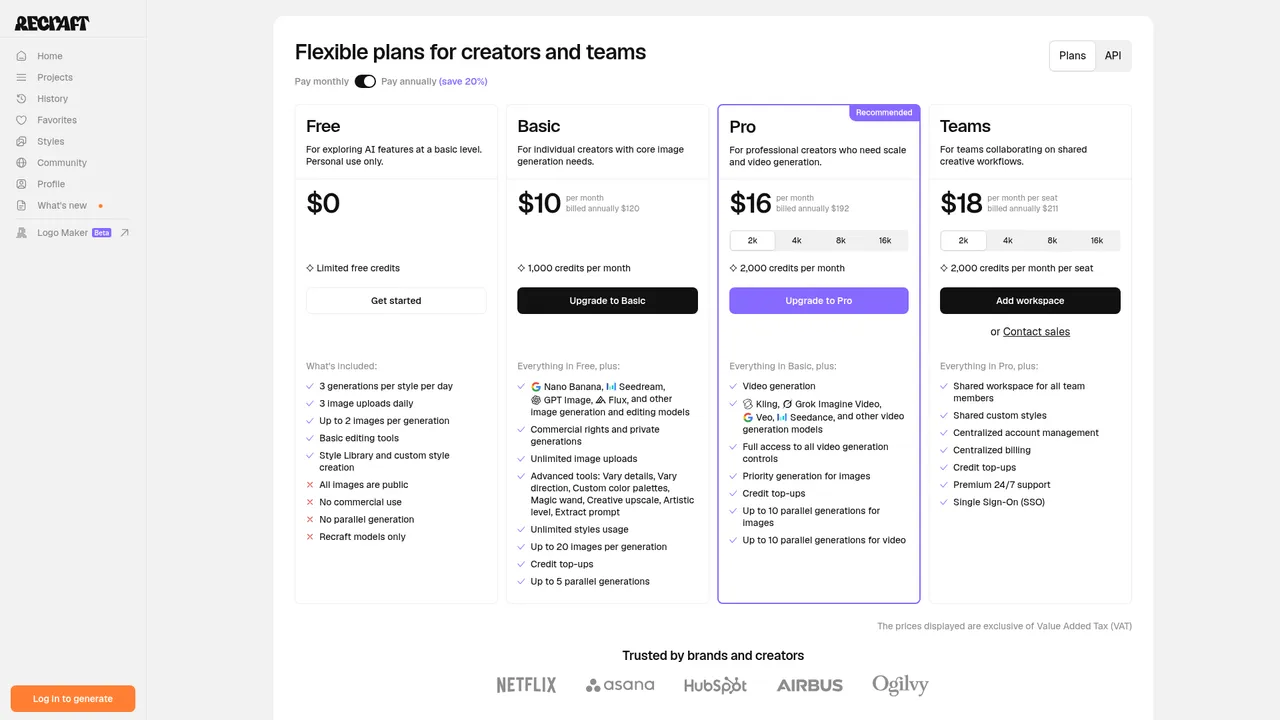
- 3 generations per style per day, up to 2 images each, plus 3 image uploads a day. Personal use only, on Recraft's own models.
- Sign-up
- Yes, a Recraft account.
- Cheapest paid plan
- Basic, $12 billed monthly or $10 a month billed annually ($120 a year), USD excluding VAT, checked 30 October 2026.
- Commercial use
- Not on the free plan. Recraft owns images generated on Free; paid plans assign ownership to you.
- Resolution
- Not stated.
- Watermark
- The terms say Recraft may embed metadata, watermarks or provenance information; a visible watermark on free images is not stated.
- Privacy
- All free images are public in the community gallery, and free-tier content is used for training with no opt-out.
- Editing
- Basic editing tools, the style library and custom styles. Advanced tools start on Basic.
- Models
- Recraft's own models only. Third-party models start on Basic.
- Platforms
- Web, API
- Made by
- Recraft
Who it's for: Personal, non-commercial users who accept public, Recraft-owned output. Anyone needing rights must pay.
Researched from official documentation and pricing pages, checked 30 October 2026. Hands-on test notes: coming.
We read vendor terms and pricing pages, and compared no images
We started with eighteen candidates people search for by name, read each one’s pricing page, help centre, terms and privacy policy on 28 and 30 October 2026, and kept the eleven hosted tools that met the criteria below.
- An ongoing free tier, not a trial.
- How clearly the vendor publishes the free allowance.
- What the terms say about owning and commercially using free-tier output.
- Privacy of free images, and whether they are used for training.
- Sign-up and age requirements.
- A content policy that prohibits pornographic or obscene imagery. All eleven have one.
- Platforms, and the price of the cheapest paid step up.
We have not yet compared the images these tools produce, which is why nothing on this page judges quality or realism and why each entry is marked as researched. When our test round is published, this page will show every output from the same prompts, the scores and how they were calculated. Our methodology explains how.
Points come from six checkable facts, and tools on the same score are alphabetical
The order of the list is the checklist total, out of 8, highest first. Each of the six facts comes from the vendor’s own pages, and the table under “Checklist points” shows every cell so you can recompute it from the tool’s entry. The build refuses a list whose order the totals do not produce.
The score has three limits. It ignores image quality. It treats a published allowance as a yes or no, so it cannot say whose allowance is larger: Bing Image Creator, Magnific and Canva publish allowances in units that do not compare. And eleven tools land on only five distinct totals, so a tool’s position within a score means nothing. If the fact that matters to you is an account-free start or private images, read that column of the table instead of the total.
Free or paid, no tool gives you rights to a real person or a brand
The commercial-rights and privacy tables above come from each tool’s own terms, read on 28 and 30 October 2026. They are a summary: read the current terms of the tool you used before you publish or sell anything made with it.
FLUX and Stable Diffusion are free to download, but you supply the hardware
FLUX and Stable Diffusion are free to download, not free to use online. If you have a capable graphics card, or pay a host, you can run them with no allowance at all; the licence, not a pricing page, decides what you may do with the images. That makes them a different kind of choice from the hosted tools above, so we list them here rather than in the scored list.
| Model | Licence | Commercial use of images | Free hosted option |
|---|---|---|---|
| FLUX.1 [schnell] and FLUX.2 [klein] 4B | Apache 2.0 | Allowed | Black Forest Labs’ own Playground and API are pay-per-image, from $0.008 an image. It runs free demo pages on Hugging Face, whose limits Hugging Face sets. |
| FLUX 3 Image Klein | FLUX Kommunity licence | Non-commercial, except commercial output for users under US$5M annual revenue | As above |
| Stable Diffusion 3.5 | Stability AI Community Licence | Allowed, and you own the outputs, below US$1M annual revenue; commercial users must register | 25 free API credits, about 8 Stable Image Core images |
Both sets of weights sit behind a licence you accept on Hugging Face before downloading. Read the licence of the exact model you run: within the FLUX family, the terms change from one model to the next.
Five alternatives we left out, and why
Each was left out because of what its own pages say, not because of how its images look.
- OpenArt. It has no ongoing free plan. Its own explainer describes 40 trial credits for seven days, and its cheapest plan, Starter, is $14 a month.
- Playground. It is now a template-led design studio. Its free access to the main image models is 3 generations a month, and its own pages disagree about the rest of the free allowance.
- Perchance. It generates images without an account, but its terms pages were empty when we checked, so there is no commercial-use statement or content policy to cite. Its documentation says the model can return adult results.
- Microsoft Designer. Image Creator was formerly known as Image Creator from Designer, and we cover Microsoft’s free image generation through it. We will add Designer once its own limits are researched.
- One community model site. Its own pricing page promotes tools for undressing people in photos, and its terms allow sexually explicit content when tagged. We exclude that, and any generator built for explicit or “no restrictions” imagery, by policy, and do not name them.
For the bigger picture on likeness, consent and synthetic media, read our guide to AI avatars, or see AI avatar tools for tools that make avatars rather than general images.
Frequently asked questions
Are free AI image generators really free?
The eleven here have free tiers you can keep using, but each is capped. Magnific gives 20 images a day, Bing Image Creator 15 fast creations a day, Leonardo.Ai 150 tokens a day, Krea 100 compute units a day, NightCafe at least 5 credits a day, Recraft 3 generations per style a day, Canva 20 AI uses a month and Ideogram 30 credits a week. Google, Adobe and OpenAI do not publish their free limits.
Can I use images from a free AI image generator commercially?
It depends on the tool, so check its current terms. NightCafe allows commercial use even on its free plan, Canva and OpenAI say you own the output, Ideogram does not restrict commercial use, and Adobe allows it for its own Firefly models. Krea, Magnific and Recraft allow no commercial use on free, and Leonardo grants a licence but keeps the rights. Microsoft's terms do not say either way.
Do I need to sign up to use a free AI image generator?
For ten of the eleven tools here, yes. NightCafe is the exception, saying you can start creating without an account, though its daily free credits need one. ChatGPT's image tool is marked Log in for visitors who are logged out.
Is there a free AI image generator with no sign-up?
NightCafe says you can start creating without an account. We left out another no-sign-up generator because its terms pages were empty when we checked, so there was no commercial-use statement or content policy to cite.
Which free AI image generator is best for realistic images?
We have not yet compared output quality by hand, so we do not rank on realism. Google documents character consistency and better text rendering for Nano Banana 2, which Gemini uses; Firefly's free tier also includes a Nano Banana model. Our test round will add a realism comparison.
Which free AI image generator has the most generous limit?
Of the tools that publish a number, Bing Image Creator allows the most prompts, with 15 fast creations a day per Microsoft's FAQ and then up to 200 prompts in 24 hours at standard speed. Magnific publishes 20 images a day, and Krea's 100 daily units buy between about 5 and 50 images depending on the model.
Do free AI images have a watermark?
Only Gemini adds a visible watermark by default, alongside an invisible SynthID mark. Bing Image Creator's visible watermark is optional. ChatGPT adds no visible mark but embeds Content Credentials and SynthID, and Firefly attaches Content Credentials. Canva states no visible watermark; the others do not say.
Are images from free AI image generators private?
Not always. Leonardo.Ai, Ideogram and Recraft make free images public, Krea says content may be visible to other users without private mode, and Recraft uses free images for training with no opt-out. Gemini, ChatGPT, Canva and Magnific keep images private by default, and Magnific says it never trains on them. A table on this page sets out each tool's policy.
Can I generate 4K images for free?
None of the eleven states 4K output on its free plan. Gemini's free downloads are 1K, Krea upscales to 2K on free, Ideogram generates at 1K or 2K but needs a paid plan for PNG and upscaling, and Canva includes an upscaler without stating a size. The other vendors do not state a free resolution.
Which free AI image generators work on mobile?
Gemini, ChatGPT, Firefly, Canva, Leonardo.Ai and Magnific have iOS and Android apps. Ideogram has an iOS app, Bing Image Creator runs inside the Bing mobile app, NightCafe installs from the browser, and Krea and Recraft list web only.
Sources
- Image Creator help and FAQ , Microsoft. Accessed 30 October 2026.
- Adobe Firefly plans , Adobe. Accessed 30 October 2026.
- NightCafe pricing and FAQ , NightCafe. Accessed 30 October 2026.
- Gemini Apps usage limits , Google. Accessed 30 October 2026.
- Canva pricing , Canva. Accessed 30 October 2026.
- Leonardo.Ai pricing , Leonardo.Ai. Accessed 30 October 2026.
- Magnific plans and pricing , Magnific. Accessed 30 October 2026.
- Krea pricing , Krea. Accessed 30 October 2026.
- Images in ChatGPT , OpenAI. Accessed 30 October 2026.
- Ideogram plans , Ideogram AI. Accessed 30 October 2026.
- Recraft pricing , Recraft. Accessed 30 October 2026.
- FLUX.1 [schnell] model card , Black Forest Labs. Accessed 30 October 2026.
- FLUX.2 [klein] 4B model card , Black Forest Labs. Accessed 30 October 2026.
- FLUX 3 Image Klein model card , Black Forest Labs. Accessed 30 October 2026.
- BFL pricing , Black Forest Labs. Accessed 30 October 2026.
- Stability AI licence , Stability AI. Accessed 30 October 2026.
- Stability AI Community License Agreement , Stability AI. Accessed 30 October 2026.
- Stability AI API pricing , Stability AI. Accessed 30 October 2026.
- Playground pricing , Playground AI. Accessed 30 October 2026.
- OpenArt pricing , OpenArt. Accessed 28 October 2026.
- What is OpenArt? , OpenArt. Accessed 28 October 2026.
How we research and what "tested" means: our methodology. Back to Blog.