

Adobe Creative Cloud is a subscription bundle of Photoshop, Illustrator, InDesign, Premiere Pro, After Effects, Lightroom and around twenty other applications, with cloud storage, fonts and stock integration. It remains the professional standard in photography, print, video and illustration, largely because studios, printers and agencies all assume its file formats.
Adobe Creative Cloud: the short answer
Every line below is drawn from facts verified on 9 August 2026.
- What it is
- The professional creative stack, rented rather than owned
- Best for
- Professional designers, photographers, editors and illustrators
- Starts at
- Single apps from $22.99/month; all apps from $69.99/month
- Free option
- No free plan, 7 days trial
- Biggest strength
- Deepest tools in raster, vector, layout and motion, by a clear margin
- Biggest drawback
- Annual commitment is the default and early cancellation carries a fee
- Closest alternative
- Affinity - A genuine professional alternative sold as a one-off purchase, not a subscription
- True annual cost
- from $239.88 a year at the cheapest paid tier
Adobe Creative Cloud at a glance
| Best for | Professional designers, photographers, editors and illustrators, Print production where colour management matters, Studios and agencies exchanging native files with clients |
|---|---|
| Category | Design, Marketing, AI |
| Starting price | Single apps from $22.99/month; all apps from $69.99/month |
| Free plan | No |
| Free trial | 7 days |
| Pricing model | subscription |
| Company | Adobe Inc. |
| Founded | 1982 |
| Headquarters | San Jose, California, United States |
| Founders | John Warnock, Charles Geschke |
| Platforms | Windows, macOS, iOS, Android, Web |
| Public API | Yes |
| Browser extension | No |
| Mobile apps | iOS + Android |
| Self-hosting | No |
| Affiliate programme | Affiliate programme advertised; commission varies by plan and region |
| Data source | Vendor pricing page and public records |
| Last checked | August 2026 |
Adobe Creative Cloud pricing
Prices below were read from the vendor's own pricing page on 9 August 2026. Pricing model: subscription. Free trial: 7 days.
| Plan | Price | Billing | Notes |
|---|---|---|---|
| Photography plan | $19.99 | per month | Lightroom and Photoshop with 1 TB cloud storage |
| Single app | $22.99 | per month | Annual plan, paid monthly. One application plus 100 GB storage |
| Creative Cloud All Apps | $69.99 | per month | Annual plan, paid monthly. Around 20 apps plus 100 GB storage |
| All Apps, prepaid annually | $419.88 | per year | Equivalent to $34.99/month for the first year on introductory pricing |
| Teams | $34.99 | per month | per licence, All Apps for business - Adds licence management and admin console |
| Enterprise | Custom | Negotiated | - |
What Adobe Creative Cloud actually costs over a year
A monthly price is not the same thing as a monthly contract. These are the plans above multiplied out to twelve months, per seat or unit where the plan is charged that way.
| Plan | Monthly | Over 12 months |
|---|---|---|
| Photography plan | $19.99 | $239.88 |
| Single app | $22.99 | $275.88 |
| Creative Cloud All Apps | $69.99 | $839.88 |
| Teamsper licence, All Apps for business | $34.99 | $419.88 |
Leaving early
The advertised rate of $69.99 a month is tied to a 12-month commitment, so the full obligation is $839.88 . Cancelling within 14 days is refundable. Adobe's subscription terms state that after 14 days a cancellation fee of 50% of the remaining contract balance applies, giving the example of cancelling in the ninth month and paying half the fee for the three remaining months. Vendor terms ↗
Which Adobe Creative Cloud plan should you buy?
| Your situation | Recommended | Why |
|---|---|---|
| You need Photoshop and nothing else | Single app | $22.99 a month rather than $69.99 for twenty applications you will not open. |
| You need Photoshop and Lightroom for photography | Photography plan | At $19.99 it costs less than a single app and includes 1 TB of storage. |
| You regularly use three or more Adobe desktop apps | Creative Cloud All Apps | Two single apps already cost $45.98, so the bundle wins from the third onwards. |
| You are a student or a teacher | Education plan | Adobe discounts education licences heavily. Confirm eligibility and the current rate. |
| You manage licences for a team | Teams | Adds an admin console and licence reassignment when people join or leave. |
| You only make occasional social graphics | Do not buy Creative Cloud | Canva or Adobe Express cover this at a fraction of the cost. |
| You only edit video | Compare Premiere Pro against DaVinci Resolve first | Resolve's free version is genuinely professional, so test before committing. |
| You design interfaces | Use Figma instead | Adobe XD is no longer actively developed and the industry standardised on Figma. |
Verdict by who you are
PhotographerYes
The Photography plan at $19.99 covers Lightroom, Photoshop and 1 TB of storage, which is the cheapest honest route to both.
Graphic designerYes
Photoshop, Illustrator and InDesign together make All Apps the rational choice, and clients expect native files.
Agency or studioYes
Native PSD, AI and INDD exchange with clients and freelancers is a workflow requirement, not a preference.
Video editor or YouTuberCompare first
Premiere Pro is excellent but DaVinci Resolve is free and professional. Test Resolve before accepting an annual commitment.
Small business marketerNo
Canva or Adobe Express produce the social and print collateral you need without a twelve-month contract.
UI or UX designerNo
Figma is the industry default for interface work and Adobe XD is no longer actively developed.
Occasional or hobbyist userNo
An annual commitment with a 50% early termination fee is poor value for intermittent use.
Should you buy Adobe Creative Cloud?
Buy Adobe Creative Cloud if…
- Clients or collaborators send you PSD, AI or INDD files you must open faithfully
- Print production matters, where InDesign and colour management are still unmatched
- You genuinely use three or more Adobe applications in a normal month
- Interoperability across the suite saves you more time than the price costs
- You depend on Adobe Fonts, Libraries or shared cloud workflows
Do not buy Adobe Creative Cloud if…
- You only produce occasional social posts or simple marketing graphics
- You need exactly one narrow workflow that a cheaper specialist tool covers
- You specifically want perpetual licensing rather than a subscription
- Your primary work is collaborative interface design
- You want a lightweight browser-first tool with no installation
Best Adobe Creative Cloud alternative for each job
Chosen by what you are trying to do rather than by which product is closest overall, because the right replacement depends on the job.
| If you mainly need to… | Use | Why |
|---|---|---|
| Edit photos and process raw files | Affinity Photo or Capture One | One-time purchase or a lighter subscription, with no annual commitment. |
| Draw vector illustration | Affinity Designer | A perpetual licence covering most of what Illustrator is used for day to day. |
| Lay out print documents | Affinity Publisher | The closest credible InDesign replacement, though INDD interchange is imperfect. |
| Edit video | DaVinci Resolve | The free version is used on commercial features, and colour grading is stronger. |
| Make social graphics quickly | Canva | Faster for non-designers, template-led, and far cheaper for marketing output. |
| Design interfaces and prototypes | Figma | Browser-based, collaborative and the industry standard for product design. |
| Work entirely in open source | GIMP and Inkscape | Free and capable, with a rougher interface and no native Adobe file fidelity. |
Key features
- Photoshop for raster editing and compositing
- Illustrator for vector artwork and logotypes
- InDesign for print and long-document layout
- Premiere Pro and After Effects for video and motion
- Lightroom for photography workflow and cataloguing
- Adobe Fonts included with every plan
- Firefly generative AI across the applications
- Cloud documents and shared libraries across apps
Integrations
- Adobe Stock
- Frame.io review and approval
- Microsoft 365 and Google Workspace
- Figma and Sketch file import
- Creative Cloud SDKs and CEP extensions
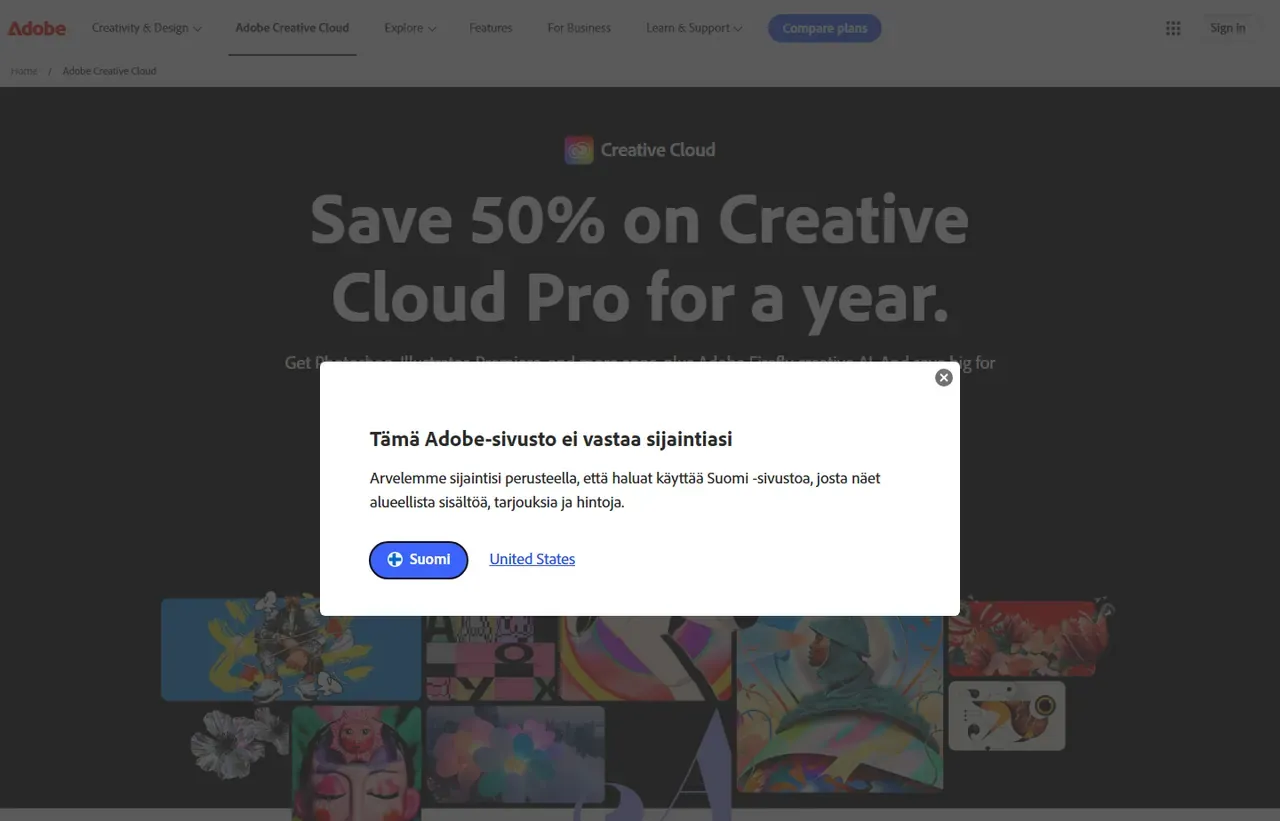
Adobe Creative Cloud screenshots
Captured by us in August 2026 at 1440px, unedited. Interfaces change, so these show the product as it looked on the date we verified this profile. Vendors localise pricing by visitor region, so a pricing screenshot may display a different currency to the USD figures recorded above.

Our assessment
Creative Cloud is the professional standard and priced like it. The applications remain deeper than their competitors in almost every discipline, and the interoperability between them is the real product: a photographer, retoucher, designer and video editor can pass files around without conversion losses. What buyers dislike is the commercial model. Annual commitment is the default, cancelling early carries a fee, and the all-apps price has climbed steadily while the introductory rate obscures the renewal figure. Judge it as a professional operating cost, not a purchase.
What works in Adobe Creative Cloud
- Deepest tools in raster, vector, layout and motion, by a clear margin
- Interoperability across the suite is genuinely seamless
- Industry standard, so file exchange with clients and printers just works
- Adobe Fonts and Firefly generative AI are included rather than add-ons
What doesn't
- Annual commitment is the default and early cancellation carries a fee
- Introductory pricing masks a materially higher renewal rate
- Applications are heavy and demand capable hardware
- Poor value for occasional users, who are better served elsewhere
EveryAny Decision Score
Scored by dimension rather than averaged into one number, because the trade-offs are the useful part. 3 of these 8 dimensions are calculated from verified facts by published formula; the rest are editorial judgement, labelled as such. How each score is calculated.
- Cost position3.3/10
derivedentry tier at $19.99 a month against a category median of $19.99 across 6 comparable tools
- Portability3.6/10
derivedpublic API, documented migration friction averaging 2.4 of 3
- Subscription flexibility6/10
derivedfree trial, subscription, monthly billing
- Feature depth10/10
editorialeditorial judgement, reviewed at last check
- Ease of learning4/10
editorialeditorial judgement, reviewed at last check
- Collaboration6/10
editorialeditorial judgement, reviewed at last check
- AI capability9/10
editorialeditorial judgement, reviewed at last check
- Professional adoption10/10
editorialeditorial judgement, reviewed at last check
What leaving Adobe Creative Cloud would cost
moderate lock-in
Calculated as 10 minus a portability score of 3.6, built from four signals (self-hosting, a public API, open-source licensing and a documented export path) then reduced by 1.43 for documented migration friction. Adobe Creative Cloud scores on: public API, documented migration friction averaging 2.4 of 3. Formula.
| What you would move | Friction | Risk |
|---|---|---|
| PSD files | Moderate | Usually open elsewhere, though smart objects, adjustment layers and effects can shift. |
| AI vector files | Moderate | Compatibility varies by tool and version. Complex effects and meshes are the weak point. |
| INDD layouts | High | Highest friction of the file formats. Expect rebuilding rather than importing. |
| Lightroom catalogue | High | Requires migration. Edits are non-destructive metadata and do not always transfer. |
| Adobe Fonts | High | Access ends with the subscription, so documents lose licensed typefaces. |
| Creative Cloud Libraries | Moderate | Shared colours, styles and assets need rebuilding in the new tool. |
| Plugins, scripts and actions | Moderate | Adobe-specific automation must be replaced rather than ported. |
Font access is the most commonly underestimated item. Cancelling removes the licence to typefaces already used in live documents, so audit your fonts before you audit your files.
Adobe Creative Cloud competitors and alternatives
| Alternative | Why you might pick it instead |
|---|---|
| Affinity | A genuine professional alternative sold as a one-off purchase, not a subscription. |
| Canva | Far better for non-designers producing marketing assets quickly. |
| DaVinci Resolve | Free and arguably stronger for colour grading and finishing video. |

Canva
Design
Template-driven design tool for people who are not designers.

Figma
Design
Collaborative interface design, prototyping and design systems in the browser.
Read the commitment, not the monthly figure
Adobe’s advertised prices are overwhelmingly annual plans billed monthly. That is a twelve-month contract presented as a monthly cost, and leaving early triggers an early-termination fee of roughly half the remaining balance. The genuinely monthly option exists but costs substantially more. Whichever you choose, note the renewal price rather than the introductory one, because the gap between $34.99 and $69.99 for All Apps is the single most common billing surprise here.
What the bundle is really worth
If you use two applications, the single-app price times two is close to the all-apps price, so the bundle becomes worthwhile at three. Most professional workflows cross that line quickly: a designer who touches Photoshop, Illustrator and InDesign is already there.
Where the competition has genuinely caught up
Two areas where Adobe no longer wins by default:
- Interface design. Figma took this category outright, and Adobe’s own XD is effectively retired.
- Marketing assets. Canva serves non-designers far better, and most social and presentation work never needs Illustrator.
Print, photography, video finishing and illustration remain firmly Adobe’s.
The one-off purchase alternative
The Affinity applications cover raster, vector and layout for a single payment rather than a subscription, and they are professionally credible rather than a toy. What they lack is the ecosystem: shared libraries, Adobe Fonts, Stock integration and the assumption by every client and printer that you will send them a native Adobe file.
Adobe Creative Cloud questions, answered
- Can I buy Adobe Creative Cloud permanently?
- No. Adobe discontinued perpetual licences with Creative Suite and sells only subscriptions. If you want to own software outright, the Affinity applications are the usual answer for photo editing, vector illustration and page layout.
- What is the cheapest way to get Photoshop?
- The Photography plan at $19.99 a month includes Photoshop and Lightroom with 1 TB of storage, which is less than the $22.99 single-app plan. If you want only Photoshop and no Lightroom, the single app still costs more, so check the Photography plan first.
- What happens to my files if I cancel?
- Your files remain yours, but access changes. Documents stay on your disk in their original formats, cloud storage is reduced to a free tier, and Adobe Fonts access ends, so documents using licensed typefaces will lose them. Export anything font-dependent to PDF or outlines before cancelling.
- Is there a free trial?
- Yes, seven days. That is short for evaluating a suite this large, so decide in advance which two or three applications you actually intend to test.
- Is Adobe Creative Cloud worth it?
- Creative Cloud is the professional standard and priced like it.
- How much does Adobe Creative Cloud cost?
- Single apps from $22.99/month; all apps from $69.99/month. The cheapest paid tier we recorded works out at $19.99 a month, or $239.88 over a year. Verified against the vendor's pricing page.
- Does Adobe Creative Cloud have a free plan or free trial?
- Adobe Creative Cloud has no free plan. A free trial is available: 7 days.
- What is the best Adobe Creative Cloud alternative?
- It depends on the job. Affinity: A genuine professional alternative sold as a one-off purchase, not a subscription. Canva: Far better for non-designers producing marketing assets quickly. DaVinci Resolve: Free and arguably stronger for colour grading and finishing video.
- Can I self-host Adobe Creative Cloud?
- No. Adobe Creative Cloud is a hosted service only, so your data lives on the vendor's infrastructure.
Provenance and freshness
When each fact was last checked
- Pricing ·
- Plans ·
- Free trial ·
- Features
- Platforms
- Integrations
- Affiliate programme
- Company details
Individually sourced claims
-
Creative Cloud All Apps is $69.99 a month on an annual plan paid monthly.
Adobe Creative Cloud plans ↗ · checked
-
After 14 days, cancelling incurs a fee of 50% of the remaining contract balance.
Adobe subscription terms ↗ · checked
-
Most plans are fully refundable if cancelled within 14 days of purchase.
Adobe cancellation help page ↗ · checked
What has changed
-
August 2026
- Pricing re-checked against Adobe's plans page
- Early termination fee of 50% verified against Adobe's subscription terms
- Added plan picker, per-persona verdicts and switching-cost breakdown
Sources & verification
Facts on this page were read from the sources below on the dates shown. Where a vendor does not publish a figure, we record it as not disclosed rather than estimating it.
- Adobe Creative Cloud plans - checked 9 August 2026
- Adobe subscription and cancellation terms - checked 9 August 2026
Spotted something out of date? Email [email protected] and we will re-check it. Corrections are logged on the page.


