

GitLab
The whole DevOps pipeline in one product, self-hostable at every tier.
- Development
- Security
- Productivity
- from $29/mo
GitLab is a DevSecOps platform combining Git hosting, CI/CD, issue tracking, security scanning, package registries and deployment in a single application. Its two structural advantages over the alternative are that everything is built in rather than assembled, and that you can run the entire thing on your own infrastructure.
GitLab: the short answer
Every line below is drawn from facts verified on 9 August 2026.
- What it is
- The whole DevOps pipeline in one product, self-hostable at every tier
- Best for
- Teams wanting source control, CI/CD and security in one product
- Starts at
- Free tier available; Premium $29 per user/month billed annually
- Free option
- Free plan available, 30 days on Ultimate trial
- Biggest strength
- Complete DevOps pipeline in a single application
- Biggest drawback
- Premium at $29 per user is far above GitHub's Team tier
- Closest alternative
- GitHub - Larger network and ecosystem, and the default for open source
- True annual cost
- from $348 a year at the cheapest paid tier
GitLab at a glance
| Best for | Teams wanting source control, CI/CD and security in one product, Organisations that must self-host for compliance or data residency, Companies consolidating a sprawl of separate DevOps tools |
|---|---|
| Category | Development, Security, Productivity |
| Starting price | Free tier available; Premium $29 per user/month billed annually |
| Free plan | Yes |
| Free trial | 30 days on Ultimate |
| Pricing model | freemium |
| Company | GitLab Inc. |
| Founded | 2011 |
| Headquarters | All-remote, incorporated in San Francisco, California |
| Founders | Dmitriy Zaporozhets, Sytse Sijbrandij |
| Platforms | Web, Linux, Windows, macOS, CLI |
| Public API | Yes |
| Browser extension | No |
| Mobile apps | None |
| Self-hosting | Yes |
| Affiliate programme | No |
| Data source | Vendor pricing page and public records |
| Last checked | August 2026 |
GitLab pricing
Prices below were read from the vendor's own pricing page on 9 August 2026. Pricing model: freemium. Free trial: 30 days on Ultimate.
| Plan | Price | Billing | Notes |
|---|---|---|---|
| Free | $0 | per month | per user - Unlimited repositories, 400 compute minutes per month |
| Premium | $29 | per month | per user, billed annually - 10,000 compute minutes, includes $12 GitLab Credits per user per month |
| Ultimate | Contact sales | Negotiated | Advanced security scanning, compliance and portfolio management |
What GitLab actually costs over a year
A monthly price is not the same thing as a monthly contract. These are the plans above multiplied out to twelve months, per seat or unit where the plan is charged that way.
| Plan | Monthly | Over 12 months |
|---|---|---|
| Premiumper user, billed annually | $29 | $348 |
Which GitLab plan should you buy?
| Your situation | Recommended | Why |
|---|---|---|
| You want source control and CI at no cost | Free | Unlimited repositories, but only 400 compute minutes a month, which is the binding constraint rather than repository count. |
| You need real CI capacity and one integrated platform | Premium | $29 per user billed annually with 10,000 compute minutes and $12 of GitLab Credits per user a month. |
| You need security scanning and compliance management | Ultimate | Quote only, and the tier where GitLab's DevSecOps positioning actually applies. |
| You must keep source code on your own infrastructure | Self-managed, any tier | GitLab can be self-hosted at every tier including Free, which is its clearest advantage over GitHub. |
| You run an open-source project seeking contributors | Do not choose GitLab | Contributors are on GitHub. This is a distribution question, not a features one. |
Verdict by who you are
Organisation needing self-hosted source controlYes
Self-hosting at every tier, including free, is the decisive difference. GitHub gates this to enterprise.
Team consolidating DevOps toolingYes
Source control, CI/CD, security scanning and issues in one product genuinely reduces sprawl.
Open-source maintainerNo
Outside contribution happens on GitHub. Everything else is secondary to that.
Small team on the free tierCompare first
400 compute minutes is tight. Model your CI usage before assuming free is workable.
Team whose tooling assumes GitHubNo
Integration gravity is real, and fighting it costs more than the licence difference.
Should you buy GitLab?
Buy GitLab if…
- Teams wanting source control, CI/CD and security in one product
- Organisations that must self-host for compliance or data residency
- Companies consolidating a sprawl of separate DevOps tools
Do not buy GitLab if…
- Open-source projects needing outside contributors
- Teams whose ecosystem and integrations all assume GitHub
- Small teams for whom the free tier's compute is enough elsewhere
Key features
- Git hosting with merge requests and code review
- Built-in CI/CD with pipelines defined in the repository
- Issue boards, epics and milestones for planning
- Container and package registries
- SAST, DAST, dependency and secret scanning
- Self-managed installation on your own infrastructure
- GitLab Duo AI assistance for code and reviews
- Compliance frameworks and audit reporting on Ultimate
Integrations
- Jira and Slack
- Kubernetes and Terraform
- AWS, Google Cloud and Azure
- Datadog and Sentry
- GitLab REST and GraphQL APIs
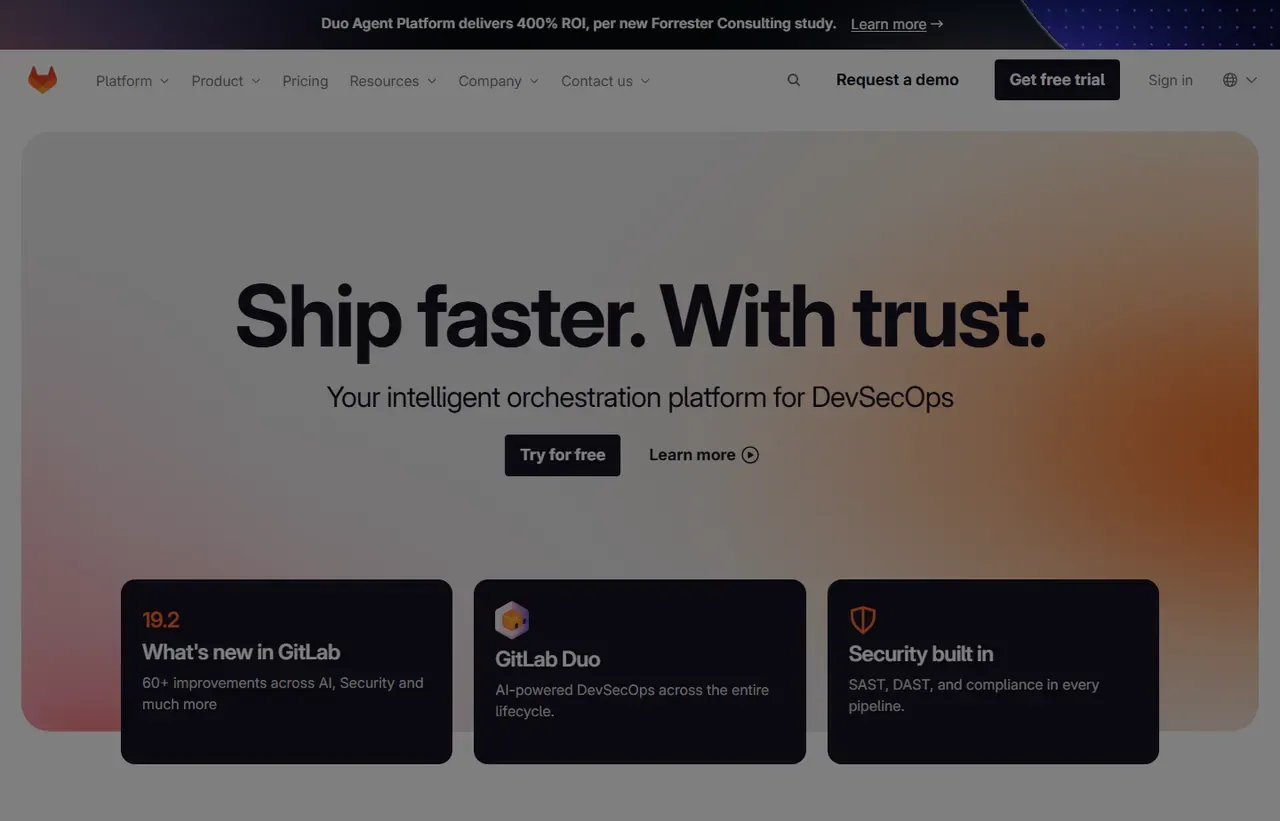
GitLab screenshots
Captured by us in August 2026 at 1440px, unedited. Interfaces change, so these show the product as it looked on the date we verified this profile. Vendors localise pricing by visitor region, so a pricing screenshot may display a different currency to the USD figures recorded above.

Our assessment
GitLab's proposition is coherence. Source control, pipelines, security scanning, registries and deployment are one product with one permission model, rather than five tools joined by webhooks, and for a platform team that is genuinely less to maintain. Self-hosting at every tier, including free, is the other real differentiator and settles the decision outright for regulated or air-gapped environments. What it cannot buy is the network: contributors, integrations and hiring all assume GitHub, and Premium at $29 per user is materially more expensive than the alternative's $4 Team tier. Ultimate is now quote-only, so security-led buyers should expect a sales process.
What works in GitLab
- Complete DevOps pipeline in a single application
- Self-hosting available at every tier, including free
- Built-in security scanning without third-party tools
- Free tier includes unlimited private repositories
What doesn't
- Premium at $29 per user is far above GitHub's Team tier
- Ultimate pricing is no longer published
- Smaller ecosystem and community than GitHub
- Self-managed installations need real operational ownership
EveryAny Decision Score
Scored by dimension rather than averaged into one number, because the trade-offs are the useful part. 3 of these 8 dimensions are calculated from verified facts by published formula; the rest are editorial judgement, labelled as such. How each score is calculated.
- Cost position1.4/10
derivedentry tier at $29 a month against a category median of $15 across 14 comparable tools
- Portability8/10
derivedself-hostable, public API
- Subscription flexibility9/10
derivedfree plan, free trial, freemium, monthly billing
- Feature depth9/10
editorialeditorial judgement, reviewed at last check
- Ease of learning6/10
editorialeditorial judgement, reviewed at last check
- Collaboration8/10
editorialeditorial judgement, reviewed at last check
- AI capability7/10
editorialeditorial judgement, reviewed at last check
- Professional adoption8/10
editorialeditorial judgement, reviewed at last check
What leaving GitLab would cost
low lock-in
Calculated as 10 minus a portability score of 8, built from four signals (self-hosting, a public API, open-source licensing and a documented export path) . GitLab scores on: self-hostable, public API. Formula.
GitLab competitors and alternatives
| Alternative | Why you might pick it instead |
|---|---|
| GitHub | Larger network and ecosystem, and the default for open source. |
| Bitbucket | Sensible where the organisation already runs Atlassian tools. |
| Gitea or Forgejo | Lightweight self-hosted Git without the wider DevOps platform. |

Self-hosting is the decisive feature
For most teams this is a preference. For defence, healthcare, finance and government it is a requirement, and GitLab is the only mainstream option that lets you run the whole platform, including CI/CD and security scanning, inside your own network at any tier. GitHub offers this only through Enterprise Server. If data residency is a constraint, the comparison largely ends here.
The price gap against GitHub is real
Premium is $29 per user per month. GitHub Team is $4 and Enterprise is $21. That difference needs justifying, and the honest justification is scope: GitLab Premium includes CI/CD minutes, security features and planning tools that GitHub charges for separately or does not include. Compare total spend across your whole toolchain rather than the seat price alone.
Ultimate is now a sales conversation
At the time we checked, Ultimate no longer carries a published price and routes to a contact form. Since Ultimate is where the advanced security scanning, compliance frameworks and portfolio management live, security-led buyers should budget time for procurement rather than expecting a self-serve rate.
Compute minutes, as always
Free includes 400 compute minutes a month and Premium 10,000, with Premium also carrying $12 in GitLab Credits per user per month. As with every hosted CI product, a busy pipeline consumes these faster than expected. If your builds are heavy, price additional compute or plan to attach your own runners, which GitLab supports well.
Where GitHub still wins
Anything involving people outside your organisation. Contributors have GitHub accounts, tooling integrates with GitHub first, and candidates arrive with a GitHub profile. If your work is public or your hiring depends on it, that network is worth more than the technical consolidation GitLab offers.
GitLab questions, answered
- Is GitLab worth it?
- GitLab's proposition is coherence. Source control, pipelines, security scanning, registries and deployment are one product with one permission model, rather than five tools joined by webhooks, and for a platform team tha
- How much does GitLab cost?
- Free tier available; Premium $29 per user/month billed annually. The cheapest paid tier we recorded works out at $29 a month, or $348 over a year. Verified against the vendor's pricing page.
- Does GitLab have a free plan or free trial?
- GitLab has a free plan. A free trial is available: 30 days on Ultimate.
- What is the best GitLab alternative?
- It depends on the job. GitHub: Larger network and ecosystem, and the default for open source. Bitbucket: Sensible where the organisation already runs Atlassian tools. Gitea or Forgejo: Lightweight self-hosted Git without the wider DevOps platform.
- Can I self-host GitLab?
- Yes. GitLab can be run on your own infrastructure, so the data stays under your control.
Provenance and freshness
When each fact was last checked
- Pricing ·
- Plans ·
- Free trial
- Features
- Platforms
- Integrations
- Affiliate programme
- Company details
What has changed
-
August 2026
- Per-user pricing and compute minute allowances verified
- Added plan picker and verdicts
Sources & verification
Facts on this page were read from the sources below on the dates shown. Where a vendor does not publish a figure, we record it as not disclosed rather than estimating it.
- GitLab pricing - checked 9 August 2026
Spotted something out of date? Email [email protected] and we will re-check it. Corrections are logged on the page.


