

Google Workspace
Browser-first productivity suite built around Gmail, Drive and real-time documents.
- Productivity
- AI
- Development
- from $7/mo
Google Workspace bundles Gmail on your own domain with Drive storage, Docs, Sheets, Slides, Meet and Calendar. It is the browser-native alternative to Microsoft 365, and its defining advantage is that multi-person editing was designed in from the start rather than added to a desktop file format later.
Google Workspace: the short answer
Every line below is drawn from facts verified on 9 August 2026.
- What it is
- Browser-first productivity suite built around Gmail, Drive and real-time documents
- Best for
- Teams that live in a browser and collaborate in real time
- Starts at
- From $7 per user/month (Business Starter)
- Free option
- No free plan, 14 days on Business plans trial
- Biggest strength
- Real-time collaboration remains the best in the category
- Biggest drawback
- Sheets struggles with large models where Excel does not
- Closest alternative
- Microsoft 365 - Better desktop apps and device management; a far more complex plan matrix
- True annual cost
- from $84 a year at the cheapest paid tier
Google Workspace at a glance
| Best for | Teams that live in a browser and collaborate in real time, Startups and small businesses wanting predictable per-seat pricing, Organisations already using Gmail and Google Drive informally |
|---|---|
| Category | Productivity, AI, Development |
| Starting price | From $7 per user/month (Business Starter) |
| Free plan | No |
| Free trial | 14 days on Business plans |
| Pricing model | subscription |
| Company | Google LLC (Alphabet Inc.) |
| Founded | 1998 |
| Headquarters | Mountain View, California, United States |
| Founders | Larry Page, Sergey Brin |
| Platforms | Web, Windows, macOS, iOS, Android |
| Public API | Yes |
| Browser extension | Yes |
| Mobile apps | iOS + Android |
| Self-hosting | No |
| Affiliate programme | Referral programme pays a per-user bonus for the first year in eligible regions |
| Data source | Vendor pricing page and public records |
| Last checked | August 2026 |
Google Workspace pricing
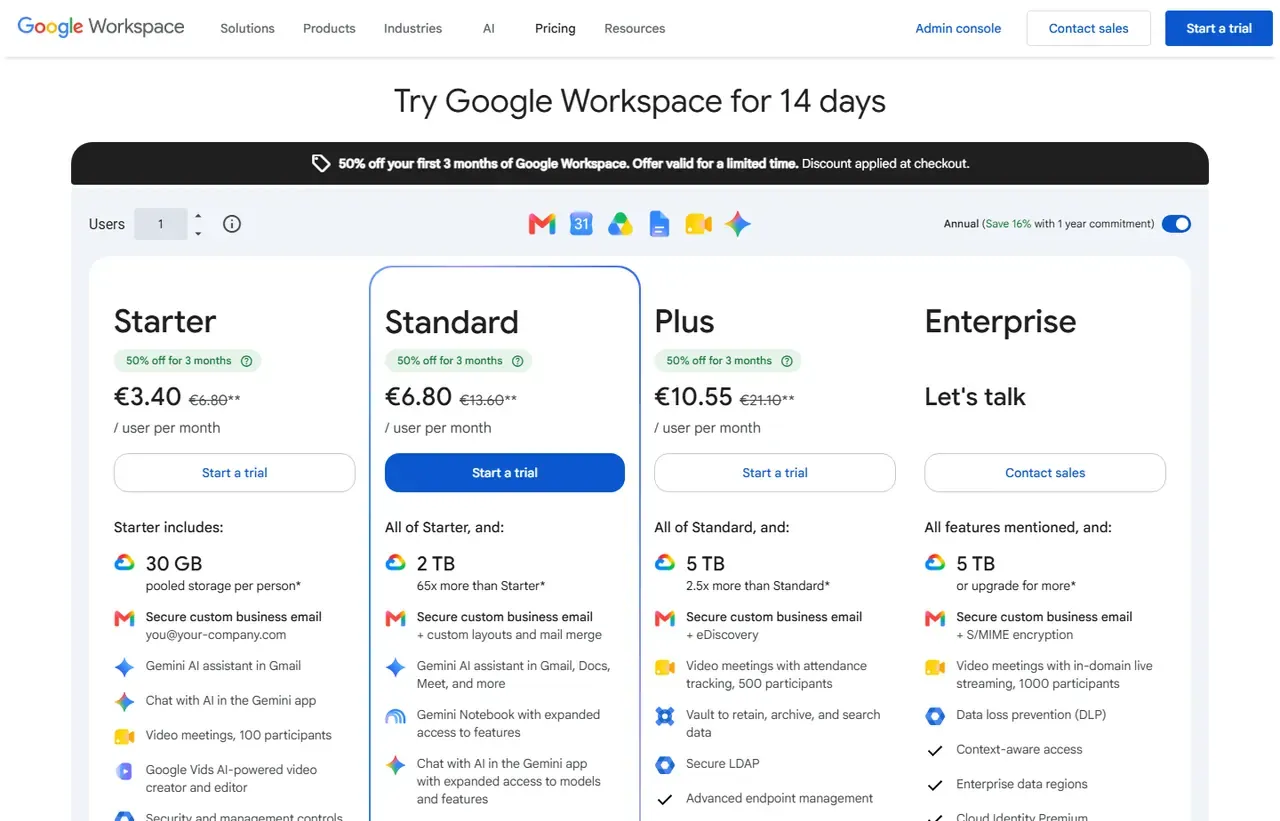
Prices below were read from the vendor's own pricing page on 9 August 2026. Pricing model: subscription. Free trial: 14 days on Business plans.
| Plan | Price | Billing | Notes |
|---|---|---|---|
| Business Starter | $7 | per month | per user - 30 GB pooled storage per user, 100-participant meetings |
| Business Standard | $14 | per month | per user - 2 TB pooled storage per user, meeting recordings |
| Business Plus | $22 | per month | per user - 5 TB pooled storage per user, advanced endpoint management, Vault |
| Enterprise | Custom | Negotiated | No user cap, enterprise data regions and advanced security |
What Google Workspace actually costs over a year
A monthly price is not the same thing as a monthly contract. These are the plans above multiplied out to twelve months, per seat or unit where the plan is charged that way.
| Plan | Monthly | Over 12 months |
|---|---|---|
| Business Starterper user | $7 | $84 |
| Business Standardper user | $14 | $168 |
| Business Plusper user | $22 | $264 |
Which Google Workspace plan should you buy?
| Your situation | Recommended | Why |
|---|---|---|
| A small team needs email on a custom domain | Business Starter | $7 per user. Watch the 30 GB pooled storage, which is the real constraint. |
| You need meeting recordings and 2 TB per user | Business Standard | $14 per user, and the tier most businesses actually need rather than Starter. |
| You need Vault, eDiscovery or advanced endpoint management | Business Plus | $22 per user. Bought for retention and compliance, not for more storage. |
| You have more than 300 users | Enterprise | The Business tiers cap at 300 users, so growth forces this step regardless of features. |
| Your team does heavy Excel modelling | Do not replace Microsoft 365 with this | Sheets is capable but not an Excel substitute for macro-driven financial models. |
Verdict by who you are
Startup or small businessYes
Predictable per-seat pricing, real-time collaboration that works, and almost no administration required.
Team that lives in a browserYes
Docs and Sheets collaboration remains better than the Microsoft equivalent for simultaneous editing.
Finance or analyst teamNo
Excel is the tool. Sheets will frustrate anyone doing serious modelling.
Windows-heavy enterpriseCompare first
Device management and Office compatibility favour Microsoft 365 in that estate.
Company approaching 300 usersCompare first
Plan the Enterprise transition early, since the cap arrives as a hard stop.
Should you buy Google Workspace?
Buy Google Workspace if…
- Teams that live in a browser and collaborate in real time
- Startups and small businesses wanting predictable per-seat pricing
- Organisations already using Gmail and Google Drive informally
Do not buy Google Workspace if…
- Heavy Excel modelling and macro-driven spreadsheets
- Organisations needing deep Windows device management
- Companies above 300 users on the lower tiers
Key features
- Gmail with your own domain and strong spam filtering
- Real-time co-editing in Docs, Sheets and Slides
- Drive with pooled storage shared across the organisation
- Google Meet video conferencing with recording on paid tiers
- Shared drives with team rather than personal ownership
- Gemini AI assistance across Gmail, Docs and Meet
- Admin console with device and endpoint management
- Vault for retention, archiving and eDiscovery on Business Plus
Integrations
- Google Apps Script and Workspace APIs
- Chrome and Android device management
- Salesforce, Slack, Asana, Atlassian and most SaaS via SSO
- Looker Studio
- Google Cloud Platform
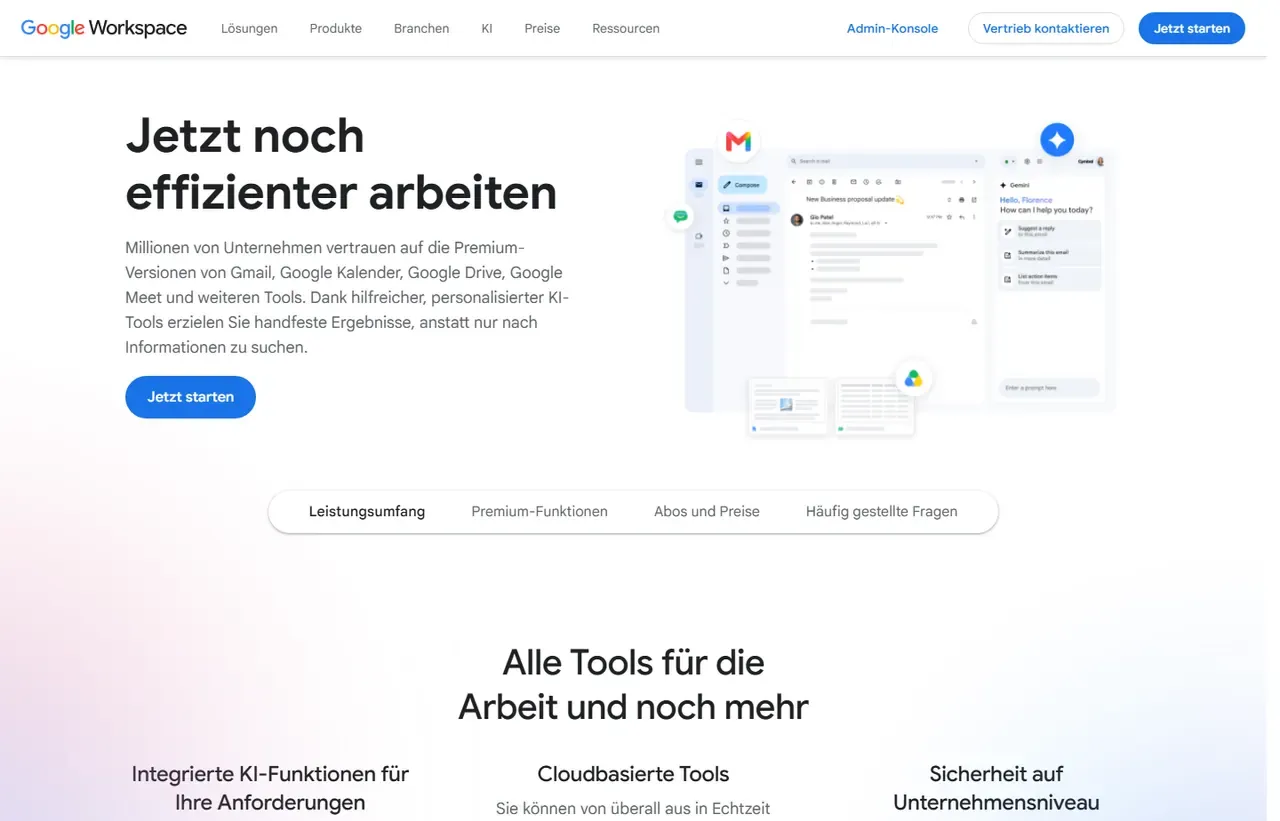
Google Workspace screenshots
Captured by us in August 2026 at 1440px, unedited. Interfaces change, so these show the product as it looked on the date we verified this profile. Vendors localise pricing by visitor region, so a pricing screenshot may display a different currency to the USD figures recorded above.
Our assessment
Google Workspace is the easiest productivity suite to buy and to run. Three published prices, no SKU archaeology, an admin console a non-specialist can operate, and collaboration that still feels a generation ahead of the alternative when several people are in one document. What you give up is depth at the edges: Sheets is not Excel once models get large, and the 300-user cap on the lower tiers forces an Enterprise conversation exactly when you are least able to have it. The pooled storage model is also widely misread, and it is the field most likely to surprise a growing team.
What works in Google Workspace
- Real-time collaboration remains the best in the category
- Three clear prices, with no meaningful SKU confusion
- Admin console is usable without a dedicated IT administrator
- Search across mail, files and calendar is genuinely better than rivals
What doesn't
- Sheets struggles with large models where Excel does not
- Starter, Standard and Plus are capped at 300 users
- Storage is pooled across the organisation, not guaranteed per person
- Offline working is workable but clearly a second-class path
EveryAny Decision Score
Scored by dimension rather than averaged into one number, because the trade-offs are the useful part. 3 of these 8 dimensions are calculated from verified facts by published formula; the rest are editorial judgement, labelled as such. How each score is calculated.
- Cost position6.3/10
derivedentry tier at $7 a month against a category median of $9.99 across 24 comparable tools
- Portability5/10
derivedpublic API
- Subscription flexibility6/10
derivedfree trial, subscription, monthly billing
- Feature depth8/10
editorialeditorial judgement, reviewed at last check
- Ease of learning9/10
editorialeditorial judgement, reviewed at last check
- Collaboration10/10
editorialeditorial judgement, reviewed at last check
- AI capability8/10
editorialeditorial judgement, reviewed at last check
- Professional adoption10/10
editorialeditorial judgement, reviewed at last check
What leaving Google Workspace would cost
moderate lock-in
Calculated as 10 minus a portability score of 5, built from four signals (self-hosting, a public API, open-source licensing and a documented export path) . Google Workspace scores on: public API. Formula.
Google Workspace competitors and alternatives
| Alternative | Why you might pick it instead |
|---|---|
| Microsoft 365 | Better desktop apps and device management; a far more complex plan matrix. |
| Zoho Workplace | Materially cheaper for small teams doing the same jobs. |
| Proton Business | If end-to-end encrypted mail and data residency matter more than the suite. |

Microsoft 365
Productivity
Cloud productivity suite bundling Office apps, email, storage and security.
The pooled storage trap
Workspace does not give each user a fixed allowance. Storage is pooled: Business Starter contributes 30 GB per user to a shared organisational pool, Standard 2 TB, Plus and Enterprise Plus 5 TB. In practice one person with a video archive can consume what nominally belongs to twenty colleagues. Check total consumption before assuming a tier fits, because the failure mode is everybody’s uploads stopping at once.
The 300-user ceiling
Business Starter, Standard and Plus cannot exceed 300 users. There is no soft landing: crossing that line means an Enterprise negotiation with pricing that is not published. If you expect to pass 250 seats within the subscription term, start that conversation early rather than at renewal.
Where it beats Microsoft, and where it does not
Put four people in one document and Workspace wins convincingly; the model was built for it. Put one analyst in a 200,000-row model with pivot tables and macros and Excel wins just as convincingly. Most organisations have both people, which is why the decision usually turns on which group is larger and louder rather than on a feature matrix.
Buying notes
Prices are per user per month with no annual prepayment required, which makes Workspace unusually easy to scale down as well as up. There is no free tier for business use; personal Gmail is not the same product and using it for a company creates real problems with ownership when someone leaves. See our comparison against Microsoft 365 for the fuller trade-off.
Google Workspace questions, answered
- Is Google Workspace worth it?
- Google Workspace is the easiest productivity suite to buy and to run.
- How much does Google Workspace cost?
- From $7 per user/month (Business Starter). The cheapest paid tier we recorded works out at $7 a month, or $84 over a year. Verified against the vendor's pricing page.
- Does Google Workspace have a free plan or free trial?
- Google Workspace has no free plan. A free trial is available: 14 days on Business plans.
- What is the best Google Workspace alternative?
- It depends on the job. Microsoft 365: Better desktop apps and device management; a far more complex plan matrix. Zoho Workplace: Materially cheaper for small teams doing the same jobs. Proton Business: If end-to-end encrypted mail and data residency matter more than the suite.
- Can I self-host Google Workspace?
- No. Google Workspace is a hosted service only, so your data lives on the vendor's infrastructure.
Provenance and freshness
When each fact was last checked
- Pricing ·
- Plans ·
- Free trial
- Features
- Platforms
- Integrations
- Affiliate programme
- Company details
What has changed
-
August 2026
- Per-user pricing and pooled storage allowances verified
- Added plan picker and verdicts
Sources & verification
Facts on this page were read from the sources below on the dates shown. Where a vendor does not publish a figure, we record it as not disclosed rather than estimating it.
- Google Workspace pricing - checked 9 August 2026
Spotted something out of date? Email [email protected] and we will re-check it. Corrections are logged on the page.


