

Webflow
Visual development that produces real HTML, CSS and a proper CMS.
- Development
- Design
- Marketing
- from $15/mo
Webflow is a visual web development platform where the canvas maps directly onto the box model, so designers build with actual CSS concepts rather than an abstraction. It pairs that with a structured CMS, hosting and a publishing workflow, and it is the strongest option for marketing teams who need to own a growing site without engineering tickets.
Webflow: the short answer
Every line below is drawn from facts verified on 9 August 2026.
- What it is
- Visual development that produces real HTML, CSS and a proper CMS
- Best for
- Marketing teams owning a content-rich site without developers
- Starts at
- Free on a webflow.io subdomain; Basic site plans from $15/month billed yearly
- Free option
- Free plan available, no trial
- Biggest strength
- Genuine CSS control without writing CSS
- Biggest drawback
- Steep learning curve that assumes layout knowledge
- Closest alternative
- Framer - Faster to a beautiful marketing site, weaker CMS for volume
- True annual cost
- from $180 a year at the cheapest paid tier
Webflow at a glance
| Best for | Marketing teams owning a content-rich site without developers, Designers who understand layout and want precise control, Sites needing a real structured CMS rather than a page builder |
|---|---|
| Category | Development, Design, Marketing |
| Starting price | Free on a webflow.io subdomain; Basic site plans from $15/month billed yearly |
| Free plan | Yes |
| Free trial | No trial offered |
| Pricing model | subscription |
| Company | Webflow, Inc. |
| Founded | 2013 |
| Headquarters | San Francisco, California, United States |
| Founders | Vlad Magdalin, Sergie Magdalin, Bryant Chou |
| Platforms | Web |
| Public API | Yes |
| Browser extension | No |
| Mobile apps | None |
| Self-hosting | No |
| Affiliate programme | Affiliate programme advertised, paying a share of referred subscription revenue |
| Data source | Vendor pricing page and public records |
| Last checked | August 2026 |
Webflow pricing
Prices below were read from the vendor's own pricing page on 9 August 2026. Pricing model: subscription. No free trial is offered.
| Plan | Price | Billing | Notes |
|---|---|---|---|
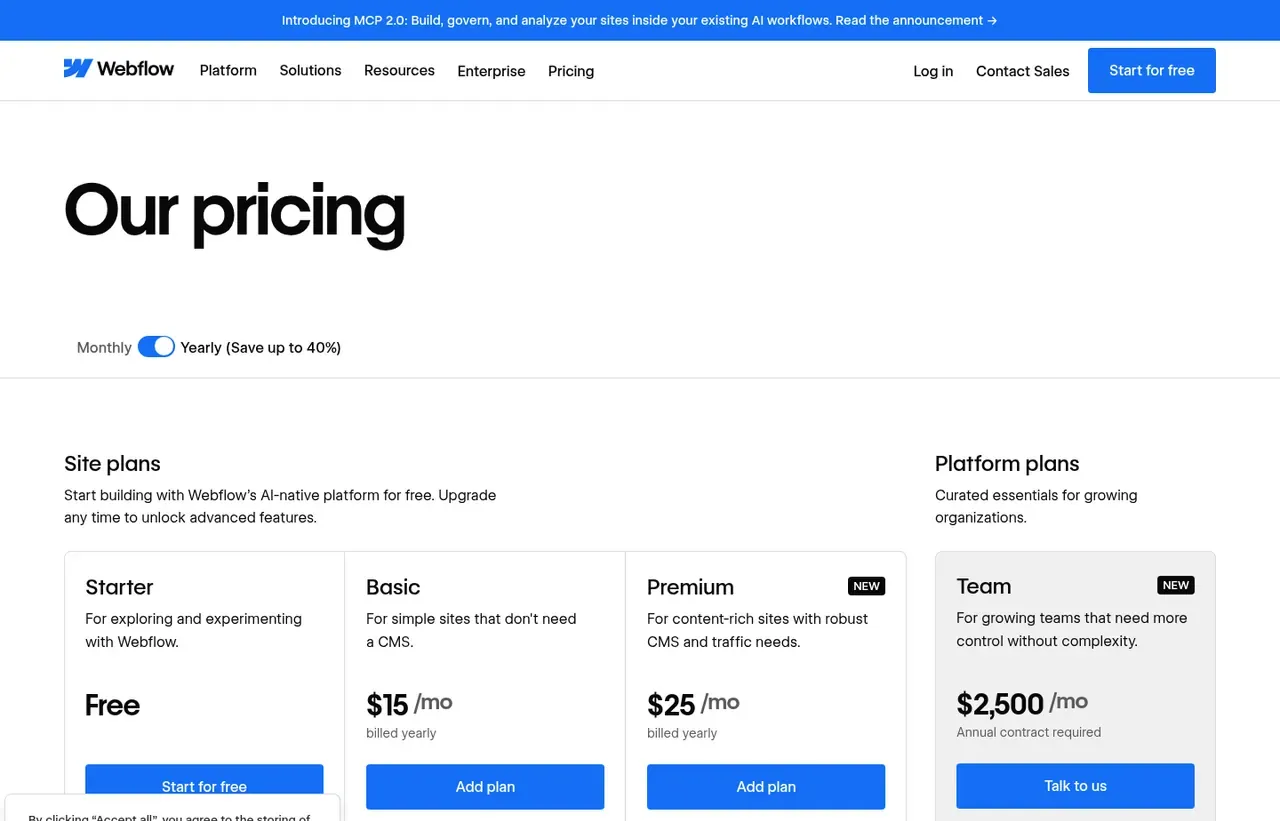
| Starter | $0 | per month | webflow.io subdomain, limited pages and Webflow branding |
| Basic | $15 | per month | Per site, billed yearly. Custom domain, 300 static pages, no CMS |
| Premium | $25 | per month | Per site, billed yearly. Adds Webflow CMS, site search and code components |
| Team | $2,500 | per month | Platform plan. Annual contract required, adds localisation and workflows |
| Enterprise | Custom | Negotiated | - |
What Webflow actually costs over a year
A monthly price is not the same thing as a monthly contract. These are the plans above multiplied out to twelve months, per seat or unit where the plan is charged that way.
| Plan | Monthly | Over 12 months |
|---|---|---|
| Basic | $15 | $180 |
| Premium | $25 | $300 |
| Team | $2500 | $30000 |
Which Webflow plan should you buy?
| Your situation | Recommended | Why |
|---|---|---|
| You are building and want to test before publishing | Starter | Free on a webflow.io subdomain with Webflow branding. |
| You are publishing a marketing site with no blog | Basic | $15 per site billed yearly. 300 static pages and no CMS, which is the catch. |
| You need a blog or any collection content | Premium | $25 per site billed yearly, and the CMS is the reason almost everyone lands here. |
| You need localisation and team workflows | Team | $2,500 a month as a platform plan with an annual contract. The jump from site plans is enormous, so check whether you genuinely need it. |
| A non-designer must maintain the site | Consider Squarespace or Framer instead | Webflow expects someone who understands the box model. |
| You want to own the codebase | Consider Astro instead | Webflow exports code, but not a codebase you would want to maintain. |
Verdict by who you are
Designer building client marketing sitesYes
Real layout control without writing code, and the output is genuinely good. The professional standard for design-led sites.
Marketing team wanting to edit contentYes
The Editor lets non-technical colleagues update copy without touching layout.
Small business owner with no design skillNo
The learning curve is real, because it exposes CSS concepts. Squarespace will get you live this week.
Company needing localisationCompare first
Available, but only on the Team platform plan at $2,500 a month. Price that before committing to Webflow as your CMS.
Developer wanting code ownershipNo
You are renting a hosted platform, not building something you own.
Should you buy Webflow?
Buy Webflow if…
- Marketing teams owning a content-rich site without developers
- Designers who understand layout and want precise control
- Sites needing a real structured CMS rather than a page builder
Do not buy Webflow if…
- Non-designers wanting a template they can fill in
- Teams needing many sites on a small budget
- Organisations expecting a simple single price
Key features
- Visual canvas that maps directly onto CSS layout concepts
- Structured CMS with collections, references and dynamic templates
- Managed hosting on a global CDN with SSL
- Interactions and scroll-based animation without code
- Editor mode for content changes without touching design
- Localisation for multi-language sites on higher plans
- Code components and custom code injection
- Clean semantic HTML output with export on some plans
Integrations
- Figma paste-to-Webflow
- Google Analytics and Search Console
- Mailchimp, HubSpot and Klaviyo
- Zapier and Make
- Webflow Data and Designer APIs
Webflow screenshots
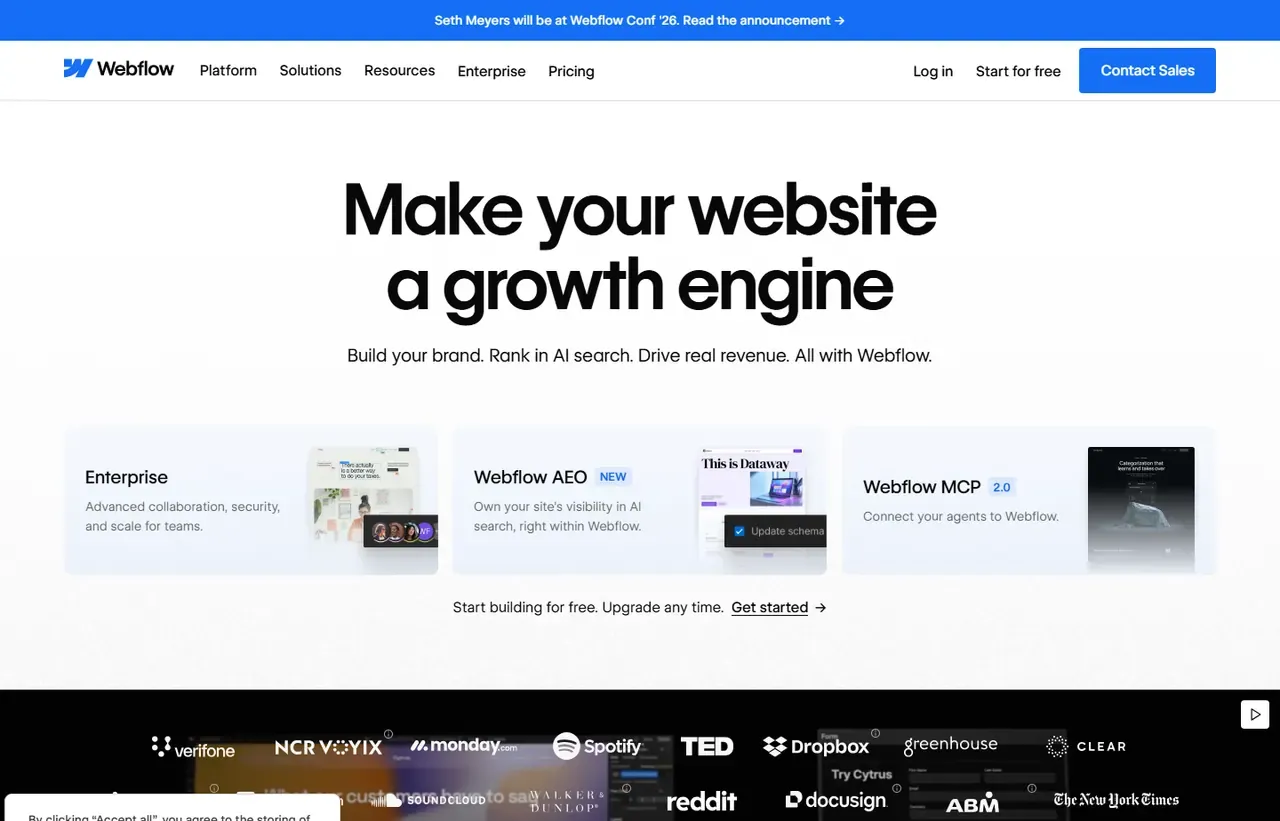
Captured by us in August 2026 at 1440px, unedited. Interfaces change, so these show the product as it looked on the date we verified this profile. Pricing pages are captured from a US vantage point, so the currency shown matches the USD figures recorded above.
Our assessment
Webflow is the best visual builder for people who actually understand layout, because it does not hide the box model behind an abstraction that eventually fails. Its CMS is the real differentiator: collections, references and dynamic templates make a growing content site maintainable in a way no page builder manages. The pricing has become considerably harder to explain, though. Site plans start at $15 and $25 per site, but the platform tier jumped to $2,500 a month on an annual contract, which removes the middle of the market entirely. That gap is now the main reason teams look elsewhere.
What works in Webflow
- Genuine CSS control without writing CSS
- Best structured CMS in any visual builder
- Clean semantic output and managed hosting included
- Editor mode lets content people work without breaking design
What doesn't
- Steep learning curve that assumes layout knowledge
- Priced per site, so agencies accumulate subscriptions
- Platform Team plan at $2,500 a month leaves a large gap above Premium
- Ecommerce is weaker than dedicated commerce platforms
EveryAny Decision Score
Scored by dimension rather than averaged into one number, because the trade-offs are the useful part. 3 of these 8 dimensions are calculated from verified facts by published formula; the rest are editorial judgement, labelled as such. How each score is calculated.
- Cost position4.3/10
derivedentry tier at $15 a month against a category median of $15 across 14 comparable tools
- Portability6/10
derivedpublic API, documented export
- Subscription flexibility6/10
derivedfree plan, subscription, monthly billing
- Feature depth8/10
editorialeditorial judgement, reviewed at last check
- Ease of learning4/10
editorialeditorial judgement, reviewed at last check
- Collaboration7/10
editorialeditorial judgement, reviewed at last check
- AI capability6/10
editorialeditorial judgement, reviewed at last check
- Professional adoption8/10
editorialeditorial judgement, reviewed at last check
What leaving Webflow would cost
moderate lock-in
Calculated as 10 minus a portability score of 6, built from four signals (self-hosting, a public API, open-source licensing and a documented export path) . Webflow scores on: public API, documented export. Formula.
Webflow competitors and alternatives
| Alternative | Why you might pick it instead |
|---|---|
| Framer | Faster to a beautiful marketing site, weaker CMS for volume. |
| Astro or Next.js | Full ownership and no ceiling, if you have engineering capacity. |
| Squarespace | Far simpler and cheaper when design constraint is welcome. |

Framer
Development
Design-led website builder that publishes production sites from a canvas.

Squarespace
Development
Templates that are genuinely hard to make ugly.

Wix
Development
Drag-anything website building for people who do not want a web project.
Two pricing axes, not one
This is where every Webflow quote goes wrong. There are site plans, paid per published site, and platform plans, paid for the workspace your team designs in. A single site with two designers needs both. Budget them together, because pricing one and forgetting the other is the standard mistake.
The structure has changed, and the gap is large
At the time we checked, site plans were Starter (free), Basic at $15 and Premium at $25, replacing the older Basic, CMS and Business ladder. Above them, the platform Team plan is $2,500 a month on an annual contract.
That is a very steep step. A five-person marketing team that would previously have paid a modest per-seat workspace fee now faces either the site plans alone or an enterprise-scale commitment. If you evaluated Webflow more than a year ago, re-price it before assuming your old numbers hold.
The CMS is why people stay
Collections behave like a real content model: types, fields, references between them, and templates that render dynamically. That means a case-study library or a 300-post blog stays maintainable, where Wix and Squarespace start to strain and Framer hits collection limits. If your content plan looks like a publication rather than a brochure, this is the deciding feature.
Who should not choose it
Webflow expects you to understand flex, grid, positioning and inheritance. Given to someone who does not, it produces worse results than a constrained template builder, more slowly. The honest test: if “why is this element not centring” is not a question you can answer, Squarespace will serve you better.
Webflow questions, answered
- Is Webflow worth it?
- Webflow is the best visual builder for people who actually understand layout, because it does not hide the box model behind an abstraction that eventually fails.
- How much does Webflow cost?
- Free on a webflow.io subdomain; Basic site plans from $15/month billed yearly. The cheapest paid tier we recorded works out at $15 a month, or $180 over a year. Verified against the vendor's pricing page.
- Does Webflow have a free plan or free trial?
- Webflow has a free plan. No free trial is offered.
- What is the best Webflow alternative?
- It depends on the job. Framer: Faster to a beautiful marketing site, weaker CMS for volume. Astro or Next.js: Full ownership and no ceiling, if you have engineering capacity. Squarespace: Far simpler and cheaper when design constraint is welcome.
- Can I self-host Webflow?
- No. Webflow is a hosted service only, so your data lives on the vendor's infrastructure.
Provenance and freshness
When each fact was last checked
- Pricing ·
- Plans ·
- Free trial
- Features
- Platforms
- Integrations
- Affiliate programme
- Company details
What has changed
-
August 2026
- Site and platform plan pricing verified, including that Basic excludes the CMS
- Added plan picker and verdicts
Sources & verification
Facts on this page were read from the sources below on the dates shown. Where a vendor does not publish a figure, we record it as not disclosed rather than estimating it.
- Webflow pricing - checked 9 August 2026
Spotted something out of date? Email [email protected] and we will re-check it. Corrections are logged on the page.


