

Dropbox
File sync that still works better than the suites that tried to replace it.
- Productivity
- Design
- from $9.99/mo
Dropbox is a cloud storage and file synchronisation service with sharing, versioning, backup and document workflow tools. It invented reliable consumer file sync, and its remaining advantage is precisely that: the sync engine handles conflicts, large files and poor connections better than the storage bundled into productivity suites.
Dropbox: the short answer
Every line below is drawn from facts verified on 9 August 2026.
- What it is
- File sync that still works better than the suites that tried to replace it
- Best for
- Teams moving large files, video and design assets
- Starts at
- Plus from $9.99/month; team plans from $15 per user/month
- Free option
- Free plan available, 30 days on team plans trial
- Biggest strength
- Best sync engine in the category, especially for large files
- Biggest drawback
- Duplicates storage most organisations already pay for
- Closest alternative
- Google Drive - Included with Google Workspace, so usually free at the margin
- True annual cost
- from $119.88 a year at the cheapest paid tier
Dropbox at a glance
| Best for | Teams moving large files, video and design assets, Working across macOS, Windows and mobile without friction, Anyone who needs sync to be genuinely dependable |
|---|---|
| Category | Productivity, Design |
| Starting price | Plus from $9.99/month; team plans from $15 per user/month |
| Free plan | Yes |
| Free trial | 30 days on team plans |
| Pricing model | freemium |
| Company | Dropbox, Inc. |
| Founded | 2007 |
| Headquarters | San Francisco, California, United States |
| Founders | Drew Houston, Arash Ferdowsi |
| Platforms | Web, Windows, macOS, Linux, iOS, Android |
| Public API | Yes |
| Browser extension | Yes |
| Mobile apps | iOS + Android |
| Self-hosting | No |
| Affiliate programme | No |
| Data source | Vendor pricing page and public records |
| Last checked | August 2026 |
Dropbox pricing
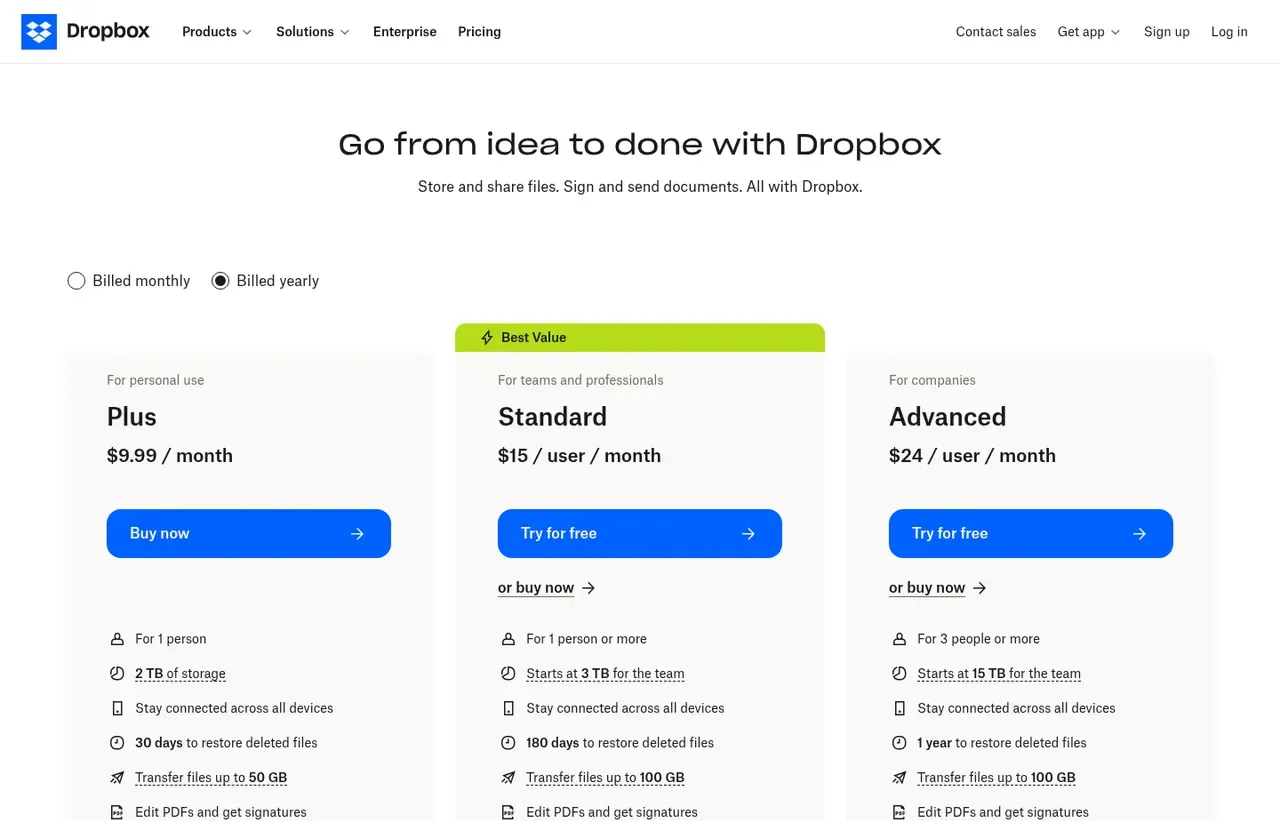
Prices below were read from the vendor's own pricing page on 9 August 2026. Pricing model: freemium. Free trial: 30 days on team plans.
| Plan | Price | Billing | Notes |
|---|---|---|---|
| Basic | $0 | per month | 2 GB storage, limited device linking |
| Plus | $9.99 | per month | Billed yearly. 2 TB storage for one person |
| Standard | $15 | per month | per user, 3 users minimum - Billed yearly. Starts at 3 TB for the team |
| Advanced | $24 | per month | per user, 3 users minimum - Billed yearly. Starts at 15 TB for the team |
| Enterprise | Custom | Negotiated | - |
What Dropbox actually costs over a year
A monthly price is not the same thing as a monthly contract. These are the plans above multiplied out to twelve months, per seat or unit where the plan is charged that way.
| Plan | Monthly | Over 12 months |
|---|---|---|
| Plus | $9.99 | $119.88 |
| Standardper user, 3 users minimum | $15 | $180 |
| Advancedper user, 3 users minimum | $24 | $288 |
Which Dropbox plan should you buy?
| Your situation | Recommended | Why |
|---|---|---|
| You want free cloud storage | Basic | 2 GB and limited device linking. Too small to be a real plan, adequate to try the sync. |
| You are one person with large files | Plus | $9.99 a month billed yearly for 2 TB. The sync engine is what you are paying for. |
| A small team shares large assets | Standard | $15 per user with a three-user minimum, starting at 3 TB for the team. |
| You need more space and admin controls | Advanced | $24 per user, starting at 15 TB, with fuller administration. |
| You already pay for Microsoft 365 or Google Workspace | Do not buy Dropbox | OneDrive or Drive is included in a licence you hold. Dropbox syncs better, but that is a second bill for storage you already own. |
| You need retention, classification and legal hold | Consider Box instead | Box is built for content governance; Dropbox is built for sync. |
Verdict by who you are
Designer or video editor moving large filesYes
Block-level sync means changing one layer does not re-upload the whole file, which on large assets is the difference between minutes and hours.
Team across macOS and WindowsYes
The most dependable cross-platform sync available, and dependability is the whole point.
Microsoft 365 or Google Workspace customerNo
You are already paying for storage. Justify the second bill on sync quality alone.
Buyer optimising cost per terabyteNo
Cheaper storage exists. Dropbox does not compete on that axis.
Should you buy Dropbox?
Buy Dropbox if…
- Teams moving large files, video and design assets
- Working across macOS, Windows and mobile without friction
- Anyone who needs sync to be genuinely dependable
Do not buy Dropbox if…
- Organisations already paying for OneDrive or Google Drive
- Buyers optimising purely on cost per terabyte
- Teams wanting a full productivity suite in one contract
Key features
- Block-level file sync that transfers only what changed
- Smart Sync to keep files online-only without filling the disk
- Version history and file recovery
- Dropbox Paper collaborative documents
- Dropbox Sign electronic signatures
- Dropbox Replay for video review and frame-accurate comments
- Granular sharing with passwords and expiry
- Dropbox Backup for whole-machine backup
Integrations
- Microsoft 365 and Google Workspace
- Slack and Zoom
- Canva and Adobe Creative Cloud
- Zapier
- Dropbox API and webhooks
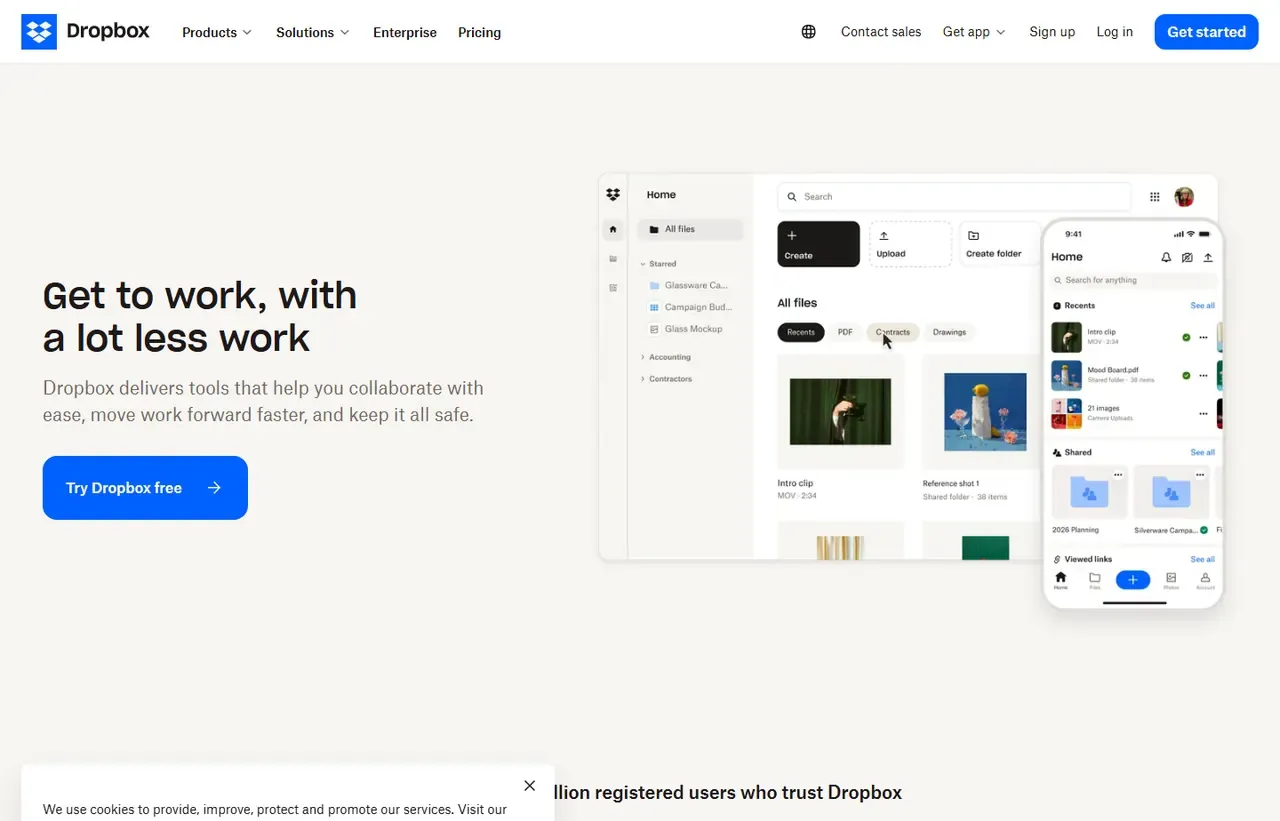
Dropbox screenshots
Captured by us in August 2026 at 1440px, unedited. Interfaces change, so these show the product as it looked on the date we verified this profile. Pricing pages are captured from a US vantage point, so the currency shown matches the USD figures recorded above.
Our assessment
Dropbox's difficulty is not quality, it is redundancy. The sync engine remains the best in the category, particularly for large files, mixed operating systems and unreliable connections, and anyone who works with video or design assets will notice the difference immediately. But most organisations already receive a terabyte of storage inside a suite they pay for anyway, so Dropbox has to justify a second bill for something the finance director believes is already solved. Where it clearly wins is professional media work and cross-platform teams; elsewhere the honest answer is that the bundled option is good enough.
What works in Dropbox
- Best sync engine in the category, especially for large files
- Genuinely cross-platform, including Linux
- Version history and recovery are simple and reliable
- Useful adjacent tools in Sign, Replay and Backup
What doesn't
- Duplicates storage most organisations already pay for
- Expensive per terabyte against dedicated storage providers
- Team plans require a three-user minimum
- Free tier at 2 GB is too small to be useful
EveryAny Decision Score
Scored by dimension rather than averaged into one number, because the trade-offs are the useful part. 3 of these 8 dimensions are calculated from verified facts by published formula; the rest are editorial judgement, labelled as such. How each score is calculated.
- Cost position4.6/10
derivedentry tier at $9.99 a month against a category median of $9.99 across 24 comparable tools
- Portability5/10
derivedpublic API
- Subscription flexibility9/10
derivedfree plan, free trial, freemium, monthly billing
- Feature depth6/10
editorialeditorial judgement, reviewed at last check
- Ease of learning9/10
editorialeditorial judgement, reviewed at last check
- Collaboration7/10
editorialeditorial judgement, reviewed at last check
- AI capability4/10
editorialeditorial judgement, reviewed at last check
- Professional adoption9/10
editorialeditorial judgement, reviewed at last check
What leaving Dropbox would cost
moderate lock-in
Calculated as 10 minus a portability score of 5, built from four signals (self-hosting, a public API, open-source licensing and a documented export path) . Dropbox scores on: public API. Formula.
Dropbox competitors and alternatives
| Alternative | Why you might pick it instead |
|---|---|
| Google Drive | Included with Google Workspace, so usually free at the margin. |
| OneDrive | Included with Microsoft 365 and deeply tied into Windows. |
| pCloud or Sync.com | Cheaper per terabyte, with lifetime plans and stronger privacy positioning. |
What you are paying the premium for
Dropbox syncs at block level: change one slide in a 400 MB deck and it uploads the delta, not the file. On a large shared folder with several people editing, that difference compounds into hours. Suite-bundled storage has improved but still handles conflict resolution and very large files less gracefully. If your team moves video, RAW photography or design source files, this is the whole argument.
The three-user minimum
Standard and Advanced require at least three seats, so the real entry price for a team is $45 a month rather than $15. Two-person studios routinely miss this and end up on Plus, sharing one account, which breaks the permissions model.
Storage is pooled, and “starts at”
Team plans quote a starting pool: 3 TB on Standard, 15 TB on Advanced, for the whole team rather than each person. Adding seats adds allowance, but the pool is shared, so a single heavy user can consume it. Check consumption before assuming a tier fits.
The honest recommendation
If you already pay for Microsoft 365 or Google Workspace, start with the storage you own. Move to Dropbox when you hit a specific problem it solves better: large-file sync, cross-platform teams, external sharing with real controls, or media review workflows. Buying it out of habit is how organisations end up paying twice for the same terabyte.
Dropbox questions, answered
- Is Dropbox worth it?
- Dropbox's difficulty is not quality, it is redundancy.
- How much does Dropbox cost?
- Plus from $9.99/month; team plans from $15 per user/month. The cheapest paid tier we recorded works out at $9.99 a month, or $119.88 over a year. Verified against the vendor's pricing page.
- Does Dropbox have a free plan or free trial?
- Dropbox has a free plan. A free trial is available: 30 days on team plans.
- What is the best Dropbox alternative?
- It depends on the job. Google Drive: Included with Google Workspace, so usually free at the margin. OneDrive: Included with Microsoft 365 and deeply tied into Windows. pCloud or Sync.com: Cheaper per terabyte, with lifetime plans and stronger privacy positioning.
- Can I self-host Dropbox?
- No. Dropbox is a hosted service only, so your data lives on the vendor's infrastructure.
Provenance and freshness
When each fact was last checked
- Pricing ·
- Plans ·
- Free trial
- Features
- Platforms
- Integrations
- Affiliate programme
- Company details
What has changed
-
August 2026
- Pricing and storage allowances verified, including the three-user team minimum
- Added plan picker and verdicts
Sources & verification
Facts on this page were read from the sources below on the dates shown. Where a vendor does not publish a figure, we record it as not disclosed rather than estimating it.
- Dropbox plans - checked 9 August 2026
Spotted something out of date? Email [email protected] and we will re-check it. Corrections are logged on the page.


