

Cal.com is scheduling infrastructure: booking pages, availability rules, round-robin routing and payment collection, released under an open-source licence so it can be self-hosted or embedded as a platform. It is the answer to Calendly for organisations that want the meeting data on their own servers.
Cal.com ranking and coverage
- In Productivity
- #8 of 28 tied
- Overall
- #29 of 122 tied
- Terms score
- 6.8 /10
- Referenced here
- 1 page
Cost position 2.5 · Portability 9 · Subscription flexibility 9 - Ranked on published terms only: entry price against category peers, portability and subscription flexibility, equally weighted. This is not a quality score.How the rank is calculated.
Cal.com: the short answer
Every line below is drawn from facts verified on 9 August 2026.
- What it is
- Open-source scheduling you can host yourself
- Best for
- Organisations needing scheduling on their own infrastructure
- Starts at
- Free forever for individuals; Teams $12 per user/month
- Free option
- Free plan available, 14 days trial
- Biggest strength
- Open source and self-hostable, so booking data stays yours
- Biggest drawback
- Less polished than Calendly for non-technical users
- Based on
- Primary-source research, not hands-on use
- Closest alternative
- Calendly - More polished and better known, closed source and not self-hostable
- True annual cost
- from $144 a year on Teams, the cheapest paid tier ($12 a month)
Cal.com at a glance
| Best for | Organisations needing scheduling on their own infrastructure, Developers embedding booking into a product, Teams wanting round-robin and collective availability free |
|---|---|
| Category | Productivity, Sales, Development |
| Starting price | Free forever for individuals; Teams $12 per user/month |
| Free plan | Yes |
| Free trial | 14 days |
| Pricing model | freemium |
| Company | Cal.com, Inc. |
| Founded | 2021 |
| Headquarters | Remote, incorporated in the United States |
| Founders | Peer Richelsen, Bailey Pumfleet |
| Platforms | Web, iOS, Android |
| Public API | Yes |
| Browser extension | Yes |
| Mobile apps | iOS + Android |
| Self-hosting | Yes |
| Affiliate programme | No |
| Data source | Vendor pricing page and public records |
| Last checked | August 2026 |
Cal.com pricing
Prices below were read from the vendor's own pricing page on 9 August 2026. Pricing model: freemium. Free trial: 14 days.
| Plan | Price | Billing | Notes |
|---|---|---|---|
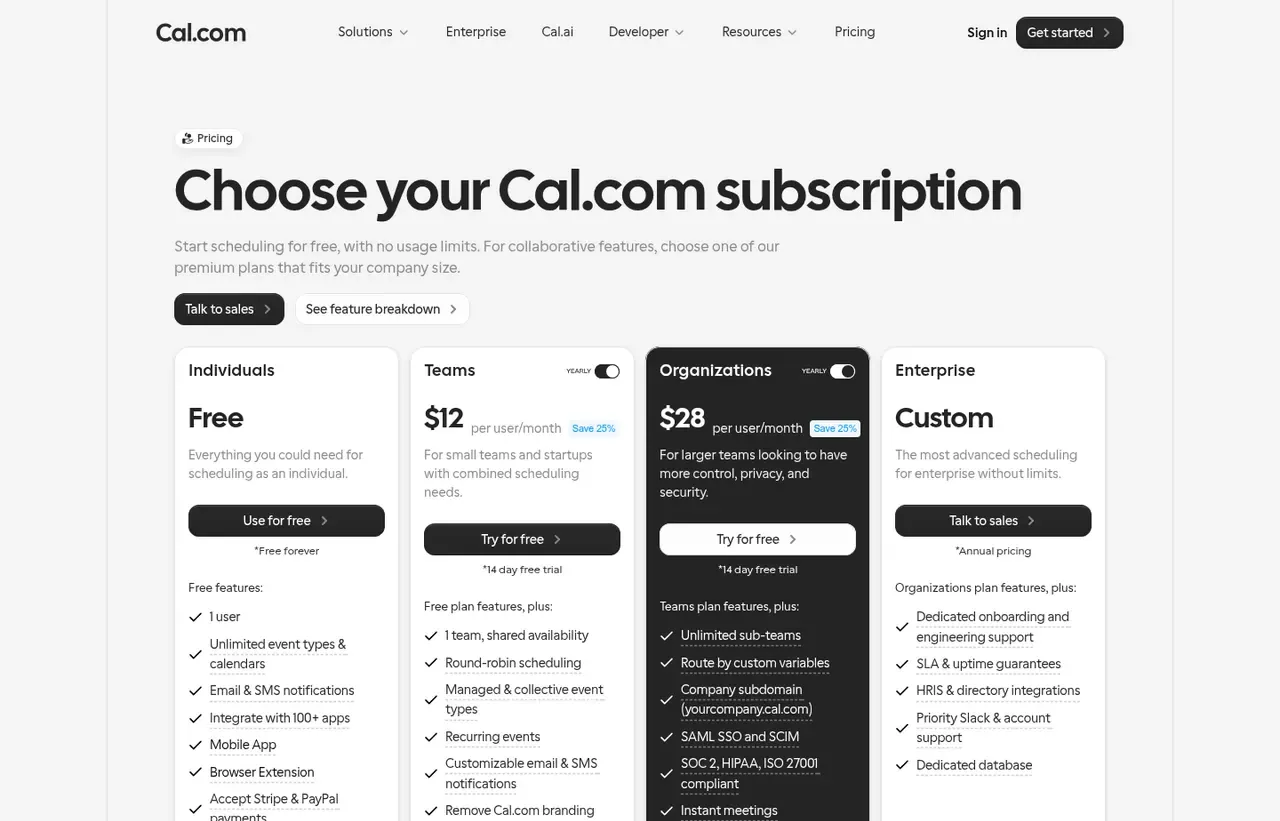
| Free | $0 | per month | Free forever for individuals. Unlimited event types and bookings |
| Teams | $12 | per month | per user - Round-robin, collective scheduling, routing forms, team pages |
| Organizations | $28 | per month | per user - Adds organisation-wide admin, SSO, subdomain and directory sync |
| Enterprise | Contact sales | Negotiated | Custom terms and support |
| Self-hosted | $0 | per one-time | Open source. Free to run on your own infrastructure |
What Cal.com actually costs over a year
A monthly price is not the same thing as a monthly contract. These are the plans above resolved both ways, per seat or unit where the plan is charged that way. Where a vendor quotes only a yearly figure it is divided by twelve rather than left out, and the Quoted column says which figure the vendor actually publishes.
| Plan | Quoted | Monthly | Over 12 months |
|---|---|---|---|
| Teamsper user | per month | $12 | $144 |
| Organizationsper user | per month | $28 | $336 |
Which Cal.com plan should you buy?
| Your situation | Recommended | Why |
|---|---|---|
| You are one person replacing a booking link | Free | Free forever with unlimited event types and bookings. Complete for a single user. |
| Booking data must stay on your own servers | Self-hosted | Open source with no licence fee at any user count. This is the reason Cal.com exists. |
| Your team needs round-robin or collective availability | Teams | $12 per user, and these arrive at the first paid tier where Calendly places them higher up its ladder. |
| You need SSO and a custom subdomain | Organizations | $28 per user. More than double Teams, bought for identity and administration. |
| You are embedding booking into your own product | Self-hosted or Enterprise | The platform API is the differentiator here, not the booking page. |
| You are one non-technical person who wants it to just work | Consider Calendly instead | More polished, no maintenance, and none of Cal.com's advantages apply to you. |
Verdict by who you are
Organisation with data residency requirementsYes
Self-hosting keeps booking data and customer details on infrastructure you control.
Developer embedding scheduling in a productYes
A genuine platform API rather than a link generator. Nothing else here competes on this.
Sales team routing inbound leadsYes
Round-robin and routing forms at $12 per user undercut Calendly for the same capability.
Non-technical solo userNo
Calendly is friendlier and you would gain nothing from open source or self-hosting.
Team unwilling to run infrastructureCompare first
The hosted tiers are fine, but then you are comparing on polish, where Calendly wins.
Should you buy Cal.com?
Buy Cal.com if…
- Organisations needing scheduling on their own infrastructure
- Developers embedding booking into a product
- Teams wanting round-robin and collective availability free
Do not buy Cal.com if…
- Non-technical users who only need a personal booking link
- Teams unwilling to run or update a self-hosted service
- Anyone needing the largest integration catalogue
Key features
- Open source, self-hostable with no licence fee
- Round-robin and collective team scheduling
- Routing forms that qualify then book
- Payment collection through Stripe before a meeting
- Workflows for reminders and follow-ups
- Embeddable booking widgets and a full platform API
- Buffers, minimum notice and booking limits
- Multiple calendar connections per user
Integrations
- Google Calendar, Outlook and Apple Calendar
- Zoom, Google Meet and Microsoft Teams
- Stripe for paid bookings
- Salesforce and HubSpot
- Cal.com API, webhooks and embeds
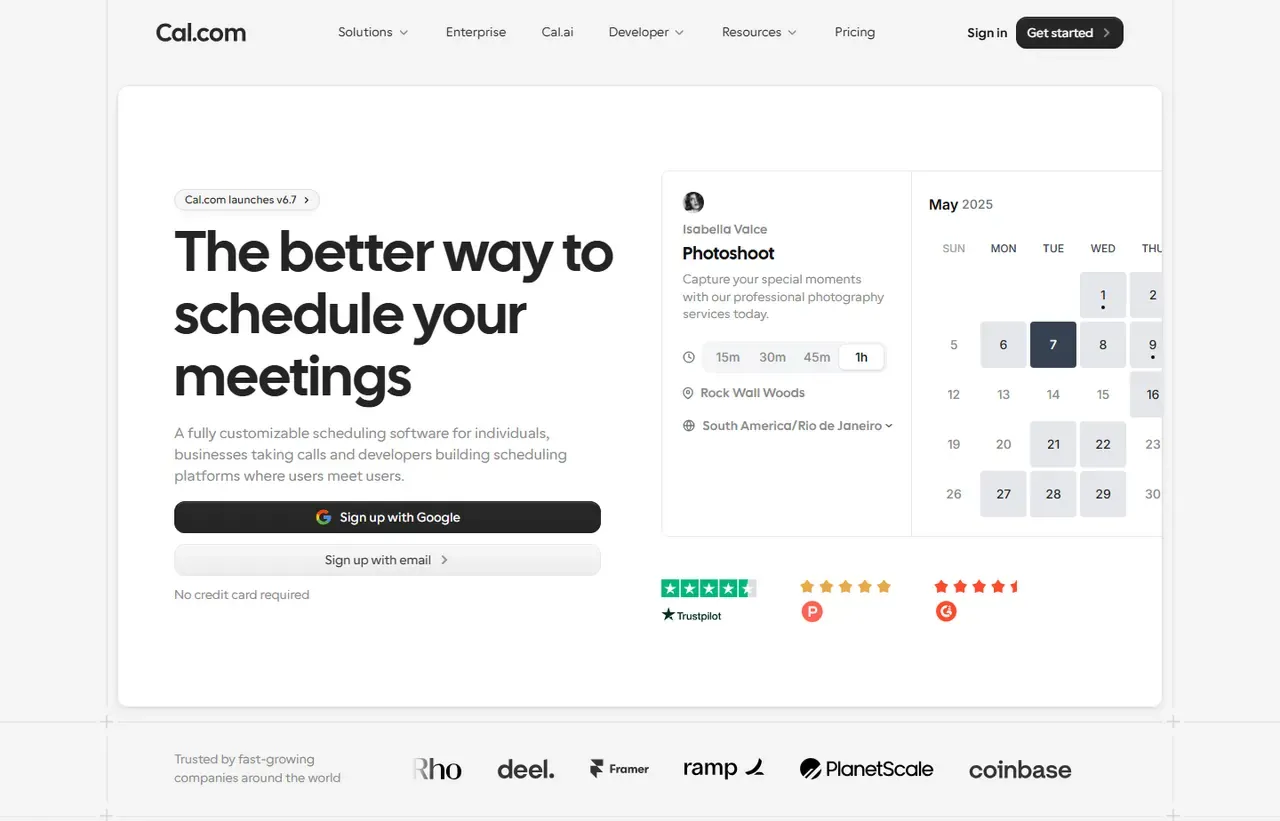
Cal.com screenshots
Captured by us in August 2026 at 1440px, unedited. Interfaces change, so these show the product as it looked on the date we verified this profile. Pricing pages are captured from a US vantage point, so the currency shown matches the USD figures recorded above.
Our assessment
Cal.com is the right choice when scheduling needs to be yours. It is open source and self-hostable, so booking data, availability and customer contact details can stay on infrastructure you control, and the platform API makes it genuinely embeddable rather than merely linkable. Team features that Calendly puts behind higher tiers, such as round-robin and collective availability, arrive at $12 a user. The honest gap is polish and breadth. Calendly is smoother for a non-technical user who wants a link in an email signature, has more integrations and needs no maintenance. Self-hosting is free in licence terms and not free in effort.
What works in Cal.com
- Open source and self-hostable, so booking data stays yours
- Round-robin and collective scheduling at the first paid tier
- Real platform API for embedding into your own product
- Generous free tier for individuals
What doesn't
- Less polished than Calendly for non-technical users
- Self-hosting means owning upgrades and uptime
- Smaller integration catalogue
- Organizations tier more than doubles the per-user price
EveryAny Decision Score
3 of these 8 dimensions are calculated from verified facts; the rest are our judgement, shown as a band rather than a figure unless something specific sits behind them. How each score works.
- Cost position2.5/10
derivedentry tier at $12 a month against a category median of $9.99 a month across 28 comparable tools
- Portability9/10
derivedself-hostable, public API, open source
- Subscription flexibility9/10
derivedfree plan, free trial, freemium, monthly billing
- Feature depthHigh
editorialour judgement, with no measurement behind it
- Ease of learningModerate
editorialour judgement, with no measurement behind it
- CollaborationHigh
editorialour judgement, with no measurement behind it
- AI capabilityModerate
editorialour judgement, with no measurement behind it
- Professional adoptionModerate
editorialour judgement, with no measurement behind it
What leaving Cal.com would cost
low lock-in
Cal.com scores on self-hostable, public API, open source. Portability 9/10 ; lock-in is the inverse. How this is calculated.
Cal.com competitors and alternatives
| Alternative | Why you might pick it instead |
|---|---|
| Calendly | More polished and better known, closed source and not self-hostable. |
| Google Calendar appointment schedules | Free with Workspace and sufficient for simple booking. |
| SavvyCal | Nicer invitee experience, aimed at individuals rather than platforms. |

Two ways to pay nothing
Cal.com has an unusual pricing shape because there are two free paths, and they suit different people.
Free forever on cal.com covers individuals: unlimited event types, unlimited bookings, calendar connections and a public booking page. For one person replacing a Calendly link, this is complete.
Self-hosted is also free, because the code is open source. Run it on your own server and there is no licence fee at any user count. What you pay instead is operational: deployment, database, upgrades, backups and someone to care when it breaks.
Paid cloud tiers are $12 per user per month for Teams and $28 for Organizations, the latter adding SSO, directory sync, a custom subdomain and organisation-wide administration.
Where it beats Calendly on features, not just licensing
Round-robin distribution and collective availability arrive on the $12 Teams plan. Routing forms, which qualify a visitor with questions and then send them to the right person’s calendar, are included too. Calendly puts comparable capability higher up its ladder.
For a sales team that wants inbound leads distributed fairly across reps, that difference is the comparison worth running.
The platform case
Cal.com sells itself as scheduling infrastructure, not just a booking page, and the API supports that: you can create users, manage availability and render booking flows inside your own product. If you are building a marketplace, a healthcare app or anything where your users book each other, this is a different category of tool from a link generator.
The honest limitation
A non-technical solo user does not benefit from any of the above and will find Calendly friendlier. Cal.com rewards people who want control, and control has a cost measured in attention rather than dollars.
Cal.com questions, answered
- Is Cal.com worth it?
- Cal.com is the right choice when scheduling needs to be yours.
- How much does Cal.com cost?
- Free forever for individuals; Teams $12 per user/month. The cheapest paid tier we recorded is Teams, published at $12 a month, which works out at $12 a month or $144 over a year. Verified against the vendor's pricing page.
- Does Cal.com have a free plan or free trial?
- Cal.com has a free plan. A free trial is available: 14 days.
- What is the best Cal.com alternative?
- It depends on the job. Calendly: More polished and better known, closed source and not self-hostable. Google Calendar appointment schedules: Free with Workspace and sufficient for simple booking. SavvyCal: Nicer invitee experience, aimed at individuals rather than platforms.
- Can I self-host Cal.com?
- Yes. Cal.com can be run on your own infrastructure, so the data stays under your control.
What this profile is based on
Every claim below is about our work, not about Cal.com. A "no" is recorded rather than omitted, because the difference between a tested review and careful desk research is the reader's to weigh. How we research a profile.
-
Prices read from the vendor : yes
Read from Cal.com's own pricing page on 9 August 2026
-
Plans and terms recorded : yes
5 rows, each with its billing period
-
Original screenshots : yes
2 captured by us: homepage, pricing page
-
Sources cited and dated : yes
1 primary source, each with the date it was read
-
Product used first-hand : no
Not tested. This profile is desk research from primary sources
-
Alternatives used first-hand : no
None, so comparisons here rest on published facts rather than use
-
Vendor contacted : no
Not contacted for this profile
Where Cal.com appears on this site
One other page here references Cal.com, and it is listed below.
- Another profile Calendly names it as a competitor
Counts pages on this site that name the product by choice - buyer guides, articles, deal records and other profiles. Category and directory indexes list everything automatically and are not counted.
One-click Google setting
Get our writing surfaced first on Google
If this was useful, add EveryAny.One as a preferred source in Google. Our profiles and best-of guides will appear ahead of the rest in Top Stories, AI Mode and AI Overviews when you search for software.
- Our reviews get a "preferred" badge in Top Stories and AI Overviews.
- AI Mode leans on the sources you've chosen when it answers.
- Change it back any time from the same Google page.

Opens Google's source preferences in a new tab.
Provenance and freshness
When each fact was last checked
- Pricing ·
- Plans ·
- Free trial
- Features
- Platforms
- Integrations
- Affiliate programme
- Company details
What has changed
-
August 2026
- Per-user pricing verified for Teams and Organizations
- Added plan picker and verdicts
Sources & verification
Facts on this page were read from the sources below on the dates shown. Where a vendor does not publish a figure, we record it as not disclosed rather than estimating it.
- Cal.com pricing - checked 9 August 2026
Spotted something out of date? Email [email protected] and we will re-check it. Corrections are logged on the page.

