

Figma
Collaborative interface design, prototyping and design systems in the browser.
- Design
- Development
- Productivity
- from $3/mo
Figma is a browser-based design platform for user interface design, prototyping and design systems, with multiplayer editing as its defining feature. It has become the default tool for product design teams and the standard handoff surface between designers and engineers.
Figma ranking and coverage
- In Design
- #3 of 11
- Overall
- #23 of 122 tied
- Terms score
- 7.1 /10
- Referenced here
- 8 pages
Cost position 8.8 · Portability 3.4 · Subscription flexibility 9 - Ranked on published terms only: entry price against category peers, portability and subscription flexibility, equally weighted. This is not a quality score.How the rank is calculated.
Figma: the short answer
Every line below is drawn from facts verified on 19 August 2026.
- What it is
- Collaborative interface design, prototyping and design systems in the browser
- Best for
- Product and interface design teams
- Starts at
- Free; paid seats from $3/month (Collab), $16/month for a Full seat
- Free option
- Free plan available, 30 days on Professional trial
- Biggest strength
- Real-time collaboration that no competitor has matched properly
- Biggest drawback
- Seat costs escalate quickly on larger teams
- Based on
- Primary-source research, not hands-on use
- Closest alternative
- Sketch - macOS-native with a one-off licence option; weaker real-time collaboration
- True annual cost
- from $36 a year on Professional - Collab seat, the cheapest paid tier ($3 a month)
Figma at a glance
| Best for | Product and interface design teams, Design systems with shared components, Designer-to-engineer handoff |
|---|---|
| Category | Design, Development, Productivity |
| Starting price | Free; paid seats from $3/month (Collab), $16/month for a Full seat |
| Free plan | Yes |
| Free trial | 30 days on Professional |
| Pricing model | freemium |
| Company | Figma, Inc. |
| Founded | 2012 |
| Headquarters | San Francisco, California, United States |
| Founders | Dylan Field, Evan Wallace |
| Platforms | Web, Windows, macOS |
| Public API | Yes |
| Browser extension | No |
| Mobile apps | iOS + Android |
| Self-hosting | No |
| Affiliate programme | No |
| Data source | Vendor pricing page and public records |
| Last checked | August 2026 |
Figma pricing
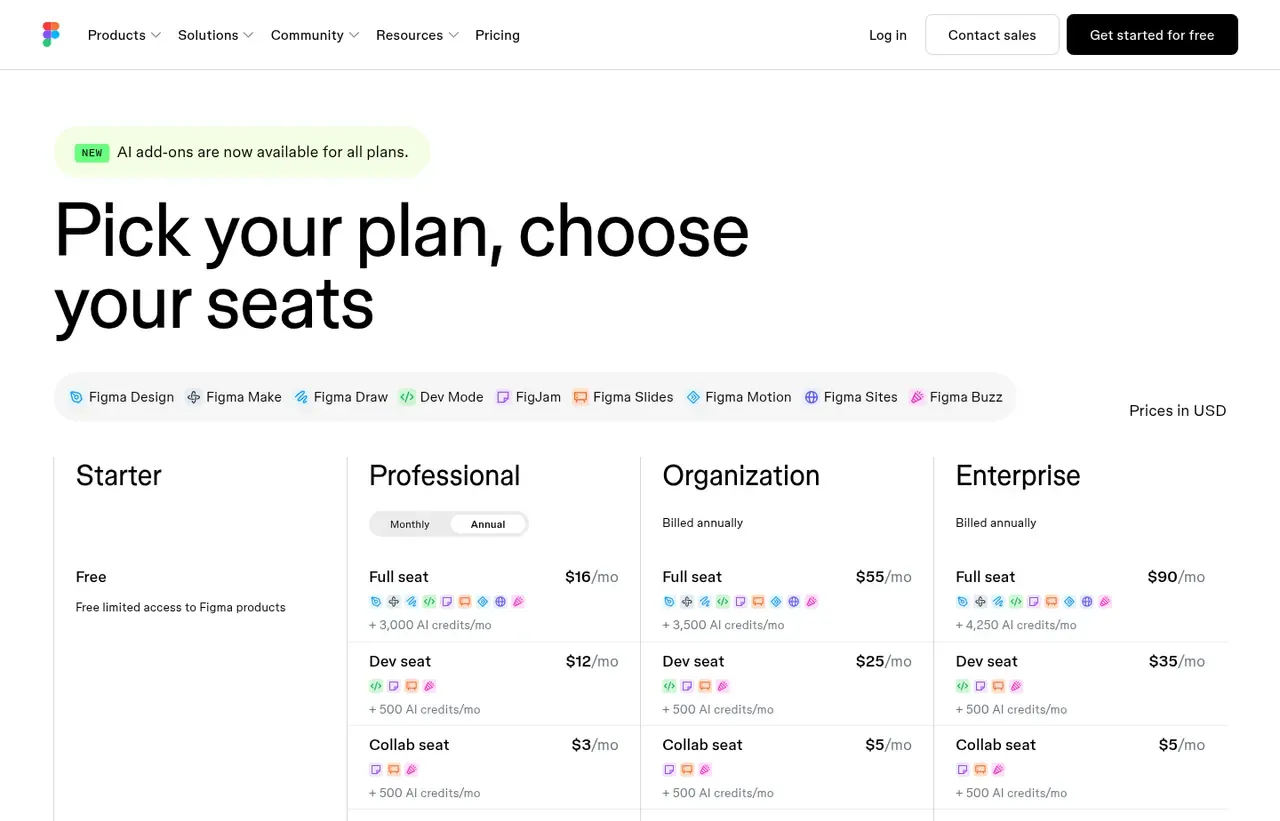
Prices below were read from the vendor's own pricing page on 19 August 2026. Pricing model: freemium. Free trial: 30 days on Professional.
| Plan | Price | Billing | Notes |
|---|---|---|---|
| Starter | $0 | per month | 3 design files, unlimited viewers and personal drafts, and 150 AI credits a day to a monthly limit of 500 |
| Professional - Full seat | $16 | per month | per seat, billed annually - Includes 3,000 AI credits a month |
| Professional - Dev seat | $12 | per month | per seat, billed annually |
| Professional - Collab seat | $3 | per month | per seat, billed annually |
| Organization - Full seat | $55 | per month | per seat, billed annually - Dev seat $25, Collab seat $5 |
| Enterprise - Full seat | $90 | per month | per seat, billed annually - Dev seat $35 |
What Figma actually costs over a year
A monthly price is not the same thing as a monthly contract. These are the plans above resolved both ways, per seat or unit where the plan is charged that way. Where a vendor quotes only a yearly figure it is divided by twelve rather than left out, and the Quoted column says which figure the vendor actually publishes.
| Plan | Quoted | Monthly | Over 12 months |
|---|---|---|---|
| Professional - Full seatper seat, billed annually | per month | $16 | $192 |
| Professional - Dev seatper seat, billed annually | per month | $12 | $144 |
| Professional - Collab seatper seat, billed annually | per month | $3 | $36 |
| Organization - Full seatper seat, billed annually | per month | $55 | $660 |
| Enterprise - Full seatper seat, billed annually | per month | $90 | $1,080 |
Which Figma plan should you buy?
| Your situation | Recommended | Why |
|---|---|---|
| You are learning, or working on personal projects | Starter | Free with three design files, and unlimited viewers who never pay. |
| You design interfaces professionally | Professional: Full seat | $16 a month is the working designer's seat. Every cheaper seat type cannot edit designs at all. |
| You are a developer reading specs and exporting assets | Professional: Dev seat | $12 instead of $16, because you inspect and hand off rather than design. |
| You only comment, review and approve | Professional: Collab seat | $3 a month. Most stakeholders need nothing more, and buying Full seats for them is the most common way teams overspend on Figma. |
| You need SSO and centrally governed design systems | Organization | $55 per Full seat is a large step, justified by shared libraries and governance rather than by any drawing capability. |
| You mainly make social graphics and marketing assets | Do not buy Figma | Canva is faster for template-led work and costs a fraction as much. |
Verdict by who you are
Product or UI designerYes
Figma is the industry default. A Full seat at $16 is the cost of being fluent in the tool every product team already uses.
Developer on a product teamYes
A $12 Dev seat gives you specs, variables and asset export without paying designer rates.
Product manager or stakeholderCompare first
You almost certainly want a $3 Collab seat rather than a Full seat. Audit who actually edits before you renew.
Marketing or social teamNo
Canva produces this work faster and cheaper. Figma is for interfaces, not campaign assets.
Solo founder prototypingCompare first
The three-file Starter limit binds quickly, but it is genuinely free and viewers never count towards it.
Should you buy Figma?
Buy Figma if…
- Product and interface design teams
- Design systems with shared components
- Designer-to-engineer handoff
Do not buy Figma if…
- Print production and packaging
- Photo retouching and raster editing
- Solo users who only need social graphics
Key features
- Real-time multiplayer editing with cursors and comments
- Components, variants and variables for design systems
- Auto layout for responsive component behaviour
- Interactive prototyping without code
- Dev Mode with inspectable specs and code snippets
- FigJam whiteboarding for workshops
- Plugin and widget ecosystem
- REST API and webhooks
Integrations
- Slack
- Jira
- Linear
- Notion
- Storybook
- GitHub
- Figma REST API
Figma screenshots
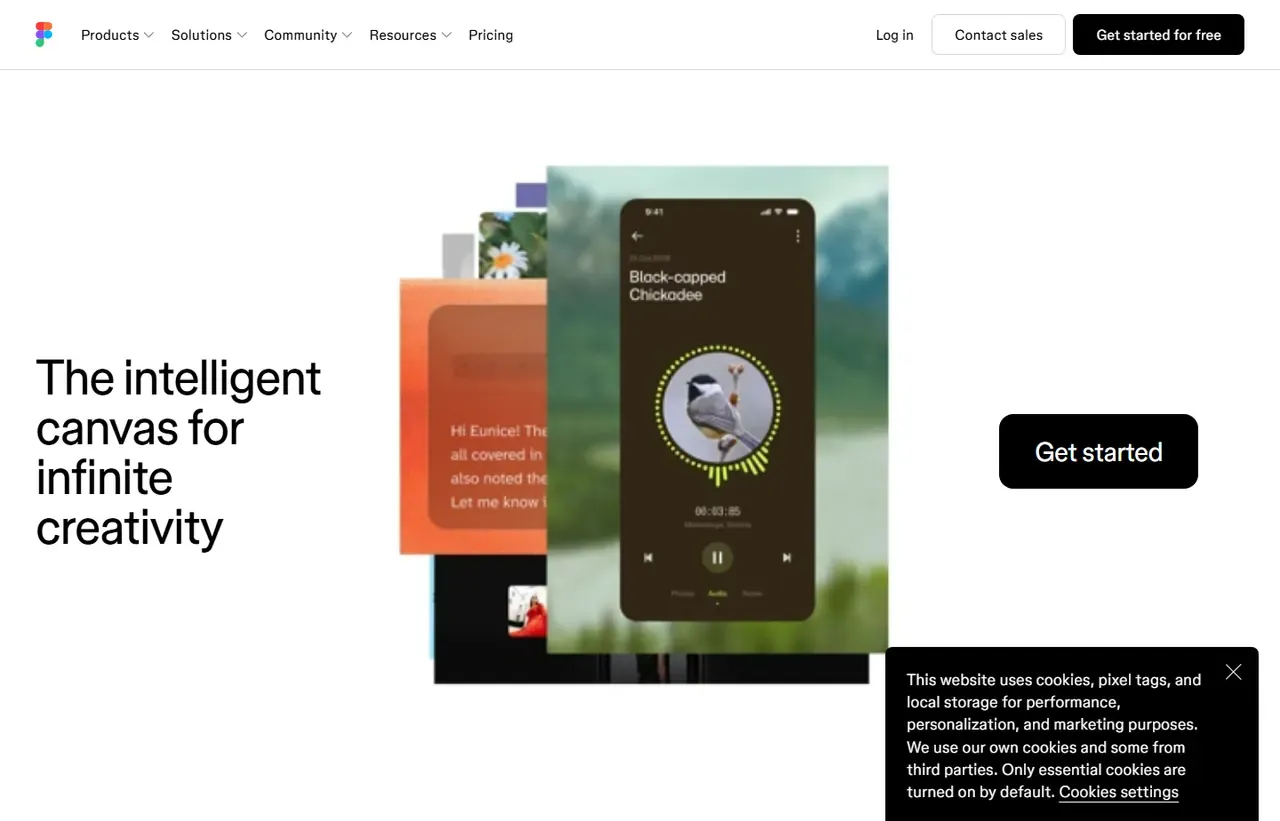
Captured by us in August 2026 at 1440px, unedited. Interfaces change, so these show the product as it looked on the date we verified this profile. Pricing pages are captured from a US vantage point, so the currency shown matches the USD figures recorded above.
Our assessment
Figma won its category by making design multiplayer and browser-native, and the lead has held. Components, variables and Dev Mode mean a design system can genuinely be the source of truth rather than a document that drifts from production. The catch is seat economics: viewers are free, but anyone who edits needs a paid seat, and the definition of an editor has been tightened over time. Audit who actually needs to edit before renewing.
What works in Figma
- Real-time collaboration that no competitor has matched properly
- Components and variables make design systems maintainable
- Dev Mode meaningfully reduces handoff ambiguity
- Runs in the browser, so platform and hardware barely matter
What doesn't
- Seat costs escalate quickly on larger teams
- Very large files slow down noticeably
- Not a print, packaging or raster-editing tool
- Offline capability is limited compared with native applications
EveryAny Decision Score
3 of these 8 dimensions are calculated from verified facts; the rest are our judgement, shown as a band rather than a figure unless something specific sits behind them. How each score works.
- Cost position8.8/10
derivedentry tier at $3 a month against a category median of $12 a month across 8 comparable tools
- Portability3.4/10
derivedpublic API, documented migration friction averaging 2.6 of 3
- Subscription flexibility9/10
derivedfree plan, free trial, freemium, monthly billing
- Feature depthVery high
editorialour judgement, with no measurement behind it
- Ease of learningHigh
editorialour judgement, with no measurement behind it
- CollaborationVery high
editorialour judgement, with no measurement behind it
- AI capabilityModerate
editorialour judgement, with no measurement behind it
- Professional adoptionVery high
editorialour judgement, with no measurement behind it
What leaving Figma would cost
moderate lock-in
Figma scores on public API, documented migration friction averaging 2.6 of 3. Portability 3.4/10 , after 1.6 off for documented migration friction; lock-in is the inverse. How this is calculated.
| What you would move | Friction | Risk |
|---|---|---|
| Figma design files | High | .fig export exists but fidelity elsewhere is partial. Auto layout and variables translate poorly. |
| Component libraries and design systems | High | The hardest part to rebuild, and the more mature your library the worse it gets. |
| Prototypes and interactions | High | Interaction logic generally has to be recreated by hand. |
| Comments and decision history | Moderate | Review threads attached to designs do not migrate, so the reasoning behind decisions is lost. |
| Plugins and workflow automation | Moderate | Figma-specific plugins need replacements in whatever you move to. |
The design system is the real lock-in, not the files. A team with a mature component library has years of accumulated decisions encoded in it, and that is what makes leaving expensive.
Figma competitors and alternatives
| Alternative | Why you might pick it instead |
|---|---|
| Sketch | macOS-native with a one-off licence option; weaker real-time collaboration. |
| Penpot | Open-source and self-hostable, a real option if data residency matters. |
| Canva | If the deliverable is a marketing asset rather than an interface. |

Why multiplayer changed the category
Before Figma, design review meant exporting images and emailing them. Figma made the file a URL that stakeholders could open, comment on and watch change. That single decision removed a whole class of process overhead and is the reason adoption spread through product organisations rather than only design teams.
Components, variables and the design-system argument
The serious case for Figma is not drawing screens; it is that a design system built from components and variables stays consistent as it grows. Change a token, and every instance updates. Teams that treat Figma as a drawing tool get much less out of it than teams that treat it as a system.
Dev Mode, and what it does not solve
Dev Mode exposes spacing, tokens and generated code snippets to engineers. It removes argument about values. It does not remove the need for a shared component library in code - the generated snippets are a reference, not a production artefact.
Seat maths before renewal
Viewers and commenters cost nothing. Editors cost real money, and Figma has repeatedly refined what counts as an editing action. Before renewal, list who opened a file to edit in the last quarter. Most organisations find they are paying for several seats that only ever viewed.
Figma questions, answered
- Is Figma worth it?
- Figma won its category by making design multiplayer and browser-native, and the lead has held.
- How much does Figma cost?
- Free; paid seats from $3/month (Collab), $16/month for a Full seat. The cheapest paid tier we recorded is Professional - Collab seat, published at $3 a month, which works out at $3 a month or $36 over a year. Verified against the vendor's pricing page.
- Does Figma have a free plan or free trial?
- Figma has a free plan. A free trial is available: 30 days on Professional.
- What is the best Figma alternative?
- It depends on the job. Sketch: macOS-native with a one-off licence option; weaker real-time collaboration. Penpot: Open-source and self-hostable, a real option if data residency matters. Canva: If the deliverable is a marketing asset rather than an interface.
- Can I self-host Figma?
- No. Figma is a hosted service only, so your data lives on the vendor's infrastructure.
What this profile is based on
Every claim below is about our work, not about Figma. A "no" is recorded rather than omitted, because the difference between a tested review and careful desk research is the reader's to weigh. How we research a profile.
-
Prices read from the vendor : yes
Read from Figma's own pricing page on 19 August 2026
-
Plans and terms recorded : yes
6 rows, each with its billing period
-
Original screenshots : yes
2 captured by us: homepage, pricing page
-
Sources cited and dated : yes
2 primary sources, each with the date it was read
-
Product used first-hand : no
Not tested. This profile is desk research from primary sources
-
Alternatives used first-hand : no
None, so comparisons here rest on published facts rather than use
-
Vendor contacted : no
Not contacted for this profile
Where Figma appears on this site
8 other pages here reference Figma. Every one is listed below, so the figure can be checked rather than taken.
- Buyer guide Best design tools in 2026, by the job and what it actually costs ranked #1
- Another profile Adobe Creative Cloud names it as a competitor
- Another profile Affinity picks it for interface and product design
- Another profile Blender picks it for interface and product design
- Another profile Canva names it as a competitor
- Another profile Miro names it as a competitor
- Another profile Penpot names it as a competitor
- Another profile Sketch names it as a competitor
Counts pages on this site that name the product by choice - buyer guides, articles, deal records and other profiles. Category and directory indexes list everything automatically and are not counted.
One-click Google setting
Get our writing surfaced first on Google
If this was useful, add EveryAny.One as a preferred source in Google. Our profiles and best-of guides will appear ahead of the rest in Top Stories, AI Mode and AI Overviews when you search for software.
- Our reviews get a "preferred" badge in Top Stories and AI Overviews.
- AI Mode leans on the sources you've chosen when it answers.
- Change it back any time from the same Google page.

Opens Google's source preferences in a new tab.
Provenance and freshness
When each fact was last checked
- Pricing ·
- Plans ·
- Free trial
- Features
- Platforms
- Integrations
- Affiliate programme
- Company details
What has changed
-
August 2026
- Seat prices re-read for the design tools guide and unchanged across all three plans
- Recorded the AI credit allowances - 150 a day on Starter, 3,000 a month on Professional
-
August 2026
- Seat-type pricing verified across Full, Dev and Collab seats
- Added plan picker, verdicts and switching-cost breakdown
Sources & verification
Facts on this page were read from the sources below on the dates shown. Where a vendor does not publish a figure, we record it as not disclosed rather than estimating it.
- Figma pricing page - checked 19 August 2026
- Figma developer documentation - checked 19 August 2026
Spotted something out of date? Email [email protected] and we will re-check it. Corrections are logged on the page.
