
Canva
Template-driven design tool for people who are not designers.
- Design
- Marketing
- Productivity
- from $180/yr
Canva is a browser-based design platform for social graphics, presentations, documents, video and print. Its model is templates plus drag-and-drop editing, which lets marketers, teachers and small business owners produce acceptable design without training. It has expanded into brand management, simple video editing and AI generation.
Canva ranking and coverage
- In Design
- #8 of 11 tied
- Overall
- #87 of 122 tied
- Terms score
- 4.8 /10
- Referenced here
- 10 pages
Cost position 1.3 · Portability 5 · Subscription flexibility 8 - Ranked on published terms only: entry price against category peers, portability and subscription flexibility, equally weighted. This is not a quality score.How the rank is calculated.
Canva: the short answer
Every line below is drawn from facts verified on 19 August 2026.
- What it is
- Template-driven design tool for people who are not designers
- Best for
- Non-designers producing marketing assets
- Starts at
- Free; Pro $180/year for one person
- Free option
- Free plan available, 30 days on Pro trial
- Biggest strength
- Genuinely usable by people with no design background
- Biggest drawback
- Output often looks recognisably like a Canva template
- Based on
- Primary-source research, not hands-on use
- Closest alternative
- Figma - The correct choice for product and interface design; steeper learning curve
- True annual cost
- from $180 a year on Pro, the cheapest paid tier
Canva at a glance
| Best for | Non-designers producing marketing assets, Small teams needing brand-consistent templates, Social media and presentation graphics at volume |
|---|---|
| Category | Design, Marketing, Productivity |
| Starting price | Free; Pro $180/year for one person |
| Free plan | Yes |
| Free trial | 30 days on Pro |
| Pricing model | freemium |
| Company | Canva Pty Ltd |
| Founded | 2013 |
| Headquarters | Sydney, New South Wales, Australia |
| Founders | Melanie Perkins, Cliff Obrecht, Cameron Adams |
| Platforms | Web, Windows, macOS, iOS, Android |
| Public API | Yes |
| Browser extension | Yes |
| Mobile apps | iOS + Android |
| Self-hosting | No |
| Affiliate programme | Reported around $36 per Pro subscription referral; terms vary by region |
| Data source | Vendor pricing page and public records |
| Last checked | August 2026 |
Canva pricing
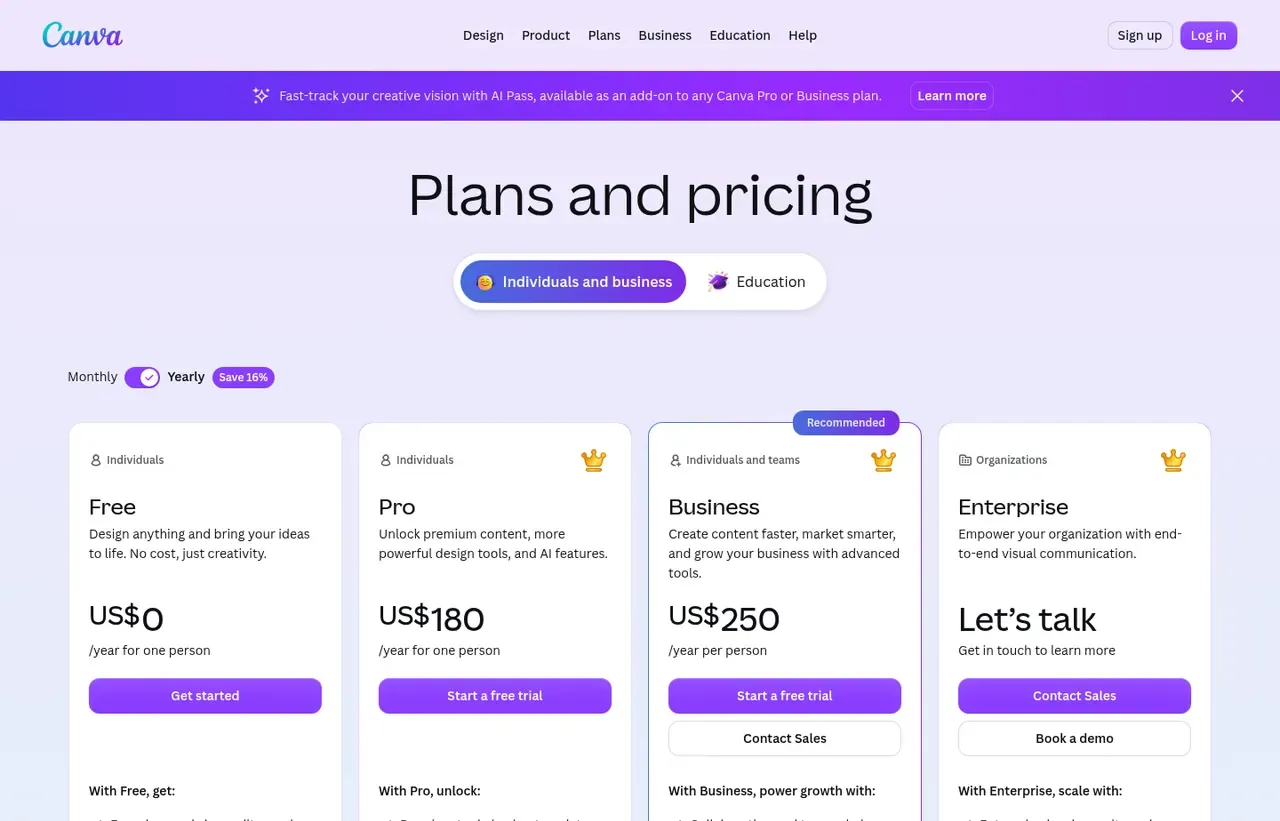
Prices below were read from the vendor's own pricing page on 19 August 2026. Pricing model: freemium. Free trial: 30 days on Pro.
| Plan | Price | Billing | Notes |
|---|---|---|---|
| Free | $0 | per year | Large template and stock library |
| Pro | $180 | per year | 1 person - Adds Brand Kit, background remover and premium content |
| Business | $250 | per year | per person |
| Enterprise | Custom | Negotiated | - |
What Canva actually costs over a year
A monthly price is not the same thing as a monthly contract. These are the plans above resolved both ways, per seat or unit where the plan is charged that way. Where a vendor quotes only a yearly figure it is divided by twelve rather than left out, and the Quoted column says which figure the vendor actually publishes.
| Plan | Quoted | Monthly | Over 12 months |
|---|---|---|---|
| Pro1 person | per year | $15 | $180 |
| Businessper person | per year | $20.83 | $250 |
Which Canva plan should you buy?
| Your situation | Recommended | Why |
|---|---|---|
| You make occasional graphics and can live with the free library | Free | The free tier is genuinely large. Most casual users never need more. |
| You need Brand Kit, background removal and premium content | Pro | $180 a year for one person, and the tier that makes brand consistency practical. |
| Several people produce brand assets | Business | $250 per person a year, adding team brand controls and approvals. |
| You are doing professional interface or product design | Do not buy Canva | Wrong tool. Figma is the answer, and Canva will frustrate you. |
| You need precise print with colour management | Do not rely on Canva | Print output is adequate for everyday collateral but not for controlled colour work. InDesign remains the tool for that. |
Verdict by who you are
Small business owner or marketerYes
Produces professional-looking output without design skill, which is the specific problem it solves better than anything else.
Social media managerYes
Template volume and one-click resizing make high-cadence posting sustainable.
Team needing brand consistencyYes
Brand Kit stops colleagues inventing their own colours, which is worth the Pro fee alone.
Product or UI designerNo
No components, variables or design-system tooling. Figma is the correct choice.
Print production specialistNo
Colour management is not at the level controlled print work requires.
Should you buy Canva?
Buy Canva if…
- Non-designers producing marketing assets
- Small teams needing brand-consistent templates
- Social media and presentation graphics at volume
Do not buy Canva if…
- Professional UI and product design
- Precise print production with colour management
- Design systems requiring components and variables
Key features
- Very large template library across social, print, video and docs
- Brand Kit enforcing fonts, colours and logos across a team
- Magic Studio AI tools for generating and editing images and copy
- Canva AI tools inside Affinity, on any premium Canva plan
- Background remover and one-click image cleanup
- Presentations with presenter view and recording
- Simple timeline video editor
- Print ordering with delivery
- Content Planner for scheduling social posts
Integrations
- Google Drive
- Dropbox
- HubSpot
- Mailchimp
- Slack
- Canva Connect APIs
- Figma import
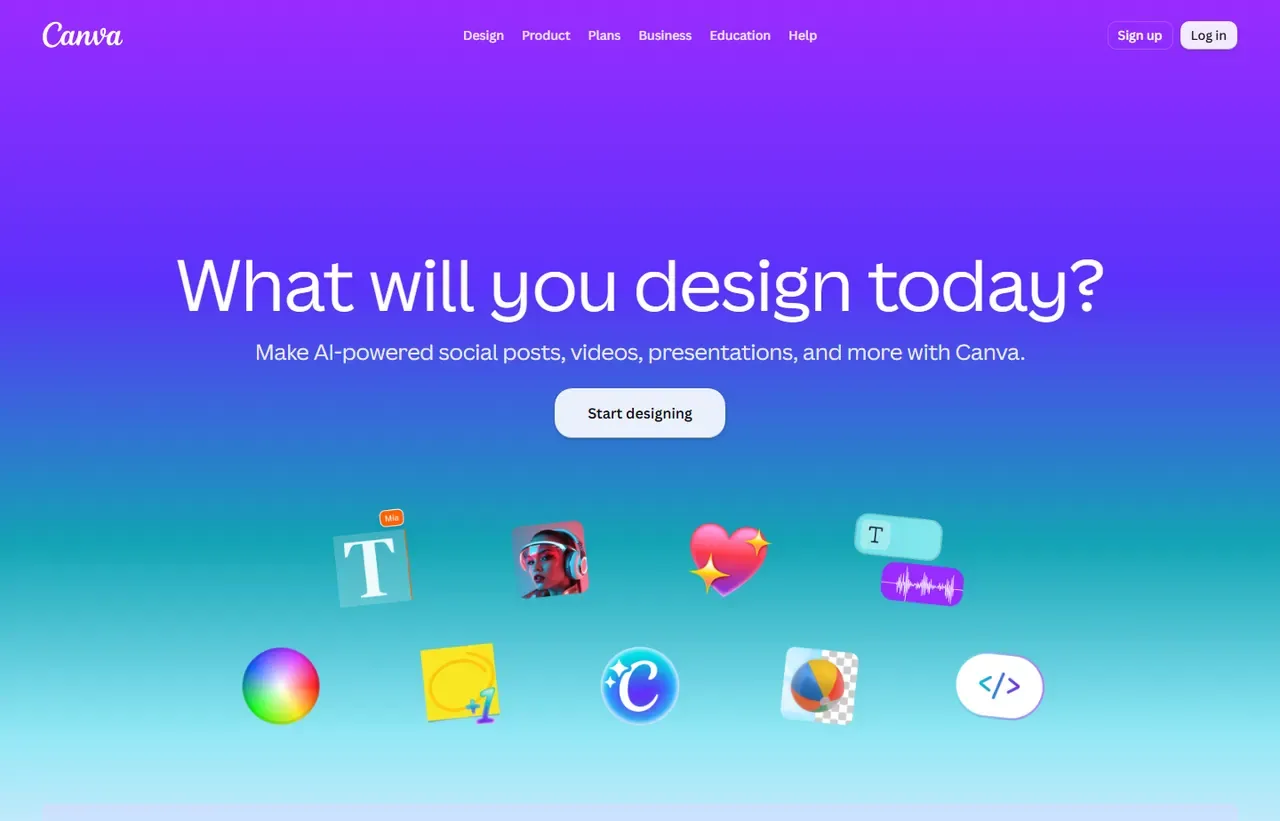
Canva screenshots
Captured by us in August 2026 at 1440px, unedited. Interfaces change, so these show the product as it looked on the date we verified this profile. Pricing pages are captured from a US vantage point, so the currency shown matches the USD figures recorded above.
Our assessment
Canva solved a real problem: most people who need design assets are not designers and will never learn a professional tool. The free tier is unusually generous and the Pro tier is cheap enough that the decision rarely reaches a budget conversation. Its limits are the same as its strengths - template-led output tends to look template-led, and it is not built for product design, precise print work or design systems. Judge it as a production tool, not a creative one.
What works in Canva
- Genuinely usable by people with no design background
- Free tier covers a large share of small-business needs
- Brand Kit keeps a distributed team visually consistent
- Strong mobile apps, so assets can be made away from a desk
What doesn't
- Output often looks recognisably like a Canva template
- Not suitable for UI design, components or design systems
- Colour management for professional print is limited
- Large team libraries become disorganised quickly without discipline
EveryAny Decision Score
3 of these 8 dimensions are calculated from verified facts; the rest are our judgement, shown as a band rather than a figure unless something specific sits behind them. How each score works.
- Cost position1.3/10
derivedentry tier at $15 a month ($180 a year on Pro, divided by twelve) against a category median of $12 a month across 8 comparable tools
- Portability5/10
derivedpublic API
- Subscription flexibility8/10
derivedfree plan, free trial, freemium
- Feature depthModerate
editorialour judgement, with no measurement behind it
- Ease of learningVery high
editorialour judgement, with no measurement behind it
- CollaborationHigh
editorialour judgement, with no measurement behind it
- AI capabilityHigh
editorialour judgement, with no measurement behind it
- Professional adoptionVery high
editorialour judgement, with no measurement behind it
What leaving Canva would cost
moderate lock-in
Canva scores on public API. Portability 5/10 ; lock-in is the inverse. How this is calculated.
Canva competitors and alternatives
| Alternative | Why you might pick it instead |
|---|---|
| Figma | The correct choice for product and interface design; steeper learning curve. |
| Adobe Express | Closest direct competitor, useful if you already hold Adobe licences. |
| Framer | If the output you actually want is a live website rather than an image. |

Figma
Design
Collaborative interface design, prototyping and design systems in the browser.
Checked Aug 2026

Adobe Express
Design
Adobe's answer to Canva, with Firefly generation attached.
Checked Aug 2026
The honest positioning
Canva is a production tool for people whose job is not design. That is not a criticism - it is the largest under-served group in the software market, and Canva serves it better than anyone. A marketer who needs 30 social variants by Thursday is Canva’s ideal user. A product designer building a component library is not.
What the free tier actually includes
More than most freemium products: the bulk of the template library, the editor, collaboration and 5 GB of storage. What you give up is the Brand Kit, background remover, premium stock and resizing a finished design to other formats. For an individual posting occasionally, free is genuinely sufficient.
The template tell
Because millions of people start from the same templates, Canva output has a recognisable look. Teams that care about this use Canva as a layout engine and supply their own photography, type and palette through the Brand Kit. Teams that do not end up looking like every other small business.
Canva or Figma?
They barely overlap. Figma is for designing interfaces and systems, with components, variables and developer handoff. Canva is for producing finished marketing assets fast. Plenty of companies run both, with different people in each.
Canva questions, answered
- Is Canva worth it?
- Canva solved a real problem: most people who need design assets are not designers and will never learn a professional tool.
- How much does Canva cost?
- Free; Pro $180/year for one person. The cheapest paid tier we recorded is Pro, published at $180 a year, which works out at $15 a month or $180 over a year. Verified against the vendor's pricing page.
- Does Canva have a free plan or free trial?
- Canva has a free plan. A free trial is available: 30 days on Pro.
- What is the best Canva alternative?
- It depends on the job. Figma: The correct choice for product and interface design; steeper learning curve. Adobe Express: Closest direct competitor, useful if you already hold Adobe licences. Framer: If the output you actually want is a live website rather than an image.
- Can I self-host Canva?
- No. Canva is a hosted service only, so your data lives on the vendor's infrastructure.
What this profile is based on
Every claim below is about our work, not about Canva. A "no" is recorded rather than omitted, because the difference between a tested review and careful desk research is the reader's to weigh. How we research a profile.
-
Prices read from the vendor : yes
Read from Canva's own pricing page on 19 August 2026
-
Plans and terms recorded : yes
4 rows, each with its billing period
-
Original screenshots : yes
2 captured by us: homepage, pricing page
-
Sources cited and dated : yes
2 primary sources, each with the date it was read
-
Product used first-hand : no
Not tested. This profile is desk research from primary sources
-
Alternatives used first-hand : no
None, so comparisons here rest on published facts rather than use
-
Vendor contacted : no
Not contacted for this profile
Where Canva appears on this site
10 other pages here reference Canva. Every one is listed below, so the figure can be checked rather than taken.
- Buyer guide Best design tools in 2026, by the job and what it actually costs ranked #2
- Article What a SaaS Affiliate Programme Reveals listed as related
- Article When to Use a SaaS Free Trial vs a Free Plan listed as related
- Another profile Adobe Creative Cloud names it as a competitor
- Another profile Adobe Express names it as a competitor
- Another profile Affinity names it as a competitor
- Another profile DaVinci Resolve picks it for quick social video
- Another profile Fashion Diffusion names it as a competitor
- Another profile Figma names it as a competitor
- Another profile Recraft names it as a competitor
Counts pages on this site that name the product by choice - buyer guides, articles, deal records and other profiles. Category and directory indexes list everything automatically and are not counted.
One-click Google setting
Get our writing surfaced first on Google
If this was useful, add EveryAny.One as a preferred source in Google. Our profiles and best-of guides will appear ahead of the rest in Top Stories, AI Mode and AI Overviews when you search for software.
- Our reviews get a "preferred" badge in Top Stories and AI Overviews.
- AI Mode leans on the sources you've chosen when it answers.
- Change it back any time from the same Google page.

Opens Google's source preferences in a new tab.
Provenance and freshness
When each fact was last checked
- Pricing ·
- Plans ·
- Free trial
- Features
- Platforms
- Integrations
- Affiliate programme
- Company details
What has changed
-
August 2026
- Prices re-read for the design tools guide; Free, Pro at $180 and Business at $250 a year all unchanged
- Recorded that a premium Canva plan is what switches on Canva AI tools inside Affinity
-
August 2026
- Annual pricing verified for Pro and Business
- Added plan picker and verdicts
Sources & verification
Facts on this page were read from the sources below on the dates shown. Where a vendor does not publish a figure, we record it as not disclosed rather than estimating it.
- Canva pricing page - checked 19 August 2026
- Canva affiliate programme - checked 19 August 2026
Spotted something out of date? Email [email protected] and we will re-check it. Corrections are logged on the page.