

Microsoft 365
Cloud productivity suite bundling Office apps, email, storage and security.
- Productivity
- AI
- Sales
- from $7.00/mo
Microsoft 365 is a subscription bundle of Word, Excel, PowerPoint and Outlook with hosted email, OneDrive storage, Teams and a security stack. It is the default productivity platform in most large organisations, and the business tiers are increasingly sold with Copilot included rather than as an add-on.
Microsoft 365 ranking and coverage
- In Productivity
- #11 of 28 tied
- Overall
- #48 of 122 tied
- Terms score
- 5.9 /10
- Referenced here
- 1 page
Cost position 6.8 · Portability 5 · Subscription flexibility 6 - Ranked on published terms only: entry price against category peers, portability and subscription flexibility, equally weighted. This is not a quality score.How the rank is calculated.
Microsoft 365: the short answer
Every line below is drawn from facts verified on 9 August 2026.
- What it is
- Cloud productivity suite bundling Office apps, email, storage and security
- Best for
- Organisations standardised on Word, Excel and Outlook
- Starts at
- From $7.00 per user/month (Business Basic, paid yearly)
- Free option
- No free plan, 1 month on Business plans trial
- Biggest strength
- Desktop Office apps remain the most capable in their categories
- Biggest drawback
- The plan matrix is genuinely difficult to navigate, with near-identical SKUs
- Based on
- Primary-source research, not hands-on use
- Closest alternative
- Google Workspace - Simpler pricing and better real-time collaboration; weaker desktop apps
- True annual cost
- from $84 a year on Business Basic, the cheapest paid tier ($7 a month)
Microsoft 365 at a glance
| Best for | Organisations standardised on Word, Excel and Outlook, Businesses that want email, files and security in one contract, Teams needing desktop apps rather than browser-only editors |
|---|---|
| Category | Productivity, AI, Sales |
| Starting price | From $7.00 per user/month (Business Basic, paid yearly) |
| Free plan | No |
| Free trial | 1 month on Business plans |
| Pricing model | subscription |
| Company | Microsoft Corporation |
| Founded | 1975 |
| Headquarters | Redmond, Washington, United States |
| Founders | Bill Gates, Paul Allen |
| Platforms | Web, Windows, macOS, iOS, Android |
| Public API | Yes |
| Browser extension | No |
| Mobile apps | iOS + Android |
| Self-hosting | No |
| Affiliate programme | No |
| Data source | Vendor pricing page and public records |
| Last checked | August 2026 |
Microsoft 365 pricing
Prices below were read from the vendor's own pricing page on 9 August 2026. Pricing model: subscription. Free trial: 1 month on Business plans.
| Plan | Price | Billing | Notes |
|---|---|---|---|
| Business Basic | $7.00 | per month | per user, paid yearly - Web and mobile apps, business email, 1 TB OneDrive, Teams |
| Apps for business | $10.00 | per month | per user, paid yearly - Desktop apps only, no business email hosting |
| Business Standard with Copilot | $23.50 | per month | per user, paid yearly - Adds desktop apps, webinars and Copilot |
| Business Premium with Copilot | $32.00 | per month | per user, paid yearly - Adds Intune device management and Defender for Business |
| Business Standard (no Teams) | $20.30 | per month | per user, paid yearly - Teams-free variant offered following EU competition commitments |
| Enterprise (E3/E5) | Custom | Negotiated | - |
What Microsoft 365 actually costs over a year
A monthly price is not the same thing as a monthly contract. These are the plans above resolved both ways, per seat or unit where the plan is charged that way. Where a vendor quotes only a yearly figure it is divided by twelve rather than left out, and the Quoted column says which figure the vendor actually publishes.
| Plan | Quoted | Monthly | Over 12 months |
|---|---|---|---|
| Business Basicper user, paid yearly | per month | $7 | $84 |
| Apps for businessper user, paid yearly | per month | $10 | $120 |
| Business Standard with Copilotper user, paid yearly | per month | $23.5 | $282 |
| Business Premium with Copilotper user, paid yearly | per month | $32 | $384 |
| Business Standard (no Teams)per user, paid yearly | per month | $20.3 | $243.6 |
Which Microsoft 365 plan should you buy?
| Your situation | Recommended | Why |
|---|---|---|
| You need business email and web apps only | Business Basic | $7 per user paid yearly, with 1 TB OneDrive and Teams. No desktop applications. |
| You need desktop Office but have email elsewhere | Apps for business | $10 per user. Desktop apps without hosted business email, which catches people out. |
| You need desktop apps, webinars and Copilot | Business Standard with Copilot | $23.50 per user paid yearly. The tier most businesses actually land on. |
| You need device management and endpoint security | Business Premium with Copilot | $32 per user, adding Intune and Defender for Business. |
| You are in the EU and do not want Teams bundled | Business Standard without Teams | $20.30 per user, a Teams-free variant offered following EU competition commitments. Rarely advertised. |
| You only need documents and a calendar | Consider Google Workspace instead | Simpler, cheaper at the entry tier, and better at real-time collaboration. |
Verdict by who you are
Organisation standardised on Excel and OutlookYes
There is no substitute for Excel in serious financial modelling, and Outlook remains the corporate default.
Business wanting email, files and security in one contractYes
Business Premium consolidates identity, device management and threat protection with the apps.
Small team doing simple documentsCompare first
Google Workspace is cheaper and easier. Microsoft's advantage only appears when you need the desktop apps or the security stack.
Buyer wanting simple pricingNo
Copilot variants, Teams-free variants and enterprise E-tiers make this among the most confusing licensing in software.
Should you buy Microsoft 365?
Buy Microsoft 365 if…
- Organisations standardised on Word, Excel and Outlook
- Businesses that want email, files and security in one contract
- Teams needing desktop apps rather than browser-only editors
Do not buy Microsoft 365 if…
- Small teams who only need documents and a calendar
- Anyone wanting simple, predictable per-seat pricing
- Organisations avoiding long-term platform lock-in
Key features
- Word, Excel, PowerPoint and Outlook across desktop, web and mobile
- Exchange Online business email on your own domain
- OneDrive cloud storage with 1 TB per user
- Microsoft Teams for chat, meetings and calls
- SharePoint intranet and document libraries
- Copilot AI assistance inside the Office apps on higher tiers
- Intune device management and Defender for Business on Premium
- Entra ID identity and conditional access policies
Integrations
- Microsoft Teams
- SharePoint and OneDrive
- Power BI and the Power Platform
- Dynamics 365
- Microsoft Graph API
- Thousands of third-party apps via Entra ID single sign-on
Microsoft 365 screenshots
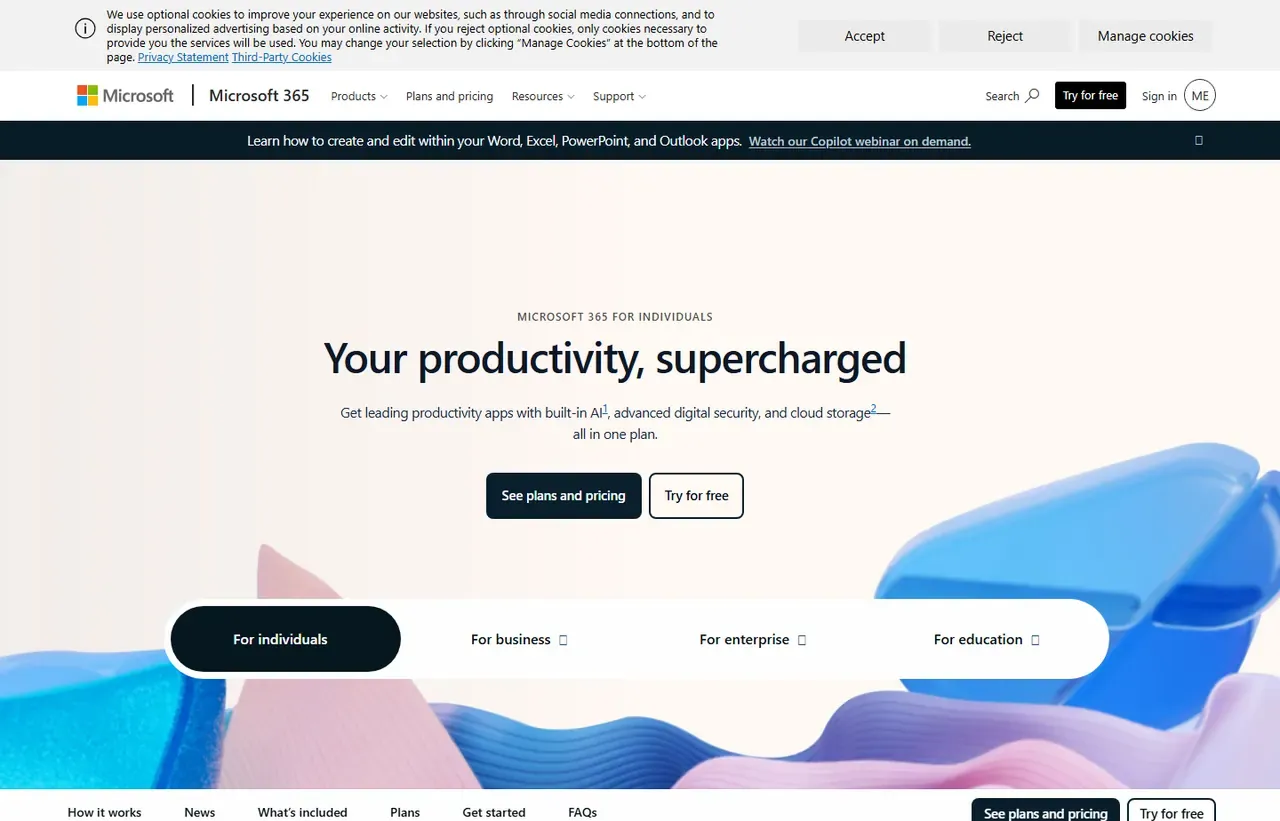
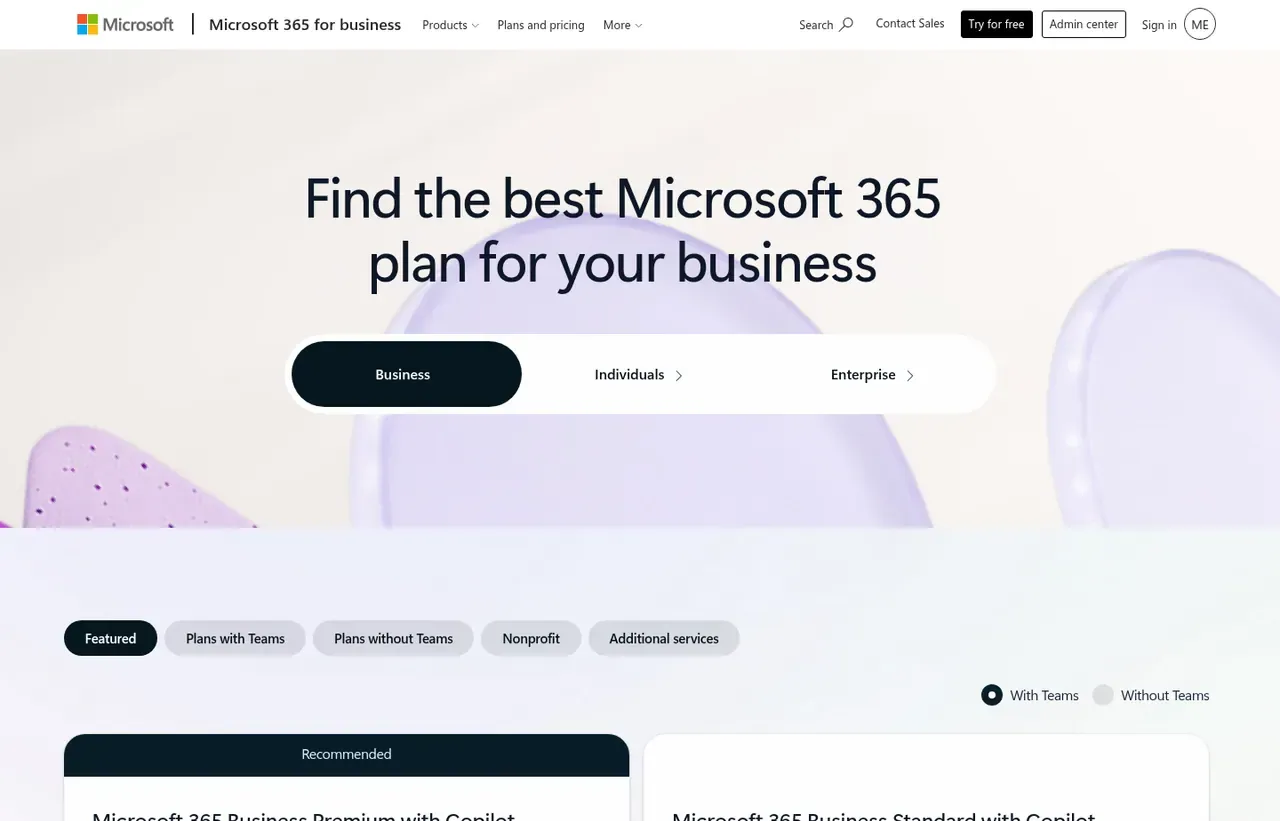
Captured by us in August 2026 at 1440px, unedited. Interfaces change, so these show the product as it looked on the date we verified this profile. Pricing pages are captured from a US vantage point, so the currency shown matches the USD figures recorded above.
Our assessment
Microsoft 365 is bought as infrastructure rather than as software, and judged that way it is very hard to fault: the desktop apps remain the most capable in their categories, Excel has no real equal, and bundling identity, device management and threat protection into one contract genuinely reduces cost and vendor count. The difficulty is the pricing surface. Between Basic, Apps, Standard, Premium, Copilot inclusion and the EU Teams-free variants, working out what you are entitled to is a job in itself, and the gap between Basic at $7 and Premium at $32 is where most of the value and most of the confusion sits.
What works in Microsoft 365
- Desktop Office apps remain the most capable in their categories
- One contract covers email, files, identity, device management and security
- Enormous integration surface and universal file-format compatibility
- Copilot is now included in the business tiers rather than a separate purchase
What doesn't
- The plan matrix is genuinely difficult to navigate, with near-identical SKUs
- No free tier, and annual commitment is the default on advertised pricing
- Admin centre is sprawling and assumes an IT administrator
- Deep lock-in through identity, file formats and device management
EveryAny Decision Score
3 of these 8 dimensions are calculated from verified facts; the rest are our judgement, shown as a band rather than a figure unless something specific sits behind them. How each score works.
- Cost position6.8/10
derivedentry tier at $7 a month against a category median of $9.99 a month across 28 comparable tools
- Portability5/10
derivedpublic API
- Subscription flexibility6/10
derivedfree trial, subscription, monthly billing
- Feature depthVery high
editorialour judgement, with no measurement behind it
- Ease of learningHigh
editorialour judgement, with no measurement behind it
- CollaborationHigh
editorialour judgement, with no measurement behind it
- AI capabilityHigh
editorialour judgement, with no measurement behind it
- Professional adoptionVery high
editorialour judgement, with no measurement behind it
What leaving Microsoft 365 would cost
moderate lock-in
Microsoft 365 scores on public API. Portability 5/10 ; lock-in is the inverse. How this is calculated.
Microsoft 365 competitors and alternatives
| Alternative | Why you might pick it instead |
|---|---|
| Google Workspace | Simpler pricing and better real-time collaboration; weaker desktop apps. |
| Zoho Workplace | Far cheaper bundle covering the same jobs for small businesses. |
| LibreOffice with Proton or Fastmail | For teams that want documents and mail without a platform relationship. |

Google Workspace
Productivity
Browser-first productivity suite built around Gmail, Drive and real-time documents.
Checked Aug 2026

Okta
Security
The identity layer that decides who gets into everything else.
Checked Aug 2026
What you are actually buying
Most teams think they are buying Word and Excel. At Business Premium they are buying an identity provider, a device-management platform and an endpoint security product that happen to ship with an office suite attached. That is the real argument for the top tier, and it is why comparisons against a documents-only tool tend to miss the point.
The plan matrix, decoded
Four decisions determine which SKU you need:
- Do you need desktop apps? Business Basic is web and mobile only. If people work in Excel all day, you need Standard or Apps for business.
- Do you need business email on your domain? Apps for business does not include Exchange Online. It is the one plan people buy by mistake.
- Do you need device management and threat protection? That is Business Premium, and it is where the price steps from $23.50 to $32.00.
- Do you need Copilot? Microsoft now sells Business Standard and Premium with Copilot included, which is why those figures are markedly higher than the historical Office 365 prices people remember.
The Teams-free variants
Following European competition commitments, Microsoft sells Business Basic, Standard and Premium in versions without Teams, at a lower price ($5.40, $20.30 and $28.80 per user per month at the time we checked). If you standardise on Slack or Zoom, these exist and are cheaper. Very few buyers know to ask for them.
Where the cost really lands
The advertised prices assume annual commitment paid yearly. Monthly billing costs more, and the per-user figure multiplies quickly once you include contractors and shared mailboxes. Model the whole directory, not the headcount.
Microsoft 365 or Google Workspace?
Choose Google Workspace if collaboration is browser-based, your team is small and you want pricing you can explain in one sentence. Choose Microsoft 365 if Excel is load-bearing, if you need device management, or if your organisation already runs on Entra ID. Nearly every large enterprise ends up here, and the reason is rarely the documents.
Microsoft 365 questions, answered
- Is Microsoft 365 worth it?
- Microsoft 365 is bought as infrastructure rather than as software, and judged that way it is very hard to fault: the desktop apps remain the most capable in their categories, Excel has no real equal, and bundling identit
- How much does Microsoft 365 cost?
- From $7.00 per user/month (Business Basic, paid yearly). The cheapest paid tier we recorded is Business Basic, published at $7 a month, which works out at $7 a month or $84 over a year. Verified against the vendor's pricing page.
- Does Microsoft 365 have a free plan or free trial?
- Microsoft 365 has no free plan. A free trial is available: 1 month on Business plans.
- What is the best Microsoft 365 alternative?
- It depends on the job. Google Workspace: Simpler pricing and better real-time collaboration; weaker desktop apps. Zoho Workplace: Far cheaper bundle covering the same jobs for small businesses. LibreOffice with Proton or Fastmail: For teams that want documents and mail without a platform relationship.
- Can I self-host Microsoft 365?
- No. Microsoft 365 is a hosted service only, so your data lives on the vendor's infrastructure.
What this profile is based on
Every claim below is about our work, not about Microsoft 365. A "no" is recorded rather than omitted, because the difference between a tested review and careful desk research is the reader's to weigh. How we research a profile.
-
Prices read from the vendor : yes
Read from Microsoft 365's own pricing page on 9 August 2026
-
Plans and terms recorded : yes
6 rows, each with its billing period
-
Original screenshots : yes
2 captured by us: homepage, pricing page
-
Sources cited and dated : yes
1 primary source, each with the date it was read
-
Product used first-hand : no
Not tested. This profile is desk research from primary sources
-
Alternatives used first-hand : no
None, so comparisons here rest on published facts rather than use
-
Vendor contacted : no
Not contacted for this profile
Where Microsoft 365 appears on this site
One other page here references Microsoft 365, and it is listed below.
- Another profile Google Workspace names it as a competitor
Counts pages on this site that name the product by choice - buyer guides, articles, deal records and other profiles. Category and directory indexes list everything automatically and are not counted.
One-click Google setting
Get our writing surfaced first on Google
If this was useful, add EveryAny.One as a preferred source in Google. Our profiles and best-of guides will appear ahead of the rest in Top Stories, AI Mode and AI Overviews when you search for software.
- Our reviews get a "preferred" badge in Top Stories and AI Overviews.
- AI Mode leans on the sources you've chosen when it answers.
- Change it back any time from the same Google page.

Opens Google's source preferences in a new tab.
Provenance and freshness
When each fact was last checked
- Pricing ·
- Plans ·
- Free trial
- Features
- Platforms
- Integrations
- Affiliate programme
- Company details
What has changed
-
August 2026
- Per-user pricing verified, including the Teams-free EU variant
- Added plan picker and verdicts
Sources & verification
Facts on this page were read from the sources below on the dates shown. Where a vendor does not publish a figure, we record it as not disclosed rather than estimating it.
- Microsoft 365 business plans and pricing - checked 9 August 2026
Spotted something out of date? Email [email protected] and we will re-check it. Corrections are logged on the page.

