

Microsoft Teams
Chat, meetings and calling built into the Microsoft 365 stack.
- Productivity
- Sales
- AI
- from $4.00/mo
Microsoft Teams combines persistent chat, video meetings, file collaboration and a full telephony system in one client. Its position is structural rather than competitive: for most organisations it arrives bundled with Microsoft 365, which is why it displaced tools that many users preferred.
Microsoft Teams ranking and coverage
- In Productivity
- #2 of 28
- Overall
- #15 of 122 tied
- Terms score
- 7.6 /10
- Referenced here
- 3 pages
Cost position 8.9 · Portability 5 · Subscription flexibility 9 - Ranked on published terms only: entry price against category peers, portability and subscription flexibility, equally weighted. This is not a quality score.How the rank is calculated.
Microsoft Teams: the short answer
Every line below is drawn from facts verified on 9 August 2026.
- What it is
- Chat, meetings and calling built into the Microsoft 365 stack
- Best for
- Organisations already paying for Microsoft 365
- Starts at
- Free tier available; Teams Essentials from $4.00 per user/month
- Free option
- Free plan available, 1 month on Microsoft 365 Business plans trial
- Biggest strength
- Included with Microsoft 365, so the marginal cost is usually zero
- Biggest drawback
- Heavy client, slower than dedicated chat tools
- Based on
- Primary-source research, not hands-on use
- Closest alternative
- Slack - A faster, better-organised chat client with a stronger app ecosystem
- True annual cost
- from $48 a year on Teams Essentials, the cheapest paid tier ($4 a month)
Microsoft Teams at a glance
| Best for | Organisations already paying for Microsoft 365, Replacing a separate phone system with Teams Phone, Large internal meetings and webinars |
|---|---|
| Category | Productivity, Sales, AI |
| Starting price | Free tier available; Teams Essentials from $4.00 per user/month |
| Free plan | Yes |
| Free trial | 1 month on Microsoft 365 Business plans |
| Pricing model | freemium |
| Company | Microsoft Corporation |
| Founded | 1975 |
| Headquarters | Redmond, Washington, United States |
| Founders | Bill Gates, Paul Allen |
| Platforms | Web, Windows, macOS, Linux, iOS, Android |
| Public API | Yes |
| Browser extension | No |
| Mobile apps | iOS + Android |
| Self-hosting | No |
| Affiliate programme | No |
| Data source | Vendor pricing page and public records |
| Last checked | August 2026 |
Microsoft Teams pricing
Prices below were read from the vendor's own pricing page on 9 August 2026. Pricing model: freemium. Free trial: 1 month on Microsoft 365 Business plans.
| Plan | Price | Billing | Notes |
|---|---|---|---|
| Microsoft Teams (free) | $0 | per month | Chat and meetings with time and participant limits |
| Teams Essentials | $4.00 | per month | per user, paid yearly - Standalone Teams without Microsoft 365 apps or business email |
| Microsoft 365 Business Basic | $7.00 | per month | per user, paid yearly - Teams plus business email and web apps |
| Microsoft 365 Business Standard with Copilot | $23.50 | per month | per user, paid yearly |
| Teams Phone Standard | $10.00 | per month | per user - Add-on providing a phone number and PBX features |
| Teams Phone with Calling Plan | $17.00 | per month | per user - Teams Phone plus domestic minutes, US zone |
What Microsoft Teams actually costs over a year
A monthly price is not the same thing as a monthly contract. These are the plans above resolved both ways, per seat or unit where the plan is charged that way. Where a vendor quotes only a yearly figure it is divided by twelve rather than left out, and the Quoted column says which figure the vendor actually publishes.
| Plan | Quoted | Monthly | Over 12 months |
|---|---|---|---|
| Teams Essentialsper user, paid yearly | per month | $4 | $48 |
| Microsoft 365 Business Basicper user, paid yearly | per month | $7 | $84 |
| Microsoft 365 Business Standard with Copilotper user, paid yearly | per month | $23.5 | $282 |
| Teams Phone Standard add-onper user | per month | $10 | $120 |
| Teams Phone with Calling Planper user | per month | $17 | $204 |
Which Microsoft Teams plan should you buy?
| Your situation | Recommended | Why |
|---|---|---|
| You need chat and meetings at no cost | Microsoft Teams free | Works, with time and participant limits on meetings. |
| You want Teams without the Office apps | Teams Essentials | $4 per user paid yearly. Standalone Teams, no business email included. |
| You need Teams plus business email | Microsoft 365 Business Basic | $7 per user, and usually the better purchase than Essentials. |
| You want to replace your phone system | Teams Phone | $10 per user for PBX features, or $17 with domestic calling in the US zone. This is where Teams genuinely saves money. |
| You have no other Microsoft footprint | Consider Slack instead | Slack is a better chat product. Teams wins on being already paid for, which does not apply to you. |
Verdict by who you are
Microsoft 365 organisationYes
Already included in your licence. Paying for Slack alongside it is paying twice for messaging.
Company replacing a legacy PBXYes
Teams Phone at $10 to $17 per user often costs less than the phone system it replaces, and is the strongest standalone argument.
Team that values a fast, focused chat clientNo
Teams is heavier and slower than Slack, and daily friction compounds.
Small business with no Microsoft estateNo
The bundling advantage is the whole case, and you do not have it.
Organisation building an external communityNo
Teams is built for internal collaboration. Discord or Slack Connect fit better.
Should you buy Microsoft Teams?
Buy Microsoft Teams if…
- Organisations already paying for Microsoft 365
- Replacing a separate phone system with Teams Phone
- Large internal meetings and webinars
Do not buy Microsoft Teams if…
- Teams that value a fast, focused chat client above all else
- Small businesses with no other Microsoft footprint
- External community building, where other tools are stronger
Key features
- Persistent channel chat and threaded conversations
- Video meetings with recording, transcription and live captions
- Teams Phone, a full cloud PBX with direct routing
- Deep SharePoint and OneDrive file collaboration in-channel
- Together mode, breakout rooms and large-scale town halls
- Copilot meeting summaries and action items on licensed tiers
- Guest and external access with tenant-level controls
- App platform for building tabs, bots and workflows
Integrations
- Microsoft 365 and SharePoint
- Power Automate and the Power Platform
- Dynamics 365
- Salesforce, Asana, Trello, Zoom and Jira apps
- Microsoft Graph API
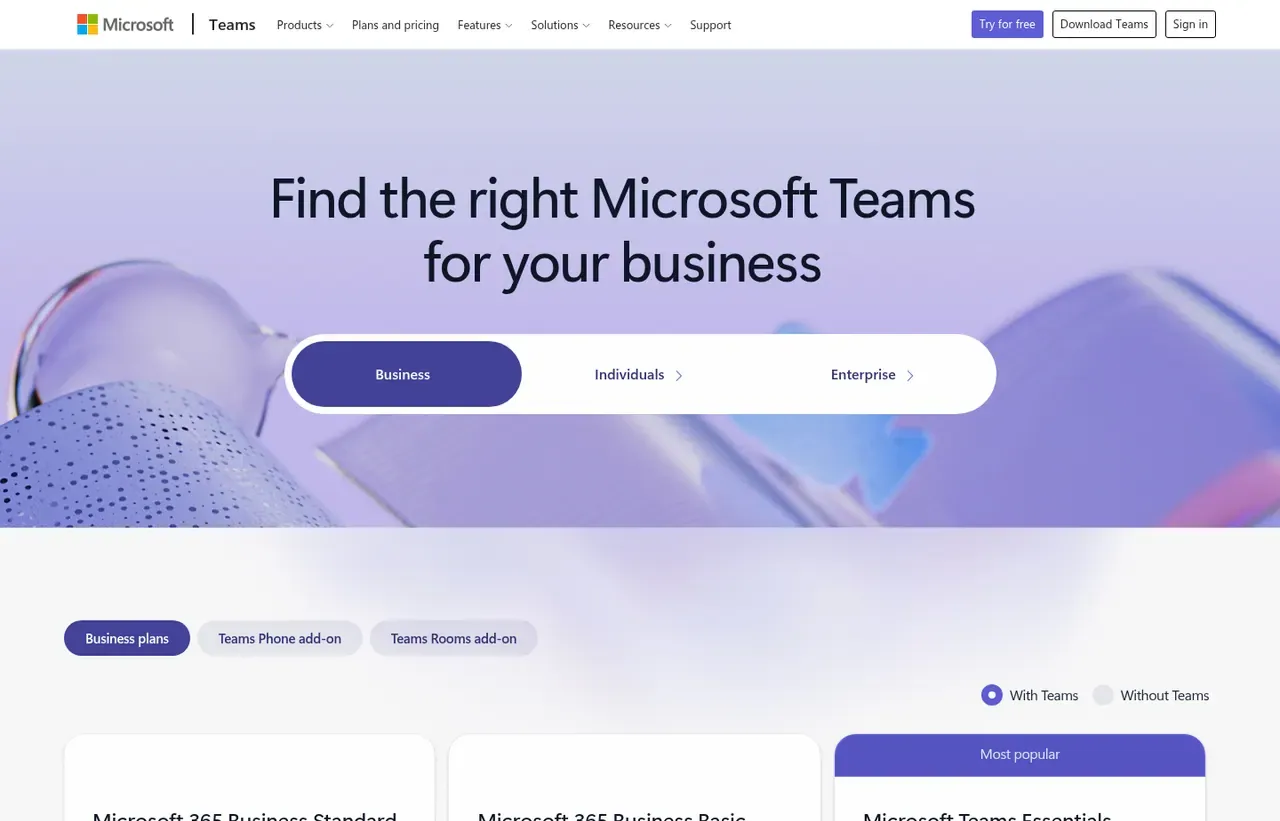
Microsoft Teams screenshots
Captured by us in August 2026 at 1440px, unedited. Interfaces change, so these show the product as it looked on the date we verified this profile. Pricing pages are captured from a US vantage point, so the currency shown matches the USD figures recorded above.
Our assessment
Teams is the most complete communications product in this category and rarely the most loved one. Bundling chat, meetings and a genuine phone system into a licence organisations already hold makes the commercial case almost unanswerable, and Teams Phone in particular displaces real PBX spend. The costs are experiential: the client is heavy, channel and chat organisation confuses people for months, and external collaboration remains fiddlier than it should be. Judge it as infrastructure you already own, not as a product you would choose in isolation.
What works in Microsoft Teams
- Included with Microsoft 365, so the marginal cost is usually zero
- Teams Phone can replace a separate telephony contract entirely
- Excellent for large internal meetings, town halls and webinars
- Deep file collaboration because SharePoint sits underneath every channel
What doesn't
- Heavy client, slower than dedicated chat tools
- Channels, chats and teams are easy to organise badly and hard to fix later
- External and cross-tenant collaboration is clumsy compared with Slack
- Notification behaviour frustrates users well past onboarding
EveryAny Decision Score
3 of these 8 dimensions are calculated from verified facts; the rest are our judgement, shown as a band rather than a figure unless something specific sits behind them. How each score works.
- Cost position8.9/10
derivedentry tier at $4 a month against a category median of $9.99 a month across 28 comparable tools
- Portability5/10
derivedpublic API
- Subscription flexibility9/10
derivedfree plan, free trial, freemium, monthly billing
- Feature depthHigh
editorialour judgement, with no measurement behind it
- Ease of learningModerate
editorialour judgement, with no measurement behind it
- CollaborationHigh
editorialour judgement, with no measurement behind it
- AI capabilityHigh
editorialour judgement, with no measurement behind it
- Professional adoptionVery high
editorialour judgement, with no measurement behind it
What leaving Microsoft Teams would cost
moderate lock-in
Microsoft Teams scores on public API. Portability 5/10 ; lock-in is the inverse. How this is calculated.
Microsoft Teams competitors and alternatives
| Alternative | Why you might pick it instead |
|---|---|
| Slack | A faster, better-organised chat client with a stronger app ecosystem. |
| Zoom | Still the smoother meeting experience, particularly with external guests. |
| Google Meet with Google Chat | The equivalent bundle if you run on Google Workspace. |

Slack
Productivity
Channel-based messaging that replaced internal email at a lot of companies.
Checked Aug 2026

Zoom
Productivity
Video meetings that still work when the network does not.
Checked Aug 2026
The bundling argument
Almost nobody evaluates Teams and buys it. They buy Microsoft 365 and find Teams included, at which point paying separately for another chat tool needs justifying to finance. That is the whole competitive story, and it explains why Teams’ user numbers and its satisfaction scores point in different directions.
Teams Phone is the underrated part
The feature that most often justifies Teams on its own merits is telephony. Teams Phone Standard at $10 per user per month provides a cloud PBX; adding a calling plan takes it to $17 in the US zone. For an organisation still paying for desk phones and a separate voice contract, that consolidation is frequently the largest single line-item saving available.
Where it genuinely frustrates people
Three complaints recur and none are unfair:
- Structure. The distinction between a team, a channel and a group chat is never obvious, and organisations routinely end up with hundreds of abandoned channels.
- Weight. It uses noticeably more memory and starts more slowly than a dedicated chat client.
- External collaboration. Working with people outside your tenant involves guest access, cross-tenant settings and occasional dead ends that Slack solved years ago.
What to check before standardising
Confirm which Microsoft 365 tier your users hold, because meeting size, recording and webinar features differ by licence. If you operate in the EU, note that Microsoft also sells Business Basic, Standard and Premium without Teams at a lower price, which is worth knowing if you intend to standardise on something else.
Microsoft Teams questions, answered
- Is Microsoft Teams worth it?
- Teams is the most complete communications product in this category and rarely the most loved one.
- How much does Microsoft Teams cost?
- Free tier available; Teams Essentials from $4.00 per user/month. The cheapest paid tier we recorded is Teams Essentials, published at $4 a month, which works out at $4 a month or $48 over a year. Verified against the vendor's pricing page.
- Does Microsoft Teams have a free plan or free trial?
- Microsoft Teams has a free plan. A free trial is available: 1 month on Microsoft 365 Business plans.
- What is the best Microsoft Teams alternative?
- It depends on the job. Slack: A faster, better-organised chat client with a stronger app ecosystem. Zoom: Still the smoother meeting experience, particularly with external guests. Google Meet with Google Chat: The equivalent bundle if you run on Google Workspace.
- Can I self-host Microsoft Teams?
- No. Microsoft Teams is a hosted service only, so your data lives on the vendor's infrastructure.
What this profile is based on
Every claim below is about our work, not about Microsoft Teams. A "no" is recorded rather than omitted, because the difference between a tested review and careful desk research is the reader's to weigh. How we research a profile.
-
Prices read from the vendor : yes
Read from Microsoft Teams's own pricing page on 9 August 2026
-
Plans and terms recorded : yes
6 rows, each with its billing period
-
Original screenshots : yes
2 captured by us: homepage, pricing page
-
Sources cited and dated : yes
1 primary source, each with the date it was read
-
Product used first-hand : no
Not tested. This profile is desk research from primary sources
-
Alternatives used first-hand : no
None, so comparisons here rest on published facts rather than use
-
Vendor contacted : no
Not contacted for this profile
Where Microsoft Teams appears on this site
3 other pages here reference Microsoft Teams. Every one is listed below, so the figure can be checked rather than taken.
- Another profile Discord names it as a competitor
- Another profile Slack names it as a competitor
- Another profile Zoom names it as a competitor
Counts pages on this site that name the product by choice - buyer guides, articles, deal records and other profiles. Category and directory indexes list everything automatically and are not counted.
One-click Google setting
Get our writing surfaced first on Google
If this was useful, add EveryAny.One as a preferred source in Google. Our profiles and best-of guides will appear ahead of the rest in Top Stories, AI Mode and AI Overviews when you search for software.
- Our reviews get a "preferred" badge in Top Stories and AI Overviews.
- AI Mode leans on the sources you've chosen when it answers.
- Change it back any time from the same Google page.

Opens Google's source preferences in a new tab.
Provenance and freshness
When each fact was last checked
- Pricing ·
- Plans ·
- Free trial
- Features
- Platforms
- Integrations
- Affiliate programme
- Company details
What has changed
-
August 2026
- Per-user pricing verified, including Teams Phone add-on rates
- Added plan picker and verdicts
Sources & verification
Facts on this page were read from the sources below on the dates shown. Where a vendor does not publish a figure, we record it as not disclosed rather than estimating it.
- Microsoft Teams plan comparison - checked 9 August 2026
Spotted something out of date? Email [email protected] and we will re-check it. Corrections are logged on the page.

