

Framer
Design-led website builder that publishes production sites from a canvas.
- Development
- Design
- Marketing
- from $10/mo
Framer is a website builder with a designer's canvas rather than a block editor. You lay out pages freely, add interactions and animation, then publish to Framer's hosting on a custom domain. It occupies the space between a design tool and a no-code site builder.
Framer ranking and coverage
- In Development
- #13 of 18 tied
- Overall
- #70 of 122 tied
- Terms score
- 5.3 /10
- Referenced here
- 8 pages
Cost position 5 · Portability 5 · Subscription flexibility 6 - Ranked on published terms only: entry price against category peers, portability and subscription flexibility, equally weighted. This is not a quality score.How the rank is calculated.
Framer: the short answer
Every line below is drawn from facts verified on 20 August 2026.
- What it is
- Design-led website builder that publishes production sites from a canvas
- Best for
- Marketing sites and landing pages with strong visual design
- Starts at
- Free on a Framer subdomain; paid sites from $10/month
- Free option
- Free plan available, no trial
- Biggest strength
- Design freedom and animation quality no block builder matches
- Biggest drawback
- Priced per site, which gets expensive across multiple projects
- Based on
- Primary-source research, not hands-on use
- Closest alternative
- Webflow - More powerful CMS and ecommerce, with a steeper learning curve and higher price
- True annual cost
- from $120 a year on Basic, the cheapest paid tier ($10 a month)
Framer at a glance
| Best for | Marketing sites and landing pages with strong visual design, Designers who want to publish without a developer, Startups needing a credible site quickly |
|---|---|
| Category | Development, Design, Marketing |
| Starting price | Free on a Framer subdomain; paid sites from $10/month |
| Free plan | Yes |
| Free trial | No trial offered |
| Pricing model | subscription |
| Company | Framer B.V. |
| Founded | 2014 |
| Headquarters | Amsterdam, Netherlands |
| Founders | Koen Bok, Jorn van Dijk |
| Platforms | Web, macOS, Windows |
| Public API | Yes |
| Browser extension | No |
| Mobile apps | None |
| Self-hosting | No |
| Affiliate programme | Partner and affiliate programmes advertised; rates vary by programme |
| Data source | Vendor pricing page and public records |
| Last checked | August 2026 |
Framer pricing
Prices below were read from the vendor's own pricing page on 20 August 2026. Pricing model: subscription. No free trial is offered.
| Plan | Price | Billing | Notes |
|---|---|---|---|
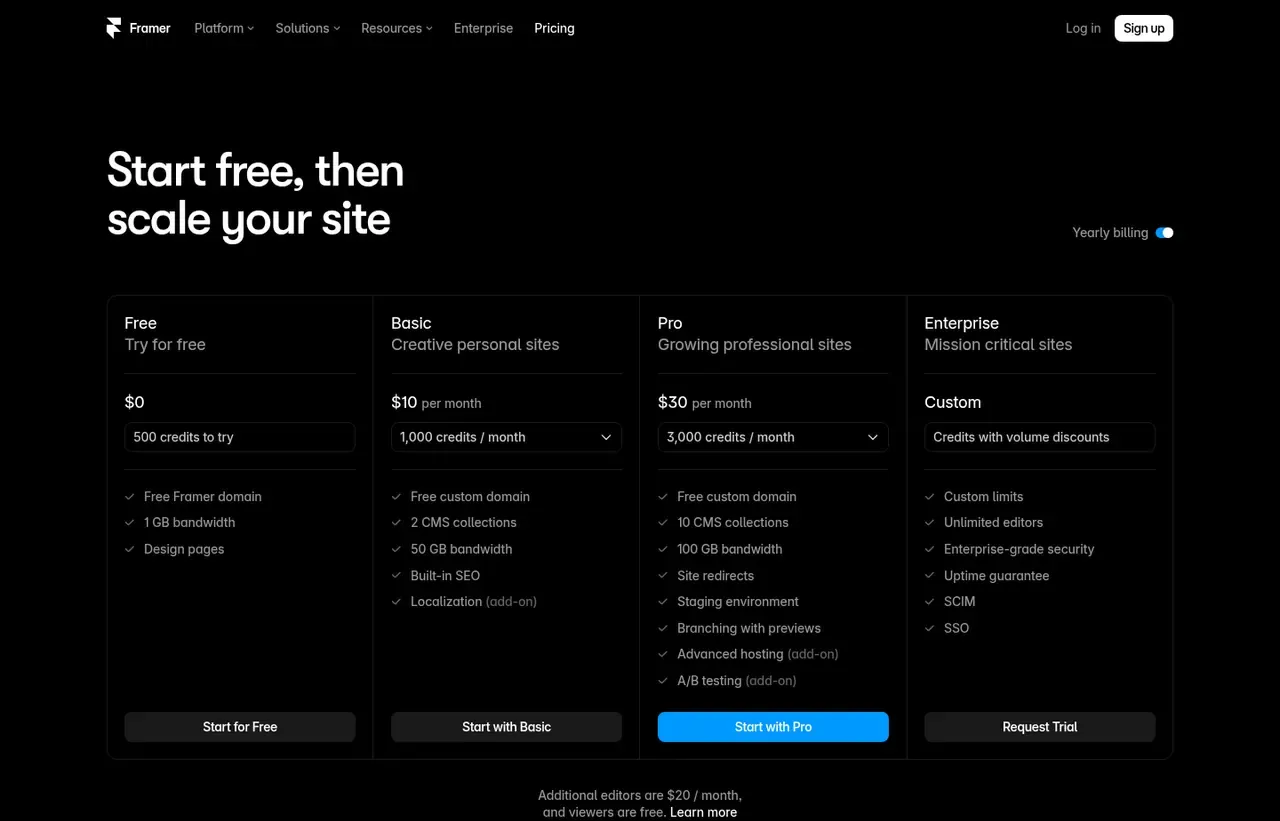
| Free | $0 | per month | Framer subdomain, 500 AI credits, 1 GB bandwidth. The FAQ adds 10 CMS collections, 1,000 pages and collaboration with up to three editors on a workspace with no subscription |
| Basic | $10 | per month | Per site, on yearly billing. Custom domain, 2 CMS collections, 1,000 CMS items, 50 GB bandwidth and 1,000 AI credits a month |
| Pro | $30 | per month | Per site, on yearly billing. 10 CMS collections, 2,500 CMS items, 100 GB bandwidth, staging and branching. Add-ons extend it to 40 collections, 40,000 items and 2 TB |
| Enterprise | Custom | Negotiated | - |
| Extra editors | $20 | per month | Per editor a month, twice the price of the Basic site itself. Viewers are free |
| Extra CMS items | $20 | per month | Per 10,000 items on Pro, to a maximum of 40,000 |
| Extra bandwidth | $40 | per month | Per 100 GB on Pro, to a maximum of 2 TB |
What Framer actually costs over a year
A monthly price is not the same thing as a monthly contract. These are the plans above resolved both ways, per seat or unit where the plan is charged that way. Where a vendor quotes only a yearly figure it is divided by twelve rather than left out, and the Quoted column says which figure the vendor actually publishes.
| Plan | Quoted | Monthly | Over 12 months |
|---|---|---|---|
| Basic | per month | $10 | $120 |
| Pro | per month | $30 | $360 |
| Extra editors add-on | per month | $20 | $240 |
| Extra CMS items add-on | per month | $20 | $240 |
| Extra bandwidth add-on | per month | $40 | $480 |
Which Framer plan should you buy?
| Your situation | Recommended | Why |
|---|---|---|
| You are prototyping a site and do not need a domain | Free | Framer subdomain with 500 credits and 1 GB bandwidth. Fine for testing. |
| You are publishing a marketing site or landing page | Basic | $10 a month per site for a custom domain, 2 CMS collections and 50 GB bandwidth. |
| You need more CMS collections and traffic headroom | Pro | $30 per site for 10 CMS collections and a higher credit allowance. |
| You have several people editing | Budget for editors separately | Extra editors are $20 each monthly, or $10 on annual billing, on top of the per-site price. |
| You run a large content site with editorial workflow | Consider WordPress or Astro instead | Framer prices per site and is not built for heavy editorial operations. |
| You are selling a substantial catalogue | Do not buy Framer | Ecommerce is not its strength. Shopify or WooCommerce fit properly. |
Verdict by who you are
Designer publishing without a developerYes
The fastest route from a visual idea to a live, genuinely well-designed site with no code involved.
Startup needing a credible site this weekYes
$10 a month and a weekend gets you something that looks funded.
Content team publishing dailyCompare first
The CMS works but collection limits and per-site pricing suit marketing sites, not publications.
Ecommerce businessNo
Wrong tool. Use a commerce platform.
Team wanting to own the codebaseNo
You cannot export a maintainable codebase. Astro or Next.js if that matters.
Should you buy Framer?
Buy Framer if…
- Marketing sites and landing pages with strong visual design
- Designers who want to publish without a developer
- Startups needing a credible site quickly
Do not buy Framer if…
- Large content sites with complex editorial workflows
- Ecommerce with substantial catalogues
- Teams needing full control of the codebase
Key features
- Freeform design canvas with responsive breakpoints
- Built-in CMS collections for blogs and case studies
- Scroll, hover and page-transition animation without code
- Custom React code components for anything the canvas cannot do
- Managed hosting on a global CDN with SSL
- SEO fields per page and automatic sitemap
- Localisation for multi-language sites
- A/B testing on higher tiers
Integrations
- Figma (paste to import)
- Google Analytics and Search Console
- Mailchimp and other form endpoints
- Stripe (via components)
- Framer Plugin API
Framer screenshots
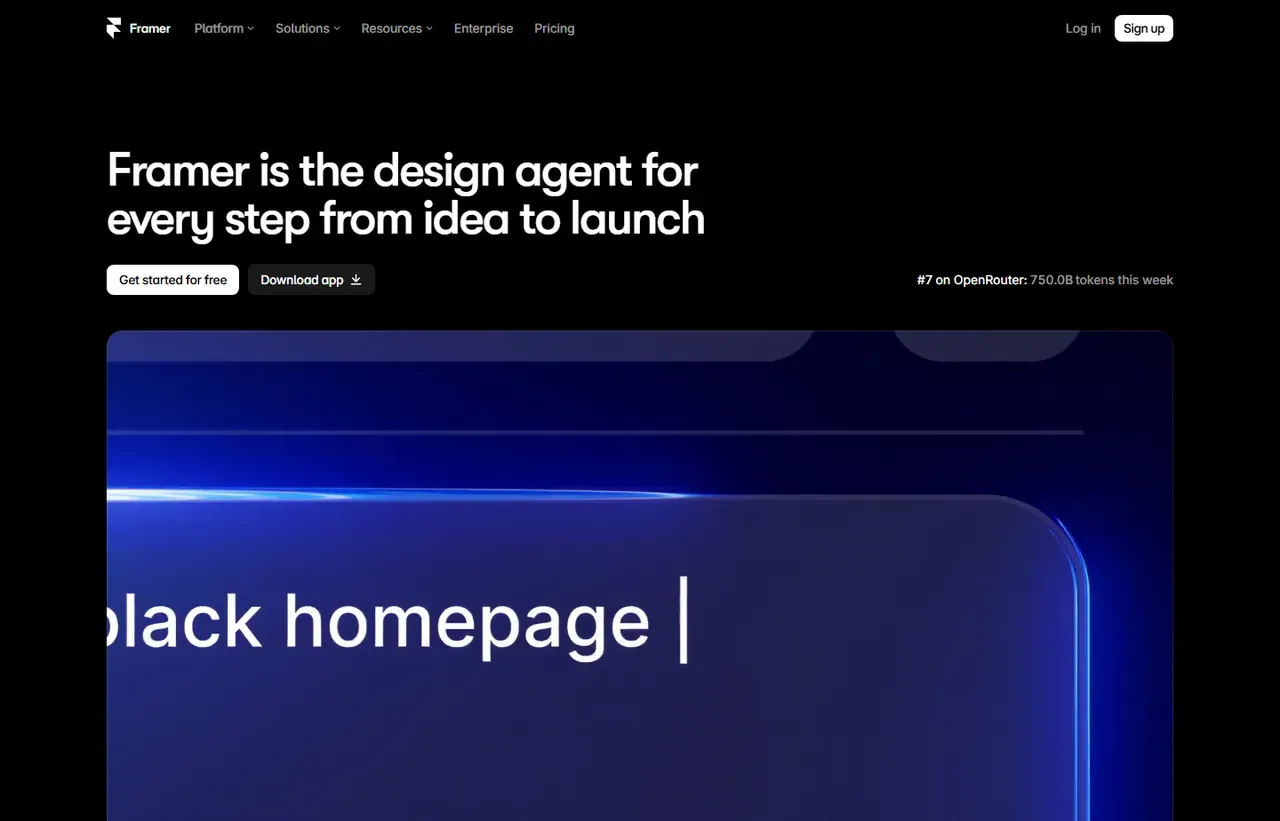
Captured by us in August 2026 at 1440px, unedited. Interfaces change, so these show the product as it looked on the date we verified this profile. Pricing pages are captured from a US vantage point, so the currency shown matches the USD figures recorded above.
Our assessment
Framer is the fastest route from a design idea to a live, well-built marketing site, and the animation work it produces without code is well beyond what block-based builders manage. Its limits are structural: pricing is per site, so an agency running many client sites accumulates subscriptions; the CMS is fine for a blog and inadequate for a large content operation; and you do not own the output. For a startup homepage it is an easy recommendation. For a 2,000-page publication it is not.
What works in Framer
- Design freedom and animation quality no block builder matches
- Very fast from blank canvas to published custom domain
- Custom React components provide an escape hatch for real functionality
- Hosting, SSL and CDN are handled with no configuration
What doesn't
- Priced per site, which gets expensive across multiple projects
- CMS is limited for large or complex content operations
- No code export, so migration means rebuilding
- Easy to publish a heavy page if you are careless with media
EveryAny Decision Score
3 of these 8 dimensions are calculated from verified facts; the rest are our judgement, shown as a band rather than a figure unless something specific sits behind them. How each score works.
- Cost position5/10
derivedentry tier at $10 a month against a category median of $15 a month across 16 comparable tools
- Portability5/10
derivedpublic API
- Subscription flexibility6/10
derivedfree plan, subscription, monthly billing
- Feature depthHigh
editorialour judgement, with no measurement behind it
- Ease of learningHigh
editorialour judgement, with no measurement behind it
- CollaborationHigh
editorialour judgement, with no measurement behind it
- AI capabilityModerate
editorialour judgement, with no measurement behind it
- Professional adoptionModerate
editorialour judgement, with no measurement behind it
What leaving Framer would cost
moderate lock-in
Framer scores on public API. Portability 5/10 ; lock-in is the inverse. How this is calculated.
Framer competitors and alternatives
| Alternative | Why you might pick it instead |
|---|---|
| Webflow | More powerful CMS and ecommerce, with a steeper learning curve and higher price. |
| Astro on Cloudflare Pages | What to choose when you want code ownership and the fastest possible pages. |
| Squarespace | Simpler and cheaper for a conventional brochure site. |

Vercel
Development
Deployment platform for frontend frameworks, built by the team behind Next.js.
Checked Aug 2026
Per-site pricing is the thing to model
Framer charges per published site, not per seat. One startup homepage is inexpensive. An agency with twelve client sites has twelve subscriptions, and the arithmetic starts to favour a builder with account-level pricing or a coded site on cheap hosting.
The CMS ceiling
Framer’s CMS handles a blog, a case-study collection and a careers list well. It is not built for thousands of entries, nested taxonomies, editorial workflow states or multiple editors working concurrently on structured content. If your content plan looks like a publication, this is the wrong tool - that is what this site runs Astro for.
Performance is your responsibility
Framer’s hosting is fast, but the canvas will happily let you place a 4 MB hero image and three autoplaying videos above the fold. Sites built carelessly here score badly on Core Web Vitals. Compress assets, limit animation on mobile, and test with real throttling.
No export, so decide deliberately
There is no code export. If you outgrow Framer you rebuild rather than migrate. That is an acceptable trade for a marketing site you expect to redesign in two years anyway, and a poor one for a site you intend to keep for a decade.
Framer questions, answered
- Is Framer worth it?
- Framer is the fastest route from a design idea to a live, well-built marketing site, and the animation work it produces without code is well beyond what block-based builders manage.
- How much does Framer cost?
- Free on a Framer subdomain; paid sites from $10/month. The cheapest paid tier we recorded is Basic, published at $10 a month, which works out at $10 a month or $120 over a year. Verified against the vendor's pricing page.
- Does Framer have a free plan or free trial?
- Framer has a free plan. No free trial is offered.
- What is the best Framer alternative?
- It depends on the job. Webflow: More powerful CMS and ecommerce, with a steeper learning curve and higher price. Astro on Cloudflare Pages: What to choose when you want code ownership and the fastest possible pages. Squarespace: Simpler and cheaper for a conventional brochure site.
- Can I self-host Framer?
- No. Framer is a hosted service only, so your data lives on the vendor's infrastructure.
What this profile is based on
Every claim below is about our work, not about Framer. A "no" is recorded rather than omitted, because the difference between a tested review and careful desk research is the reader's to weigh. How we research a profile.
-
Prices read from the vendor : yes
Read from Framer's own pricing page on 20 August 2026
-
Plans and terms recorded : yes
7 rows, each with its billing period
-
Original screenshots : yes
2 captured by us: homepage, pricing page
-
Sources cited and dated : yes
2 primary sources, each with the date it was read
-
Product used first-hand : no
Not tested. This profile is desk research from primary sources
-
Alternatives used first-hand : no
None, so comparisons here rest on published facts rather than use
-
Vendor contacted : no
Not contacted for this profile
Desk research from Framer's own pricing page, re-read on 20 August 2026 through a United States egress. Nobody here has built a site in Framer, so the claim that it produces the best-looking output in its category is a judgement about published work rather than a measurement.
Where Framer appears on this site
8 other pages here reference Framer. Every one is listed below, so the figure can be checked rather than taken.
- Buyer guide Best ways to build a startup website in 2026 ranked #6
- Article How to Read a SaaS Pricing Page (and Find the Real Cost) listed as related
- Another profile Astro names it as a competitor
- Another profile Carrd names it as a competitor
- Another profile Squarespace names it as a competitor
- Another profile Vercel names it as a competitor
- Another profile Webflow names it as a competitor
- Another profile Wix names it as a competitor
Counts pages on this site that name the product by choice - buyer guides, articles, deal records and other profiles. Category and directory indexes list everything automatically and are not counted.
One-click Google setting
Get our writing surfaced first on Google
If this was useful, add EveryAny.One as a preferred source in Google. Our profiles and best-of guides will appear ahead of the rest in Top Stories, AI Mode and AI Overviews when you search for software.
- Our reviews get a "preferred" badge in Top Stories and AI Overviews.
- AI Mode leans on the sources you've chosen when it answers.
- Change it back any time from the same Google page.

Opens Google's source preferences in a new tab.
Provenance and freshness
When each fact was last checked
- Pricing ·
- Plans ·
- Free trial
- Features
- Platforms
- Integrations
- Affiliate programme
- Company details
Individually sourced claims
-
Basic is $10 a month and Pro $30 a month on yearly billing, with additional editors at $20 a month and viewers free
Framer pricing ↗ · checked
-
Basic allows 2 CMS collections and 1,000 CMS items with 50 GB of bandwidth; Pro allows 10 collections and 2,500 items with 100 GB
Framer pricing comparison table ↗ · checked
-
Add-ons extend Pro to 40 CMS collections, 40,000 items and 2 TB of bandwidth, at $40 per 10 collections, $20 per 10,000 items and $40 per 100 GB
Framer pricing FAQ ↗ · checked
-
Credits power Agents, localisation and other AI features, with 1,000 a month on Basic and 3,000 on Pro, and 500 to try on the free plan
Framer pricing FAQ ↗ · checked
What has changed
-
August 2026
- Recorded the CMS ceilings, which we had described only as "2 collections" - Basic allows 1,000 CMS items, comfortably above a 200-article blog, and Pro 2,500
- Corrected the extra-editor note, which claimed a $10 annual rate the page does not offer. It is $20 a month, twice the Basic site price
- Recorded the credit allowances that power Agents and localisation
- Recorded the free plan's 10 collections, 1,000 pages and three-editor collaboration
-
August 2026
- Per-site pricing and editor add-on costs verified
- Added plan picker and verdicts
Sources & verification
Facts on this page were read from the sources below on the dates shown. Where a vendor does not publish a figure, we record it as not disclosed rather than estimating it.
- Framer pricing page - checked 20 August 2026
- Framer developer documentation - checked 20 August 2026
Spotted something out of date? Email [email protected] and we will re-check it. Corrections are logged on the page.

